

 9am – 5pm Eastern, Monday – Friday
 133 N Dupont Blvd Ste 103, Smyrna, DE 19977
 Sale Tax Free Shopping!
CF-33 MK1 vs MK2 vs MK3 vs MK4: Is the Upgrade Worth It?
6th Mar 2026
Rugged laptop upgrades require careful evaluation. These systems stay mounted in patrol cars, utility trucks, and service vehicles for years at a time. They must endure field conditions and deliver uninterrupted service during emergencies and other mission-critical operations.
Eventually, every deployment requires considering replacement. When planning refresh cycles, assess how newer generations improve key operations, workload capacity, and long-term value. Determine if the added performance justifies the investment or if your current fleet continues to meet your team's needs.
The CF-33 MK1, MK2, MK3, and MK4 primarily differ in processor, memory, and wireless features. The external design stays virtually unchanged. Focus your evaluation on how these internal upgrades directly compare and impact your organization’s on-the-ground performance.
For fleet managers, these internal changes directly impact lifecycle planning. To determine if an upgrade is warranted, review Panasonic’s CF-33 generation comparison and assess how the differences affect real-world usage.
What the “MK” Means in CF-33 MK1 vs MK2 vs MK3 vs MK4
If you are new to Panasonic’s naming conventions, “CF-33” refers to the Toughbook model, and “MK” (Mark) indicates each hardware generation. The CF-33 platform remains the same, with MK1 through MK4 representing successive updates.
MK1 was the initial release, followed by MK2, MK3, and MK4 as subsequent hardware generations. Since 2017, each generation has introduced improvements to processors, memory, and batteries.
The form factor and model name remain unchanged; only the internal hardware differs between generations.
This matters because CF-33 MK4 is a newer generation of the same rugged system, not a separate product. The key differences when comparing models are internal, not external.
Processor Platforms by Generation
When comparing CF-33 MK1, MK2, MK3, and MK4, the processor platform is a key differentiator. The CPU determines core count, threading, and processing power, with each new model bringing advancements.
The supported CPUs for each CF-33 Mark release are as follows:
- CF-33 MK1: Features an Intel Core i5-7300U vPro (2.6GHz, up to 3.5GHz, 3MB cache) or optional i7-7600U.
2.8GHz with Turbo Boost up to 3.9GHz, 4MB cache. - CF-33 MK2: Upgrades to 10th Gen Intel Core i5-10310U vPro (1.7GHz, up to 4.4GHz, 6MB cache) or i7-10810U vPro (1.1GHz, up to 4.9GHz, 12MB cache).
- CF-33 MK3: Uses 12th Gen Intel Core i5-1245U vPro (1.6GHz, up to 4.4GHz, 12MB cache) or i7-1270P vPro (2.2GHz, up to 4.8GHz, 18MB cache).
- CF-33 MK4: Runs on either Intel Core i5-1345U vPro or i7-1370P vPro for improved performance and effectiveness.
These specifications highlight hardware differences. To understand their practical impact, consider how each processor manages multiple applications in real-world situations.

MK1: A Design for Lighter, Single-Task Workloads
The first generation of the CF-33 relies on 7th Generation Kaby Lake architecture. With two cores and four threads, the Intel Core i5-7300U supports basic single-application workloads but offers fewer parallel processing resources than later quad-core and hybrid processors.
In practice, it handles a primary task smoothly. However, as additional programs run simultaneously, such as mapping software, browser platforms, and encrypted connections, available processing capacity decreases.
MK1 remains suitable for structured reporting tools and lighter enterprise applications but offers limited capacity for heavier workloads.
MK2: Built for Stable Multitasking Under Moderate Load
With MK2, the platform advanced to 10th Generation Comet Lake processors. The i5-10310U features four cores and eight threads, doubling the thread capacity compared to MK1.
With more cores, the system remains stable during simultaneous applications. Browser platforms, VPN encryption, and background services can operate together with less performance impact. For agencies with moderate multitasking needs, MK2 is a clear improvement over MK1.
MK3: Optimized for Heavier, Cloud-Connected Workloads
MK3’s 12th Gen Alder Lake hybrid-core design delivers superior multitasking performance in comparison to MK1 and MK2 by efficiently allocating demanding tasks and background operations.
This design keeps demanding applications responsive while routine tasks run in the background. When cloud-based platforms, encryption tools, and data synchronization operate together, the processor allocates resources more efficiently than previous generations.
MK4: Next-Gen Performance and Features
MK4's 13th Gen Intel processors increase performance with up to 14 cores, faster graphics, advanced connectivity, and Thunderbolt 4. These are clear advantages over previous CF-33 generations.
Beyond processing power, these advancements provide more efficient multitasking, faster application launches, and improved responsiveness under heavy workloads. The upgraded Intel Iris Xe graphics boost visual performance, making MK4 suitable for challenging tasks such as mapping, real-time data visualization, and video conferencing.
MK3 offers greater flexibility than MK1 and MK2 for agencies running heavier software or requiring long-term deployment. MK4 surpasses MK3 for the most demanding software environments.
Processor specifications outline hardware differences. The next step is to identify where these differences are most evident in field operations.
Memory and Storage Support
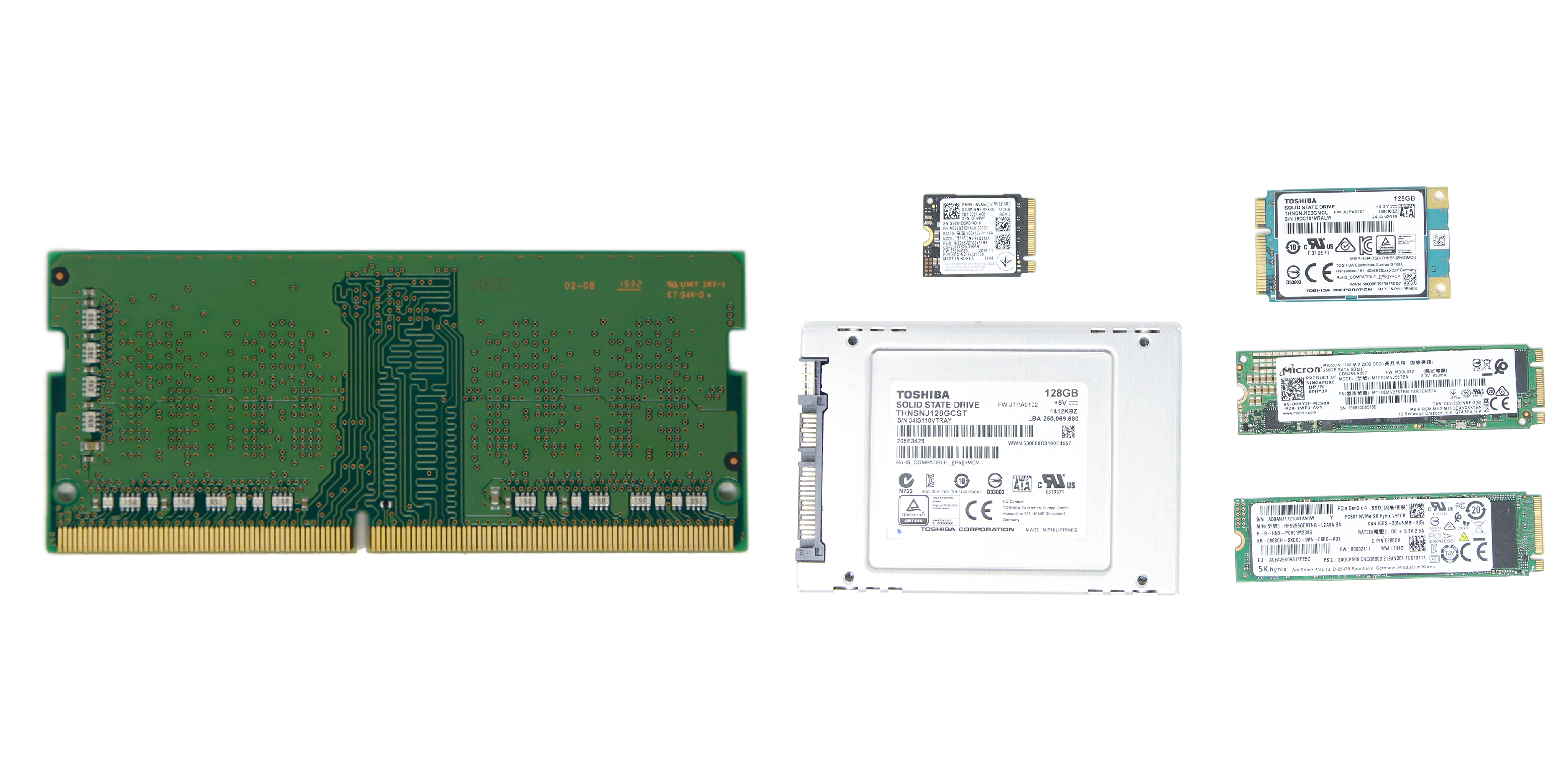
Next, consider memory and storage support. Panasonic documentation specifies the following memory limits:
- MK1 supports up to 16GB of DDR4 RAM.
- MK2-MK4 supports up to 32GB of DDR4 RAM.
These limits are documented in the previously linked official spec sheets, available above.
The higher memory capacity in Panasonic Toughbook MK2, MK3, and MK4 enables better performance under heavier application loads. Data indexing, case management systems, and virtualized tools benefit from increased RAM.
All generations support solid-state storage, with MK2, MK3, and MK4 supporting NVMe configurations. Actual performance depends on the installed drive, but the platform accommodates modern SSD speeds.
Display and Graphics
All CF-33 generations use a 12-inch fully rugged detachable laptop touchscreen designed for outdoor visibility. Panasonic confirms similar sunlight-readable characteristics across releases.
Each CF-33 generation offers improved graphics: MK1 features Intel HD Graphics 620, MK2 uses Intel UHD Graphics, and MK3/MK4 include advanced Intel Iris Xe, providing smoother output with each upgrade.
Intel documentation confirms generational improvements in integrated graphics performance.
For document-heavy workflows, differences may be modest. For mapping, visualization, or multi-monitor docking, newer generations offer faster rendering, sharper visuals, and smoother performance with graphics-intensive applications.
Rugged Design Remains Consistent
A defining feature of the CF-33 platform is its fully rugged construction. Agencies value these highly durable systems for durability, followed by performance.
Across MK1, MK2, MK3, and MK4, that rugged foundation is consistent. Panasonic maintains MIL-STD compliance and environmental protection ratings throughout the CF-33 lifecycle.
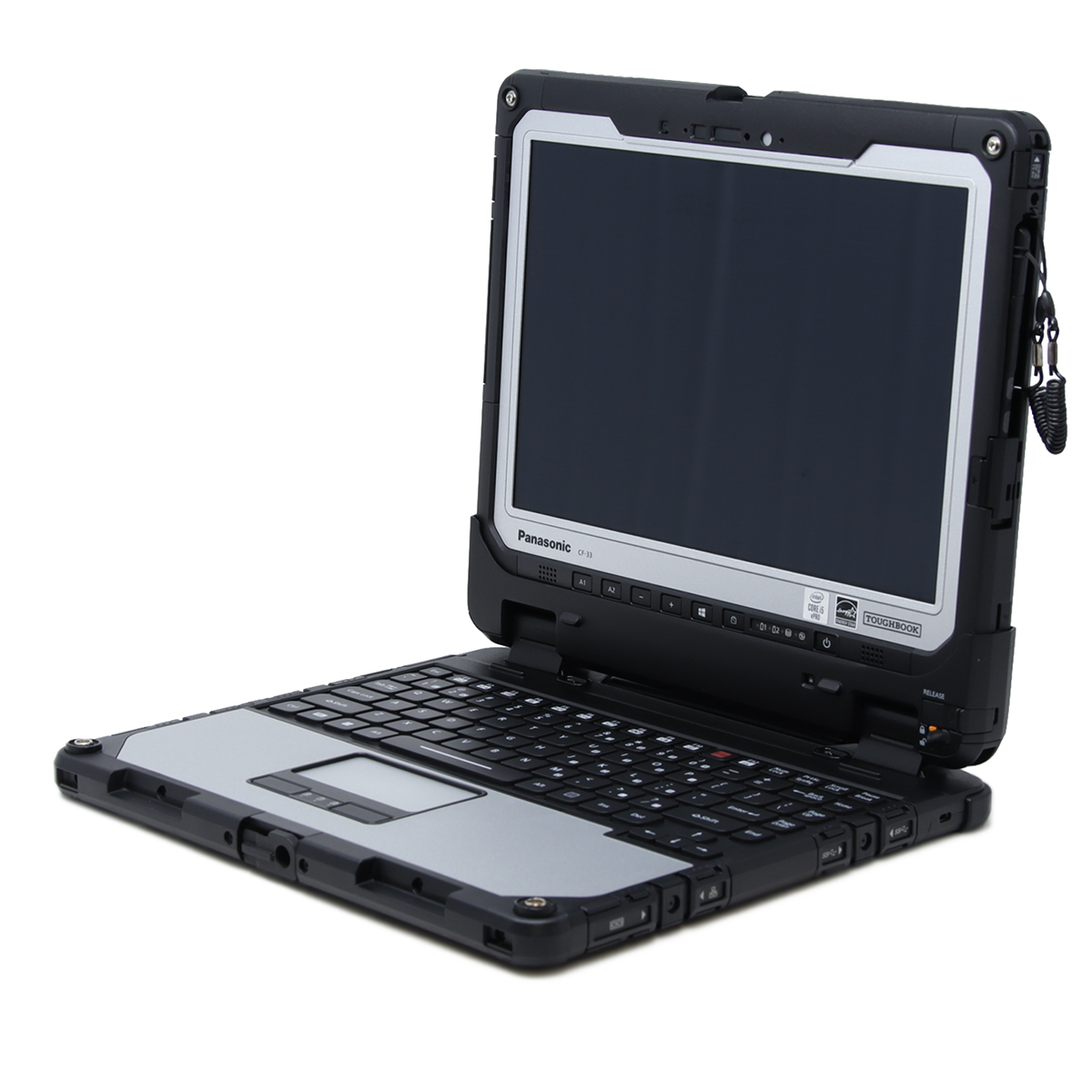
The detachable 2-in-1 chassis remains unchanged across Mark generations. Docking compatibility, port layout, and structural design are consistent, simplifying refresh cycles since teams do not need to adapt to new hardware layouts.
Overall, while internal components evolve, the rugged structure agencies depend on remains unchanged.
When Does an Upgrade Make Sense?
An upgrade becomes necessary when CF-33 systems slow down or freeze during simultaneous application use, especially if MK1 units frequently run mapping tools, browser platforms, and encrypted connections together. Upgrading to a newer generation can resolve these bottlenecks and ensure reliable multitasking in the field.
If you are operating MK2 systems and performance remains stable during normal multitasking, replacement may not be urgent. In many cases, MK2 continues to support modern enterprise applications effectively.
For first-time buyers, consider how each model aligns with your budget, intended use, and performance requirements. MK1 suits basic, stable workflows. MK2 and MK3 enhance multitasking for expanding software needs. MK4 offers maximum flexibility and speed for evolving or challenging workloads.
Remember, performance is not the only consideration. Physical condition, such as battery deterioration, touchscreen damage, or port failure, may also justify replacement instead of continued repair.
Buying Refurbished: Verification Checklist
If a new Panasonic Toughbook CF-33 MK4 exceeds your budget, consider refurbished options. When purchasing refurbished Toughbook CF-33 systems, confirm the following:
- Exact MK generation: Ensure listings clearly state MK1, MK2, MK3, or MK4. If not, locate the model number and refer to our Toughbook Model Numbers for Nerds.
- Processor model: Verify the CPU fits your workload requirements.
- Memory capacity: Confirm installed RAM and maximum supported capacity.
- Storage type: Check whether the unit uses NVMe or SATA SSD.
- Panasonic Configurator: Plug in the model number of the computer you're looking at and verify that the specs match.
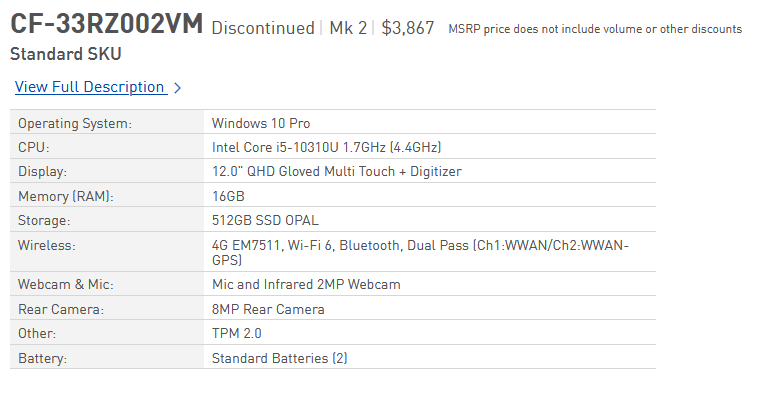
These details are important. Two CF-33 units from the same generation can perform differently depending on configuration. Clear documentation helps prevent unexpected issues during field deployment.
Choosing Between CF-33 MK1, MK2, and MK3 for Your Operations
If you are considering CF-33 MK1, MK2, MK3, or MK4 for your organization, the next step is to review actual configurations that match your workload and field requirements.
Bob Johnson’s Computer Stuff offers Panasonic Toughbook CF-33 units across multiple MK generations, including refurbished options. You can review our current Toughbook CF-33 inventory to see how these systems are listed and documented.
Each listing clearly identifies the processor, memory, and storage, allowing direct comparison of generational differences. If you are unsure which model best fits your needs, our team of rugged computer specialists can explain the tradeoffs.
Refurbished CF-33 systems are often suitable when performance requirements are clear and budget is a priority. The appropriate generation depends on your application needs and expected hardware lifespan.
If you need assistance selecting the right CF-33 Mark for your operational requirements, contact our team at (302) 659-2727 or info@bobjohnson.com. We are happy to answer any questions about our products.
Frequently Asked Questions
|
|
How Long Does a Panasonic Toughbook CF-33 Last? |

A Panasonic Toughbook CF-33 typically lasts 5 to 7 years—and often longer. Unlike consumer laptops, which are usually replaced every 2 to 4 years, the fully rugged CF-33 is engineered to deliver over 30,000 hours of service, and with proper care, some units reach up to 70,000 hours before retirement.
Consider usage hours similar to car mileage: higher numbers indicate more wear, but they do not always mean retirement is necessary. Our technicians have seen CF-33s with high usage hours still performing reliably in tough situations.
Our technicians have observed some CF-33 MK1 units with over 40,000 usage hours still running reliably. This equates to approximately 4.56 years of use.
Consider usage hours similar to car mileage: higher numbers indicate more wear, but they do not always mean retirement is necessary. Our technicians have seen CF-33s with high usage hours still performing reliably in tough situations.
Our technicians have observed some CF-33 MK1 units with over 40,000 usage hours still running reliably. This equates to approximately 4.56 years of use.
|
|
If I Upgrade to a New CF-33 MK, Will I Need New Docks? |
No! Every CF-33 generation uses the same docking port and compatible keyboard. Any tablet dock or keyboard designed for one model will work seamlessly with the others.
|
|
Where Can I Find CF-33 MK1, MK2, MK3, and MK4 Models? |
The MK4 is the latest release—brand-new and available only as a new unit. MK3 models are being phased out in favor of the MK4, but open-box or lightly used MK3 units may still be available from some resellers.
MK2 systems are beginning to come off lease, so refurbishers and resellers will have increasing inventory.
MK1 models remain widely available from most resellers.
MK2 systems are beginning to come off lease, so refurbishers and resellers will have increasing inventory.
MK1 models remain widely available from most resellers.
|
|
What Warranty Options Are Available for the CF-33? |
We can only speak to our warranty: every Toughbook we sell includes a Limited Lifetime Warranty, plus a complimentary 6-month trial of our extended warranty coverage. You can extend this coverage for up to 3 years when you purchase your computer. For full details, visit our warranty page.