Scratch & Dent Toughbook FZ-55 MK1 NonTouch
$1,049.30
- Processor
- 8th Generation Intel Core i5
- Memory
- 16GB RAM
- Storage
- 256GB SSD
- Build
- Semi-Rugged
 9am – 5pm Eastern, Monday – Friday
 133 N Dupont Blvd Ste 103, Smyrna, DE 19977
 Sale Tax Free Shopping!
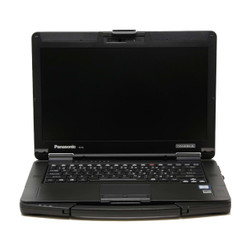
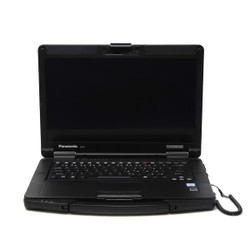
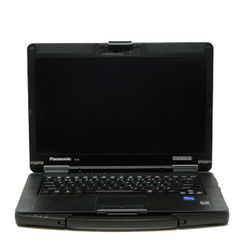
Panasonic’s newest semi-rugged laptop, the Panasonic Toughbook FZ-55, was released in September 2019. This laptop was designed to fill the void left by the discontinuation of the Toughbook CF-54.
This laptop was the first to feature Panasonic’s new xPAK expansion slot system. The FZ-55, FZ-40, and FZ-G2 are the only rugged computers with these new slots.
One of the more significant design improvements in Panasonic’s latest line of semi-rugged computers was the implementation of user-upgradeable components. They wanted to make adding Toughbook upgrades a simple process for anyone. That’s where the xPAK slots come into play. Here’s the whole list of xPAK upgrades with different options for each slot:
The Panasonic Toughbook FZ-55 is MIL-STD-810H certified. These Toughbooks have passed rigorous testing. Trust us when we say we’ve tested it, too. They resist up to 3-foot drops, bench handling, vibration, dust, extreme temperatures, and other harsh conditions.
They may not be as dust—and water-resistant as the FZ-40, but for a semi-rugged laptop, they boast a respectable IP53 Ingress Protection rating.
This semi-rugged laptop features an 82-key spill-resistant, backlit keyboard. It features keyboard icons for Caps Lock, Num Lock, Scroll Lock, and keyboard backlight. The four adjustable light levels let you select the RGB backlight color and adjust its brightness.
Panasonic took a couple of steps in focusing on protecting this Toughbook’s screen. They raised the bezel around the LCD for better screen impact protection.
Then they included a screen protector to prevent scratches. Similar to one that you would put on your phone, but more durable.
The touch model of the semi-rugged FZ-55 includes a stylus pen, a stylus holder, and a tether. The touchscreen also has four different touch modes: glove, touch, pen, and pen/touch.
The latest semi-rugged laptop from Panasonic is available with one of two processor options. The processor in the FZ-55 Toughbooks can be an Intel Core i5 or an Intel Core i7; there are no Intel Core i3 FZ-55 models. This semi-rugged laptop comes with DDR4 RAM to go with these processor options. It comes standard with 16GB of RAM but can be upgraded to 64GB at most.
Thanks to the secondary hard drive slot in the Toughbook 55, you can set up dual solid-state drives. A 512 GB, 1 TB, or 2 TB NVMe SSD can be installed in either the primary or secondary SSD slot.
The second hard drive can be installed in one of the xPAK slots. The SSD features a quick-release functionality and a heater for operating in low-temperature environments.
Overall, the Refurbished Panasonic Toughbook FZ-55 is an excellent option for anyone who does not need a fully rugged laptop but still wants a more durable laptop. This laptop will be the perfect workhorse, equipped with a powerful processor, ample RAM, and more than enough storage.
|
|
What kind of warranty does the Panasonic Toughbook FZ-55 come with? |
|
|
What are xPAK expansion slots? |
|
|
How does the FZ-55 compare to the FZ-40? |
|
|
Where can I learn more about the FZ-55? |

Not sure which rugged computer is the right fit? We’re here to help. Fill out our quick Selection Assistance Form or give our office a call and speak with a real expert who knows these systems inside and out. We’ll take the guesswork out of the process and help you choose the best product for your needs—no pressure, just honest guidance.