

 9am – 5pm Eastern, Monday – Friday
 133 N Dupont Blvd Ste 103, Smyrna, DE 19977
 Sale Tax Free Shopping!
The Essential SIM Card Guide for Rugged Computers
6th Feb 2026
The “always-connected laptop” has become a necessity in the remote work world we live in today. In Public Safety Organizations like Police, Fire, and EMS departments, it is not a luxury—it is a necessity. Wireless communication companies such as Verizon (with FirstResponders), AT&T (with FirstNet), and T-Mobile (with T-Priority) even offer special accounts and priority services tailored for first responders. These programs help ensure that first responders, including police, fire, EMS, and other critical personnel, receive priority access to cellular networks during emergencies. This connectivity is crucial when large crowds can strain cellular networks, guaranteeing that first responders remain connected when it matters most.
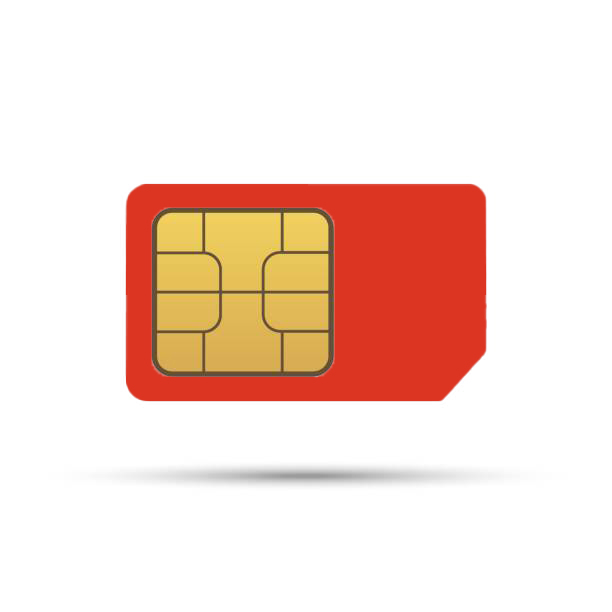
As a result, rugged laptops are designed with versatile connectivity in mind. In this environment, three SIM form factors dominate the landscape, enabling first responders and public safety professionals to stay reliably connected wherever their duties take them.
Physical vs. Digital: The Different SIM Form Factors
To better understand how rugged laptops maintain connectivity in the field, it helps to look at the types of SIM cards that enable mobile broadband. As technology has evolved, so have the SIM card options available for rugged devices. Each form factor offers unique benefits—and knowing the differences can help ensure your laptop is ready for seamless, reliable data access wherever your work takes you.
Mini SIM (2FF) Basics
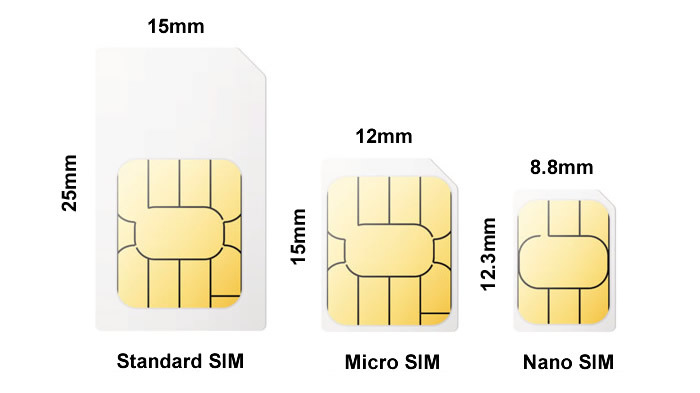
Before the widespread adoption of Micro and Nano SIM cards, the Mini SIM—or 2FF SIM—was the standard for many mobile devices. Measuring 25mm x 15mm, Mini SIMs are larger than their modern counterparts but still much smaller than the original full-size SIM cards. While rugged laptops rarely use Mini SIMs today, some legacy devices in the field may still rely on this form factor. Understanding Mini SIMs is important for those managing older fleets or repurposing equipment, as adapters are available to convert newer SIM sizes for compatibility with Mini SIM slots when necessary.
Micro/Nano SIM (3FF/4FF) Basics
Given the current design of most rugged laptops and tablets, like the Toughpad FZ-G2 and the Getac S410, anything built in the past few years will use Nano-SIMs. Older ruggedized laptops and tablets may use Micro-SIMs. The older Micro-SIM is 15mm x 12mm and was introduced around 2010. These are most commonly used in the older Toughbook and Getac laptops or tablets.
Nano-SIM (4FF) Basics
This SIM is the most common type used in today's tough laptops. This card has the current gold standard for physical slots. Rolled out in 2014, almost all rugged laptops and tablets use this size card. This card uses the minimum amount of plastic framing. It is 15% thinner than the older versions (0.67mm vs 0.76mm). No wonder thin laptops like the Panasonic Toughbook FZ-55 use the thinner card.
eSIM Basics
The eSIM, which stands for ‘embedded SIM,’ moves the subscriber identity from the removable card to a reprogrammable chip on the motherboard. Formally known as eUICC (Embedded Universal Integrated Circuit Card), the eSIM is smaller, measuring only 5mm x 6mm, and is soldered on the motherboard, making it resistant to vibration, moisture, and physical shock—perfect for rugged applications. The chip also includes a small amount of secure memory that can be overwritten. Need to switch carriers? You simply add an additional profile, giving you the ability to have multiple profiles (typically 5 to 10 are allowed).
The biggest advantage here is that you just need to buy a data plan from a website and be online in 60 seconds. No need to wait for a SIM card in the mail. There are some cons to the eSIM model: not all mobile carriers support eSIMs yet, and transferring can take a bit since you must delete the profile from your old laptop and get a new activation code for the new laptop.
Big Table Of Rugged Computer SIM Cards
Panasonic
| Model | Generation / Mark | SIM Card Type |
|---|---|---|
| CF-18 | MK1–MK6 | Mini-SIM |
| CF-19 | MK1–MK8 | Mini-SIM |
| CF-29 | MK1–MK5 | Mini-SIM |
| CF-30 | MK1–MK4 | Mini-SIM |
| CF-31 | MK1–MK6 | Mini-SIM |
| CF-52 | MK1–MK5 | Mini-SIM |
| CF-53 | MK1–MK4 | Mini-SIM |
| CF-54 | MK1 | Mini-SIM |
| CF-54 | MK2 / MK3 | Nano-SIM |
| CF-20 | All | Nano-SIM |
| CF-33 | All | Nano-SIM |
| FZ-40 | All | Nano-SIM + eSIM |
| FZ-55 | MK1–MK3 | Nano-SIM |
| FZ-G2 | All | Nano-SIM + eSIM |
| FZ-G1 | MK1-MK2 | Micro-SIM (3FF) |
| FZ-G1 | MK3-MK5 | Nano-SIM (4FF) |
| FZ-G2 | All | Nano-SIM + eSIM |
| FZ-B2 | All | Nano-SIM |
| FZ-M1 | MK1-MK2 | Micro-SIM |
| FZ-R1 | All | Micro-SIM |
| FZ-E1 | All | Micro-SIM |
| FZ-X1 | All | Micro-SIM |
Getac
| Model | Generation | SIM Card Type |
|---|---|---|
| B300 | G1–G3 | Mini-SIM |
| B360 | G1 | Mini-SIM |
| B360 | G2 | Nano-SIM |
| S410 | G1–G4 | Mini-SIM |
| S410 | G5 | Mini-SIM + eSIM |
| V110 | G1–G3 | Mini-SIM |
| V120 | All | Nano-SIM + eSIM |
| X500 | All | Nano-SIM |
| X600 | All | Nano-SIM + eSIM |
| F110 | G1-G3 | Micro-SIM |
| F110 | G4 | Nano-SIM |
| F110 | G5 | Nano-SIM + eSIM |
| K120 | G1-G2 | Micro-SIM |
| K120 | G3 | Nano-SIM + eSIM |
| T800 | All | Nano-SIM |
| UX10 | All | Nano-SIM |
| ZX10 | All | Nano-SIM |
Dell
| Model | SIM Card Type |
|---|---|
| Latitude 14 Rugged 5404 | Mini-SIM |
| Latitude 14 Rugged 5414 | Nano-SIM |
| Latitude 14 Rugged 5420 | Nano-SIM |
| Latitude 14 Rugged 5424 | Nano-SIM |
| Latitude 14 Rugged 5430 | Nano-SIM |
| Latitude 12 Rugged 7204 | Mini-SIM |
| Latitude 12 Rugged 7214 | Nano-SIM |
| Latitude 12 Rugged 7220 | Nano-SIM |
| Latitude 13 Rugged Extreme 7330 | Nano-SIM |
Setting Up a SIM Card
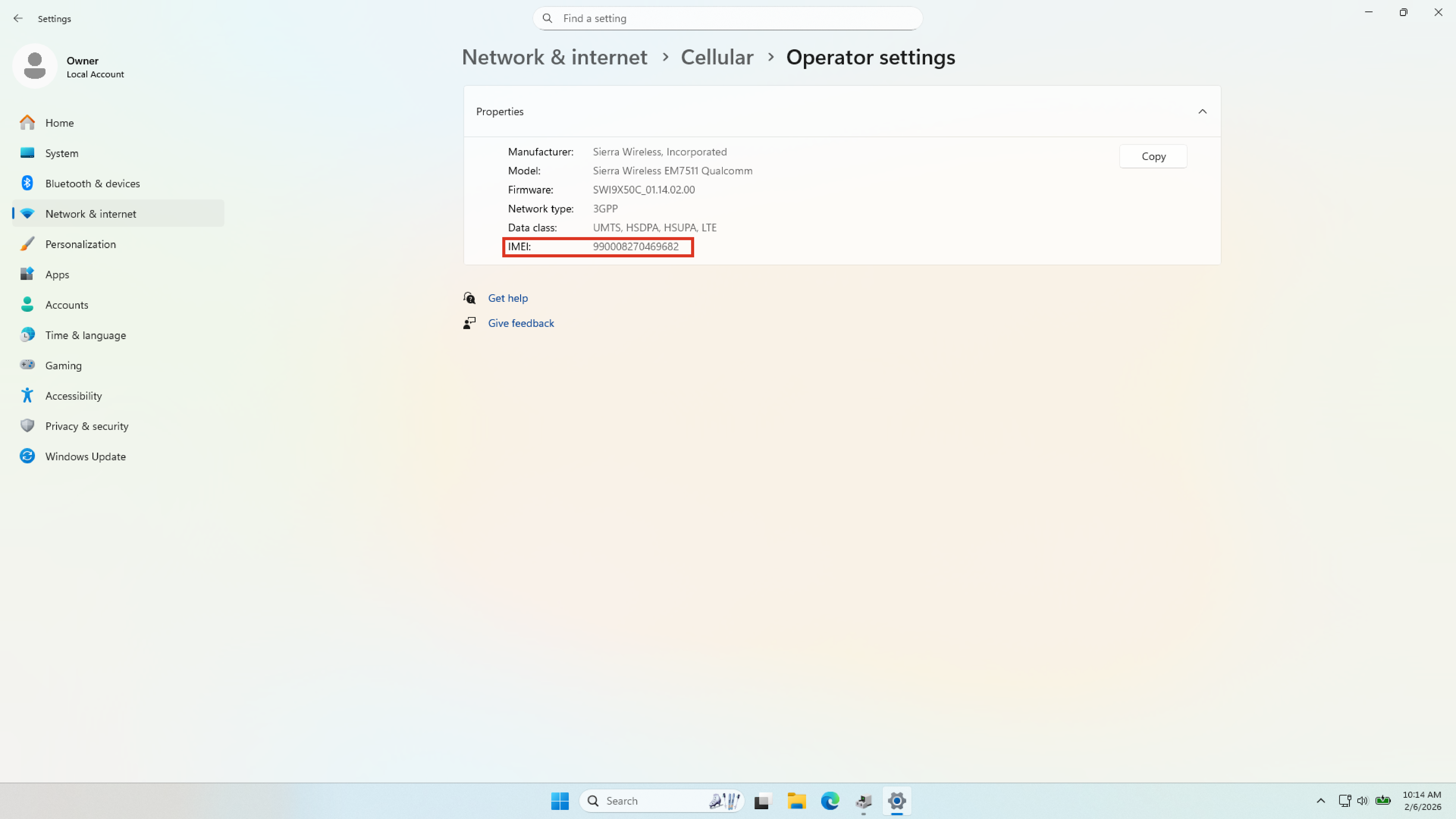
Now that you understand the different types of SIM cards, the next step is to contact your wireless provider, such as Verizon or AT&T, to set up a data plan for your rugged laptop. When you do, be prepared to provide your device’s IMEI number, which is essential for activating your plan and ensuring proper connectivity.
What is an IMEI Number?
The IMEI (International Mobile Equipment Identity) number is a unique 15-digit code assigned to every mobile device with cellular connectivity, including rugged laptops and tablets. This identifier is used by cellular networks to recognize valid devices and can help block a device from accessing the network if it is reported lost or stolen. The IMEI is essential for activating data plans, troubleshooting network issues, and ensuring device security.
Where to Find the IMEI Number on a Rugged Computer
The SIM’s IMEI number is under Mobile Operator Settings in your Windows 11 settings app. You can either open Windows 11 Settings > Network & Internet > Cellular > Operator Settings or search “IMEI” in the Settings search bar to find it.
I Got An Error Message. What Do I Do?
If you get an error message and cannot connect, you can connect to a Wi-Fi or Ethernet network to get online. From there, the first thing I would try is uninstalling the driver from the Windows 11 Settings app. Then download the current driver and reinstall it—typical of the laptop manufacturer. You can also get a driver from Sierra Wireless, but you have to create an account and sign in before you can download anything.
Staying Connected in the Field
Frequently Asked Questions
|
|
What are some common Seirra Wireless cards used in Toughbooks? |

|
|
Where can I get broadband for my rugged computer? |
|
|
How do I know if my rugged computer supports mobile data? |