

 9am – 5pm Eastern, Monday – Friday
 133 N Dupont Blvd Ste 103, Smyrna, DE 19977
 Sale Tax Free Shopping!
Toughbook Generations(MKs) Explained: Is the Upgrade Worth It?
16th Jan 2026
Shopping for a rugged computer isn’t like picking out a standard laptop. Your decision matters for how you work in tough environments every day. Maybe you’re a field technician, first responder, or construction manager who needs a computer that won’t quit when the weather turns, or the jobsite gets messy. Price, longevity, and reliability are on your mind, but so is ensuring your investment will stand the test of time and technology.
If you’ve already looked through our catalog of rugged computers, you may have seen two or three of the same model. The only difference between them is MK1, MK2, etc. You’re probably asking yourself, what does that mean?

Understanding Panasonic Toughbook MK Generations
The “MK” designation on a Panasonic Toughbook refers to its generation or “Mark.” Think of it much like how car and truck manufacturers release new models each year, with small but important improvements to technology, safety, or performance. Each new MK version typically introduces hardware enhancements, giving you the option to choose the model that best fits your needs. All of our options let you decide whether you want the latest features or a proven previous generation. For example, the Panasonic Toughbook FZ-55 has seen three generations (MK1, MK2, and MK3) since its launch in 2019, each offering incremental advancements.
Key Differences Between Generations
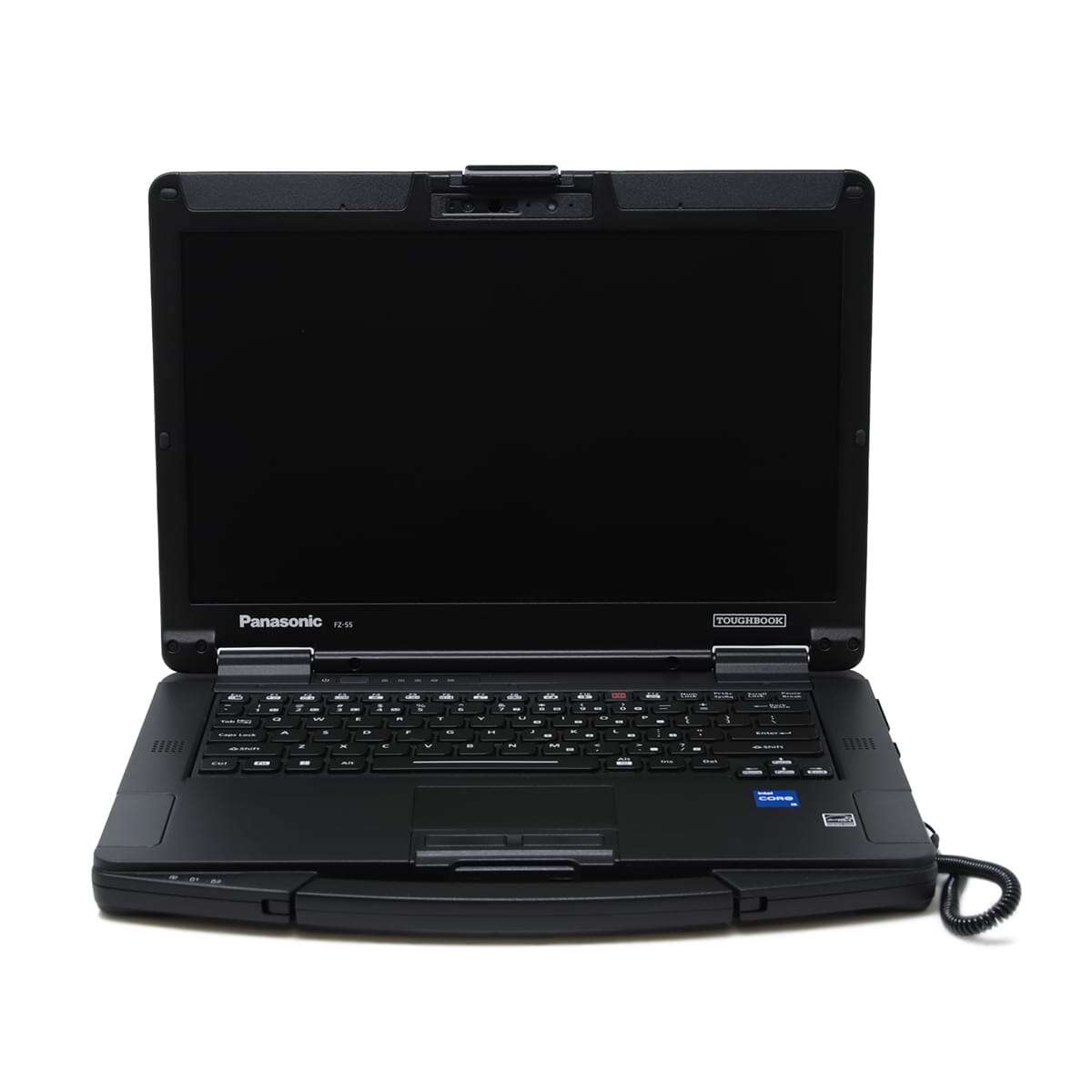
The most significant difference between Toughbook generations is the processor. Each new MK often includes a newer, more powerful CPU, which improves performance and compatibility with the latest software. Here’s how the Toughbook 55 has evolved since it debuted:
- The FZ-55 MK1, released in September 2019, featured 8th Gen Intel Core processors.
- The MK2, which arrived in August 2021, upgraded to 11th Gen Intel processors and added Thunderbolt 4 support, enhancing connectivity and data transfer speeds.
- The MK3, released in November 2023, incorporates 13th Gen Intel Core processors, offering even faster performance and greater efficiency for demanding applications.1
RAM and Memory Upgrades
Besides processors, memory capacity can also vary between generations. For instance, older CF-31 Toughbooks (MK1-MK5) supported up to 16GB of DDR3 RAM. It wasn’t until the CF-31 MK6 that users could upgrade to 64GB of DDR4 RAM2, providing substantial improvements for multitasking and future-proofing.
Upgrading vs. Replacing: Compatibility Between Generations
A common question we receive is whether you can upgrade an older model Toughbook, such as a CF-31 MK1, to match the specs of a newer MK5. Unfortunately, most major components—like the motherboard, processor, and sometimes even memory—are not compatible across all MK generations. The processor is soldered to the system board in most cases, and the system boards are not cross-compatible across different generations.
If you’re looking for an upgraded version of your computer, you’ll save time, money, and frustration by purchasing a newer generation model outright, rather than trying to retrofit your existing Toughbook.
How to Choose the Right MK for Your Needs
When selecting a Toughbook MK, start by considering the software you intend to run. Make sure the model you choose meets or exceeds the recommended hardware requirements for your applications.
Once you know that a computer will run what you want, any additional upgrades would be “future-proofing.” Future-proofing is choosing a newer generation to ensure your Toughbook remains capable as software demands increase over time.
Shopping Within Your Budget
While the latest MK generation offers the best performance and longevity, it’s crucial to balance your needs with your budget. Earlier generations often provide excellent value, especially if your software requirements are modest or if you’re comfortable with used or refurbished devices. Assess your must-have features and prioritize spending on upgrades that will have the most significant impact, such as RAM, an SSD, or a warranty if you can’t afford the newest release. This approach helps ensure you get a rugged, reliable device without overspending.
Refurbished vs. New Devices
When choosing between a new or refurbished Toughbook, it’s essential to weigh the pros and cons. New devices come with the latest hardware, a full manufacturer's warranty, and peace of mind about their condition. Refurbished Toughbooks offer significant savings and can be a wise choice if you do not require the latest technology.
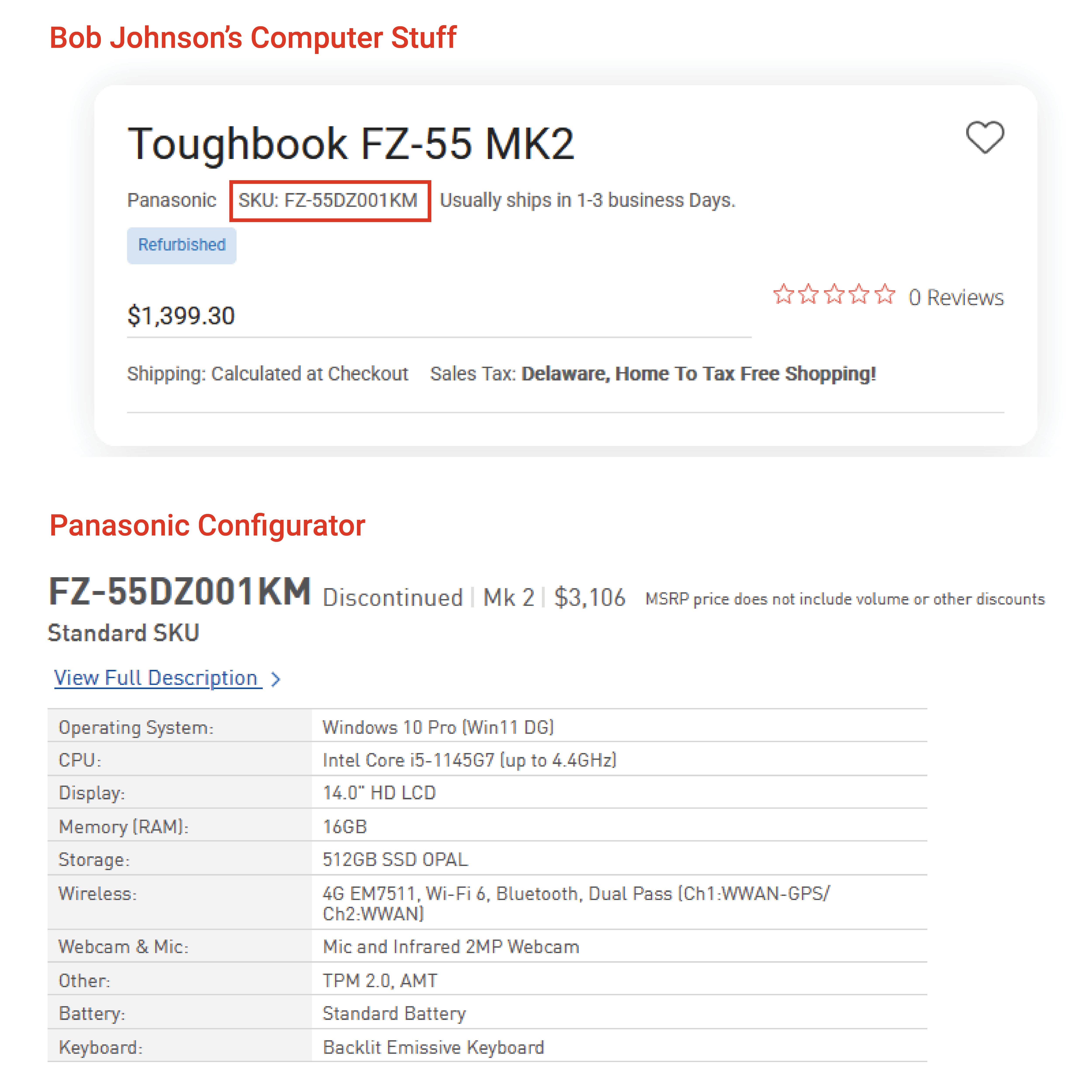
Curious about what a refurbished Bob Johnson’s Toughbook cost when it was new? Use the Panasonic Configurator tool and pull the SKU from one of our product pages.
Operating System Support
Each Toughbook MK generation is designed to be compatible with a specific operating system released at the time of its release. Many of our recent customers have been looking to upgrade to a device that can run Windows 11. The main requirement that limits older Toughbooks is the processor requirement. Windows 11 needs an 8th-generation processor or better.
So, purchasing a rugged computer with an 8th-generation processor would work for now; however, the next version of Windows could force you to upgrade again.
Futureproofing: Why Newer Is Usually Better
Investing in the latest generation of rugged equipment isn’t just about immediate performance gains—it’s also about long-term reliability. Newer Toughbook models are built with the most up-to-date hardware and security features, meaning they’ll be compatible with evolving operating systems and applications for years to come. As software requirements and security standards advance, older devices can struggle to keep up, leading to slower performance and limited support. By choosing the most recent MK version, you help ensure your device will remain efficient and relevant, reducing the need for early replacement and maximizing your return on investment. In short, the newer the equipment you purchase, the longer it will likely serve your needs effectively.
Competitive Landscape
Panasonic isn’t the only manufacturer that uses generational naming. Getac, another leading rugged laptop brand, marks its models as G1, G2, G3, and so on, following a similar pattern of incremental hardware improvements.
Conclusion: Is the Upgrade Worth It?
If you run resource-intensive software or want to ensure your device remains relevant for longer, upgrading to the latest Toughbook MK is often worth the investment. Newer generations deliver better performance, improved memory options, and advanced connectivity, helping you get the most out of your rugged device.