

 9am – 5pm Eastern, Monday – Friday
 133 N Dupont Blvd Ste 103, Smyrna, DE 19977
 Sale Tax Free Shopping!
The Ultimate Guide to TOUGHBOOK G2 xPAKs
1st May 2026
The TOUGHBOOK G2 is one of Panasonic's top rugged devices and a staple for industries needing reliable mobile computing.
The G2's success comes from its fully rugged two-in-one design, industry-trusted testing, and a modular architecture built to change with the job.
This modular expansion system lets users configure the device for specific roles and update it as needs evolve.
This ultimate guide to xPAKs will help you understand how the modular system works, who uses it, and how to select the right modules for your unique needs—setting the stage for the details in the next sections.
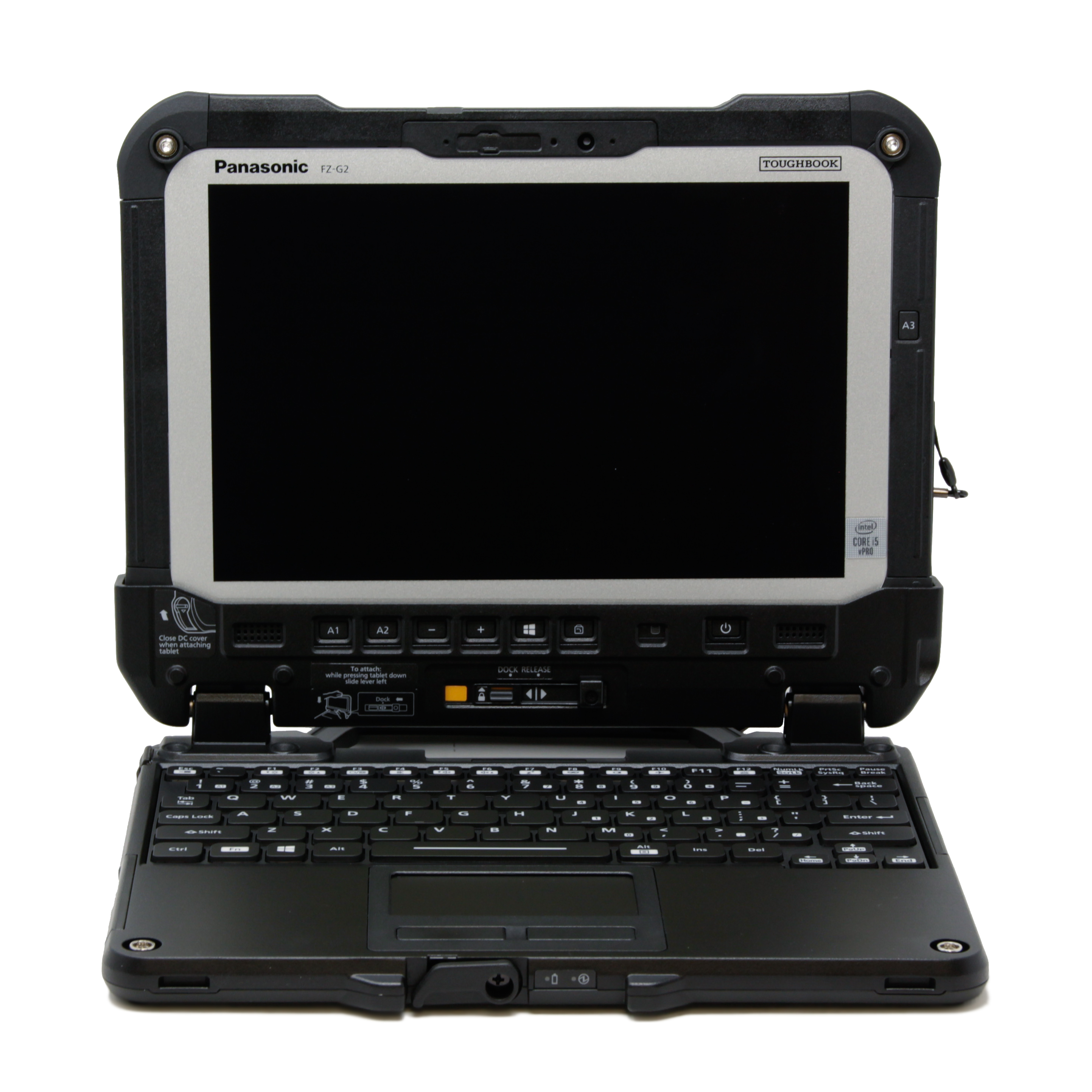
What are xPAKs on the TOUGBOOK G2?
At the center of Panasonic TOUGHBOOK G2’s adaptability is the xPAK system, a dedicated series of modular expansion packs that slot directly into the device’s chassis.
External dongles, breakout cables, and bolted-on accessories can fail, snag, or get lost on a job site. Rather than relying on these peripherals, the G2 reserves physical bays for factory-grade modules that integrate flush with the tablet's body.
The result? Modules extend the TOUGHBOOK’s functionality without device replacement or service calls. Teams adjust configurations over time, making the G2 a smart long-term choice and ensuring it fits changing workflows.
Users can configure the device for specific roles and update it as work changes.
Types of Expansion Packs for the G2
The Toughbook G2 supports expansion through three modular areas with up to 36 possible xPAK combinations. These areas allow users to customize the device to their specific needs, tailoring each configuration to match different tasks and environments.
1. Top Expansion
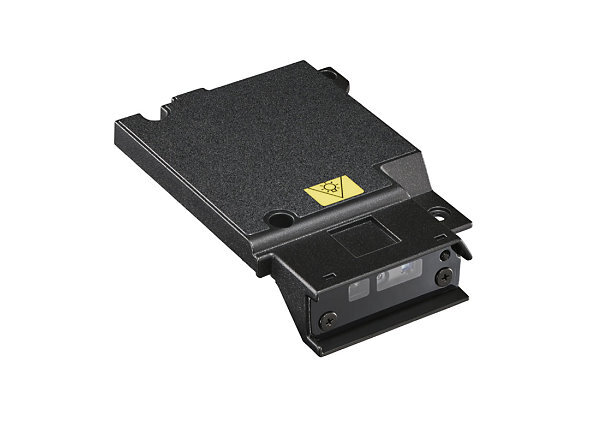
On the back of the device, the top expansion slot allows users to install modules themselves. Because these packs are field-replaceable, teams can adapt the G2 without sending it in for service.
Available options include a 2D barcode reader for scanning tasks, a smart card or CAC reader for secure authentication, and a Serial xPAK to maintain compatibility with older equipment. A fingerprint reader can also be added through this slot, giving teams a field-replaceable option for biometric login.
Other modules expand functionality with a thermal camera (FLIR) or additional LAN and USB-A ports.
2. Rear Expansion
Unlike the top expansion, the rear slot is designed for modules that usually require installation by Panasonic or an authorized dealer. These packs are meant for more permanent upgrades that support long-term deployments.
Only one rear module can be used at a time, but it can significantly expand the G2’s capabilities. Options include smart card readers (devices that read secure card credentials) in both insertable and contactless CAC (Common Access Card) formats for secure access. A fingerprint reader is also available here, alongside modules that add HDMI, USB-A, or USB-C interfaces.
Networking can be expanded with additional LAN or RF modules. In certain setups, the rear slot also supports SSD upgrades for larger or more sensitive datasets.
3. Storage Expansion Area
For storage, the G2 includes a dedicated expansion area that houses a sealed, user-replaceable solid-state drive. This design makes it simple to increase or replace capacity as data requirements grow. Quick-release SSDs are available in 512GB, 1TB, and 2TB sizes, and a MicroSD card reader provides an additional option for portable data transfer in the field.
Easy Installation, Long-Term Flexibility
You may be wondering how hard it is to install or have someone install these expansion packs. The good news is that connecting and swapping modules is straightforward.
Field-replaceable xPAKs can be installed in about 90 seconds with a screwdriver, allowing teams to reconfigure devices on-site without sending them back for service. This adaptability keeps workers productive with minimal disruption while preserving the device’s long-term usefulness.
Rear modules, requiring installation by Panasonic or an authorized dealer, take longer due to deeper customization. You may send your Panasonic Toughbook FZ-G2 to our repair department for rear modules to be swapped, if needed. While exact lead times vary, these upgrades are well-suited to long-term deployments and add features that extend device usefulness.
Industries That Benefit From the TOUGHBOOK G2 xPAKs
xPAKs extend the TOUGHBOOK G2’s capabilities in the field. These modules support high-performance, durable, and adaptable computing across industries that operate in demanding conditions.
Teams working in public safety, as well as in military and defense operations, can use xPAKs to configure devices to match specific workflows, environments, and operational requirements.

Public Safety & First Responders
Police, fire, and EMS teams rely on mobile systems for real-time communication, reporting, and situational awareness. The G2 supports in-vehicle or on-scene use , where constant connectivity and reliable performance are critical. Public safety network support and wireless connectivity allow responders to access and share data across agencies in the field.
xPAKs support these workflows by adding secure access, data capture, and connectivity options directly into the device.
Common xPAK configurations for public safety include:
- Smart card (CAC) readers
- Fingerprint and barcode readers
- Additional LAN (Ethernet)
- USB-A ports
Military & Defense Operations
Troops conducting tactical missions in particular need devices with a small footprint and modularity. The TOUGHBOOK G2 tablet solution helps meet that requirement. Panasonic xPAKs let units tailor a single device to mission demands in the field.
Common xPAK configurations used by the military and defense include:
- Serial ports to plug in diagnostic equipment
- Fingerprint, barcode, and authentication readers
- USB-A ports and HDMI
- Audio, Blu-Ray, and DVD drives
- Microphone and optical drives
- Hot-swappable batteries

Oil, Gas, & Mining Operations
These operations use rugged computers because they last longer and fail less often. The TOUGHBOOK G2 supports oil, gas, and mining work with hot-swappable batteries for extended uptime (15 hours). It also improves data capture, strengthens connectivity, and enables inspections in hazardous environments. These modular components allow crews to switch and configure devices quickly for specific field tasks.
The most useful xPAK modules for oil, gas, and mining teams include:
- Serial ports
- Barcode and CAC readers
- Additional LAN
- Thermal camera (FLIR)
Construction & Field Engineering
Surveyors, civil engineers, and jobsite supervisors rely on mobile systems for positioning, planning, and progress tracking. The G2 supports high-accuracy workflows in active and often unpredictable environments.
Common xPAK configurations for construction and field engineering include:
- GPS modules for high-accuracy positioning
- Barcode and NFC readers for material tracking and equipment check-in
Logistics, Transportation, & Warehousing
Operators across freight, ports, and last-mile delivery rely on mobile systems for inventory, scanning, and route management. The G2 supports fast-moving workflows where accuracy and efficiency are critical.
Common xPAK configurations for logistics, transportation, and warehousing include: 1D/2D barcode readers for inventory and scanning (devices that scan printed codes to track items)
- NFC modules for tracking and verification
Choosing the Right xPAK Configuration
Selecting xPAKs is about planning, not checking boxes. The right configuration meets current and future needs.
Identify which expansion area accommodates your required modules. This clarifies whether field installation is possible or professional installation is needed.
The top expansion area supports field-replaceable modules that users can install or swap without sending the device in for service. Common options include barcode readers, smart card (CAC) readers, serial xPAKs for legacy equipment, fingerprint readers, and additional I/O such as LAN or USB-A ports.
The rear expansion area is designed for more permanent upgrades and typically requires installation by Panasonic or an authorized partner. These modules are often used for secure authentication and expanded connectivity in long-term deployments.
The examples below illustrate how different industries can align module selection with their workflows:
| Industry / Use Case | Example Module Configuration |
|---|---|
| Public Safety & First Responders | CAC/Smart Card reader for secure access, barcode reader for data capture, additional LAN for connectivity |
| Military & Defense Operations | Serial ports for diagnostics, authentication readers, USB-A ports for mission-specific peripherals |
| Oil, Gas, & Mining Operations | Serial ports for equipment diagnostics, barcode/CAC readers for tracking and security, thermal camera for inspections |
| Construction & Field Engineering | GPS module for positioning, barcode/NFC for material tracking and equipment check-in |
| Logistics, Transportation, & Warehousing | 1D/2D barcode readers for inventory, NFC for tracking and verification |
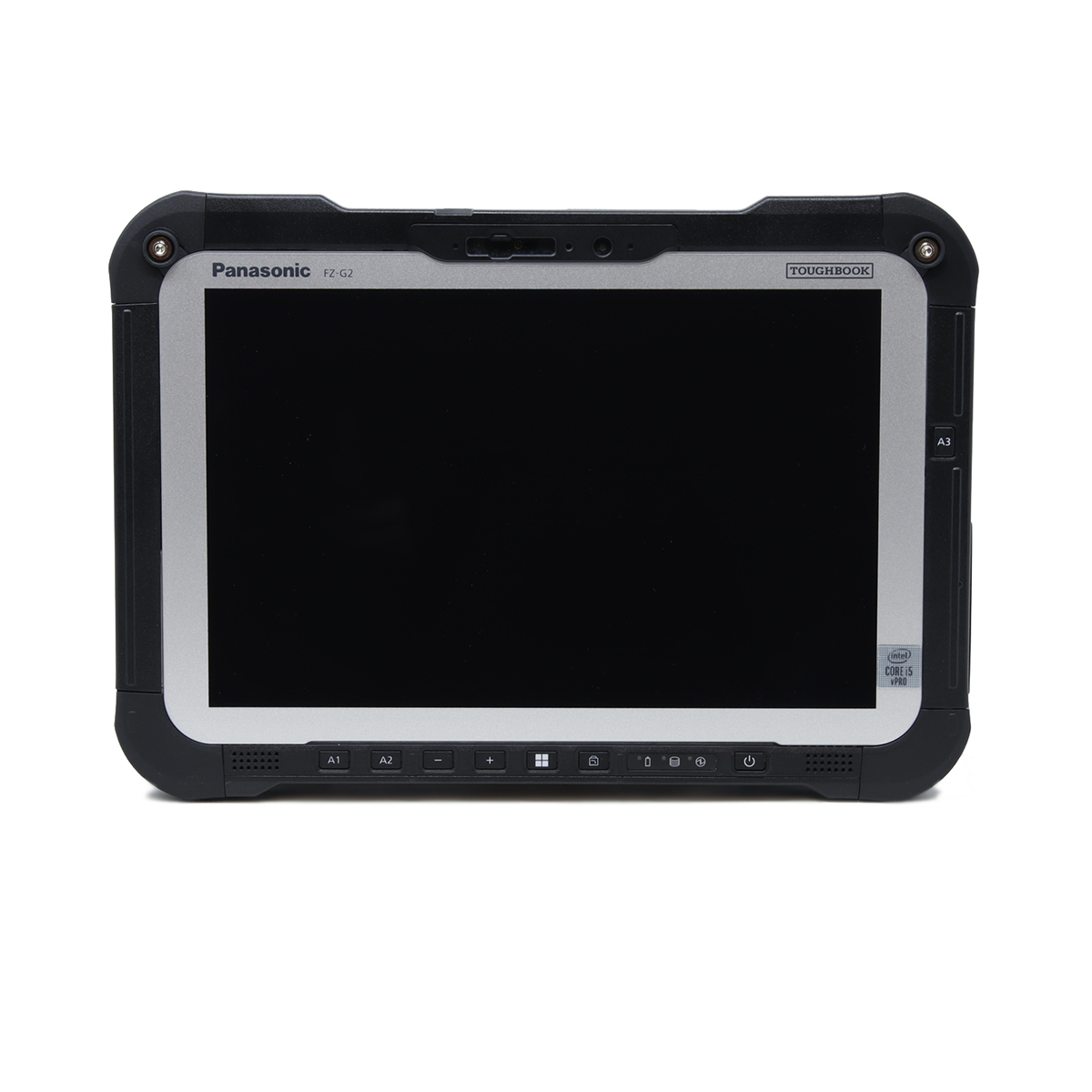
- Map modules to job-specific tasks. Identify the data-capture, authentication, and connectivity actions each role performs in a typical shift. Order the xPAKs that eliminate the most friction or replace the most external accessories.
- Account for environmental conditions. Cold storage, outdoor lighting, vibration, gloves, and PPE (personal protective equipment) all affect which modules perform well. Biometric readers, for example, behave differently with gloved operators than with bare hands.
- Plan for future scalability. Choose a configuration that leaves headroom, such as an unused bay or a module that can be upgraded later, so the device can absorb policy or workflow changes without a refresh cycle.
- Extend device lifecycle through modular upgrades. When a module becomes the limiting factor, swap it. The chassis, screen, and compute platform stay in service. That’s the entire point of the xPAK system.
If you’re standardizing across a fleet, document the role-to-configuration mapping so procurement, IT, and field managers all order against the same specifications.
Get the Right xPAK Configuration for Your Workflow
Ready to configure your TOUGHBOOK G2 for your team’s workflow? At Bob Johnson’s Computer Stuff, we help customers match the right xPAK modules to their workflows, environments, and operational needs.
Our team works with you to identify the right expansion areas and module combinations so your configuration fits the job from day one. Whether you’re upgrading an existing device or building a new deployment, we make sure your setup performs in the field.
Explore our TOUGHBOOK G2 inventory and available configurations to get started. Contact us to discuss your requirements or get help selecting the right setup for your team.