

 9am – 5pm Eastern, Monday – Friday
 133 N Dupont Blvd Ste 103, Smyrna, DE 19977
 Sale Tax Free Shopping!
Navigating Panasonic's Support: Manuals, Drivers, and Firmware for Toughbooks
22nd Sep 2023
Are you searching for a comprehensive manual for the technical ins and outs of your Panasonic Toughbook or Toughpad? Maybe you have outdated or missing drivers or firmware that desperately needs updating. Luckily, there is an extensive collection of resources at your fingertips. Panasonic provides two all-inclusive support websites, their North American website and their Japanese website (the Japanese website is in English text). While Panasonic’s North American website user interface may look a bit nicer and feel cleaner, Panasonic’s Japanese website is generally fashioned with more up-to-date information and drivers; this is the main reason we recommend choosing the Japanese website over the North American website.
On the Japanese site, the website we will be talking about for the rest of the article, it has an easy-to-use search function allowing you to specify your model number of your Toughbook and what you are looking for, i.e., manual, drivers, and firmware. You can then select the operating system you have loaded on your Toughbook and the language in which you want the information presented. Once you have all the dropdowns entered as you intended, you only need to click the search button, which looks like a large magnifying glass.
The support site has drivers, manuals, and firmware for most, if not all, of the Toughbook and Toughpad models, including:
- CF-19
- CF-20
- CF-31
- CF-53
- CF-54
- FZ-G1
- FZ-40
- FZ-55
It even supports the Panasonic models that run Android, including:
- FZ-N1
- FZ-L1
- FZ-A1
- FZ-X1
Why Would I Need a Manual For My Toughbook?
Whether you are a Toughbook connoisseur or have just purchased your first Toughbook, discovering something new with your Toughbook isn’t hard due to the elegance and complexity of the design. Toughbooks often come with numerous features and functionalities, some of which may not be obvious at first glance. A manual can help you understand how to utilize each built-in feature effectively. The manual can also provide you with the most optimal settings and configurations for your Toughbook, which can help ensure you get the best possible performance out of your machine.
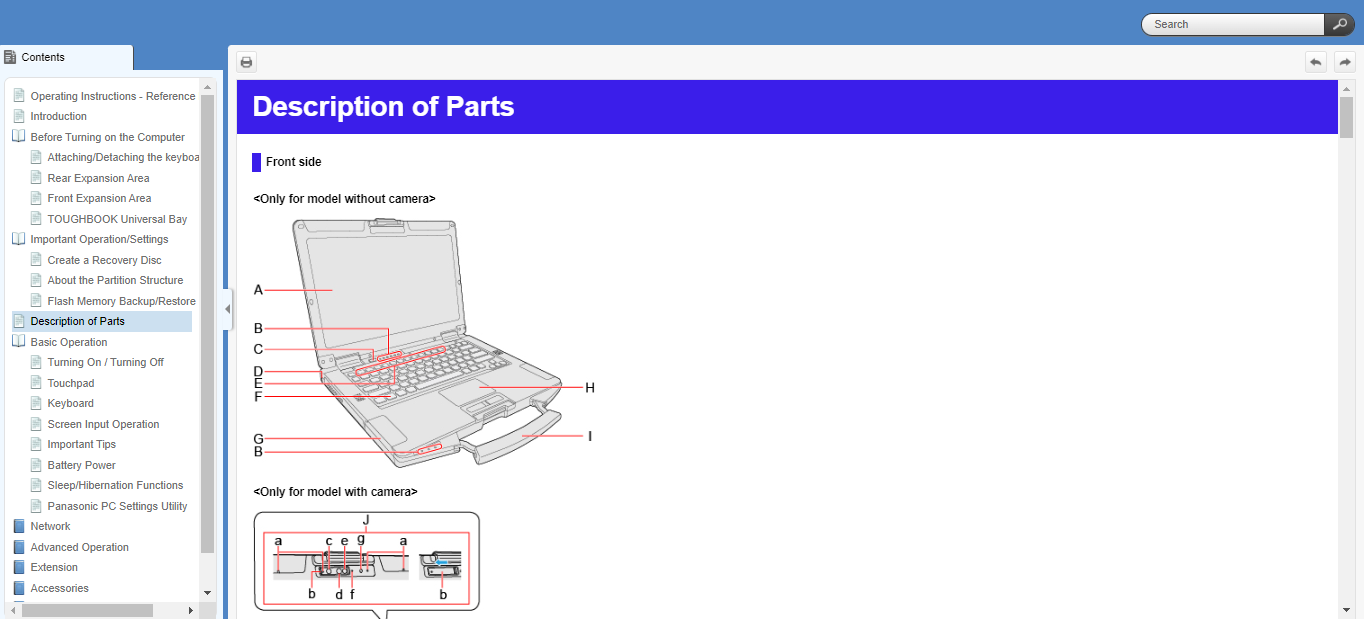
Occasionally, you may encounter an issue while using your Toughbook that you cannot resolve on your own; the manual may be able to guide you through troubleshooting steps to resolve the problem. Not only that, but the manual may be able to provide valuable information regarding maintenance, safety instructions, warranty information, and provide information on different ways you can customize your Toughbook. On top of that, you will find helpful user guides and tips along the way, as well as guidance on Panasonic software and driver installation. Making the most out of what the manual can provide can save you time and frustration with your rugged device.
Why Would I Need Drivers For My Toughbook?
Installing and updating drivers on your Toughbook is significant for many reasons. Installing the proper drivers can improve the overall performance of the machine. Making sure your drivers are up-to-date on your Toughbook is essential to keeping your computer secure from vulnerabilities, unwanted malicious software, and hackers. Updating these drivers, you patch these security holes and protect your Toughbook from these potential threats. Updating drivers can also be the solution to an unstable system. It can fix system crashes, freezes, and hardware malfunctions. Installing new drivers can also introduce new features and functionalities for your hardware components.
Using Your Resources
With all these new tools at your disposal, you can become a Toughbook expert, too! You have all the knowledge of the Toughbook manuals at your fingertips. Not to mention, with updated drivers and firmware and your new-found knowledge, you can now get your Toughbook working seamlessly and efficiently. On the other hand, if you are still having issues finding the correct driver or need further Toughbook assistance, fill out our tech support form, and one of our trained technicians would be happy to answer your questions.