

 9am – 5pm Eastern, Monday – Friday
 133 N Dupont Blvd Ste 103, Smyrna, DE 19977
 Sale Tax Free Shopping!
Panasonic Toughbook Model Number Decoder (Complete Reference Guide)
19th Jun 2026
This guide provides an in-depth look at Panasonic Toughbook model numbers. We did some comparisons and an analysis of various models to help you understand the differences. Thanks to our 31 years of experience of working with rugged computers, we have gathered several different versions of each Panasonic Toughbook.
We managed to keep several of these models numbers listed on the product pages that we have had throughout the years. Most of these pages are out of stock now, but the information remains valuable breaking down Panasonic Toughbook models. We plugged each model number into the Panasonic Configurator and noted the differences.
Because Panasonic does not publicly release a full decoding system, this reference is based on consistent structural behavior across hundreds of observed SKUs. In other words, these meanings are our best guesses on what each part of the model number represents.
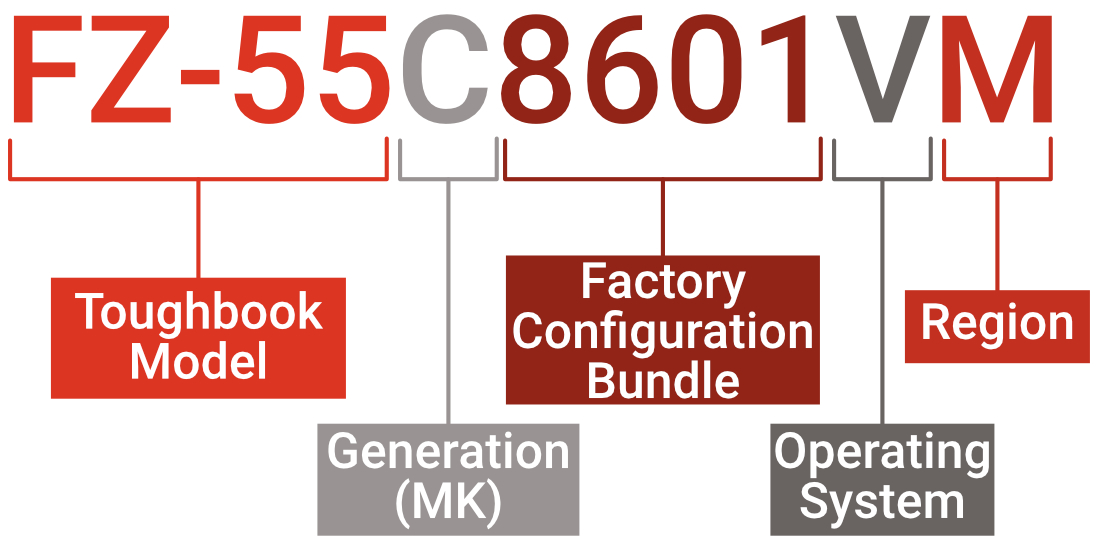
That being said, if you have a Panasonic Toughbook and would like to help us expand this knowledge, please contact us with your model number and the specs of your particular unit. You can email this information to us at info@bobjohnson.com
What is a Panasonic Toughbook Model Number?
The model numbers used across Panasonic Toughbook devices are structured factory configuration codes that reflect how each unit was originally built. Originally built an important part of this definition. If you are shopping refurbished Toughbooks, plug the model number of the unit that you are looking at into the Panasonic Configurator and double check to make sure that the specifications. If they do not match, that means that the refurbisher changed something on the unit.
This guide covers CF-19, CF-20, CF-31, CF-33, CF-53, CF-54, FZ-55, FZ-G1, and FZ-G2 rugged computers. Once we get more model numbers of different units, we will update this guide accordingly.
Model Selection Table
Select the model you're interested in learning more about below.
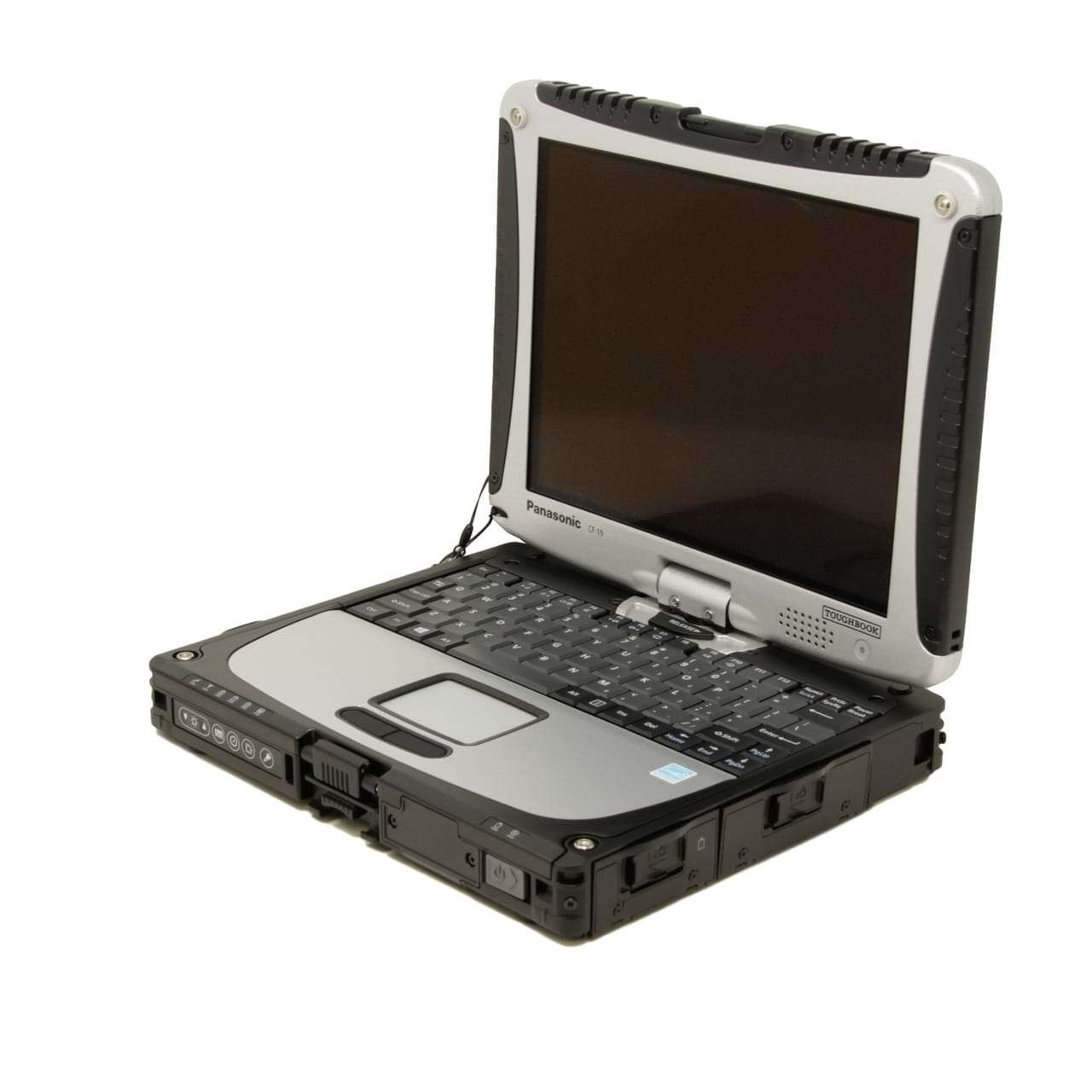 What Does A Panasonic Toughbook CF-19's Model Number Represent?
The Panasonic Toughbook CF-19 is one of the longest-running rugged convertible laptops ever produced, and its model numbering system reflects that long evolution.
During its production run, the CF-19 had several different iterations. It had some model numbers that featured Intel Core Duo to 3rd Gen Intel Core i5 processors, up to 16GB RAM, swappable HDD/SSD options up to 2TB, Dual Touch, and GPS just to name a few.
CF-19 Model Number Structure
We can break it down into a structured format:
| CF-19 Model Number Section | What It Represents |
|---|---|
| CF-19 | Toughbook 19 product family |
| 1 / 5 / etc. | MK generation |
| DY / MY / ZE | Platform + configuration family |
| EX1 / AXLM / etc. | Hardware bundle (CPU/RAM/storage + options) |
| M | Region (North America) |
CF-19 MK Generation Codes
The CF-19 uses a long-running MK system (MK1 through MK8+), where the generation is embedded in the early portion of the model number.
Each MK came with a newer processor and some other hardware improvements. Since they made these computers for so many years, they would upgrade them over time to keep up with any technological advancements. The biggest thing that is different between every MK is the processor. Each later MK comes with a generation or two generation newer processor. The MKs typically follow this pattern:
| CF-19X | Which MK (Generation) Your Computer Is |
|---|---|
| CF-19C / D / E | MK1 |
| CF-19F / G / H | MK2 |
| CF-19K / L / M / Q | MK3 |
| CF-19R / S / T / V | MK4 |
| CF-19A / B / X | MK5 |
| CF-191 / 195 / etc. | MK6–MK8 (later digit-based systems) |
Platform / Configuration Family Codes
The next block (usually 2–3 characters like DY, MY, ZE) defines the platform configuration family.
| Platform Codes | What It Represents |
|---|---|
| DY | Standard enterprise convertible configuration |
| MY | Enhanced wireless / enterprise bundle |
| ZE | Special / late-generation or extended lifecycle build |
Hardware Configuration Bundles (EX1 / AXLM / etc.)
This is the most important part of the CF-19 model system. The middle block typically encodes the factory hardware bundle, including:
- RAM (2GB–8GB typical)
- storage (HDD/SSD options)
- touchscreen type (digitizer vs dual touch)
- WWAN / GPS options
- camera / fingerprint / smart card options
Observed Bundle Patterns
| Hardware Configuration Codes | What It Represents |
|---|---|
| EX1 | Base enterprise configuration bundle |
| AXLM | Expanded wireless + memory configuration |
| AXAX / similar | touchscreen + GPS + WWAN variant bundle |
| U61 | Higher-spec MK6/MK7 generation bundle |
| 025 / 123 (ZE models) | late-generation locked configuration IDs |
Display and Input Configuration (Digitizer vs Dual Touch)
CF-19 models are known for multiple input technologies:
- resistive touchscreen
- digitizer (pen input)
- dual-touch (both finger + pen)
This is often embedded in the platform code + bundle combination, rather than a single explicit character. Common behavior varies by sub-model.
| Display and Input Codes | What It Represents |
|---|---|
| D / H | standard touchscreen |
| X | digitizer-enabled variant |
| W / L | enhanced display or dual-touch configurations |
Operating System and Region Codes
The final characters typically define OS image and region.
| Operating System and Region Codes | What It Represents |
|---|---|
| M | North America region |
| C | Canada / North American variant |
| J | Japan region |
Real CF-19 Model Number Decoding
| CF-191DYEX1M | Model Number Broken Down |
|---|---|
| CF-19 | Toughbook 19 |
| 1 | MK6-8 |
| DY | Standard enterprise platform |
| EX1 | Base hardware configuration bundle |
| M | North America |
| CF-195MYAXLM | Model Number Broken Down |
|---|---|
| CF-19 | Toughbook 19 |
| 5 | Later MK generation family (MK7–MK8 range) |
| MY | Enhanced enterprise platform |
| AXLM | Expanded wireless + memory configuration bundle |
| M | North America region |
| CF-19ZE025CM | Model Number Broken Down |
|---|---|
| CF-19 | Toughbook 19 |
| ZE | Special / late lifecycle platform family |
| 025 | Locked or contract-specific hardware bundle |
| CM | North America / Canada variant region code |
Key Takeaway
The CF-19 uses one of the most layered and time-dependent decoding systems in the Toughbook lineup. Instead of one fixed format, its model numbers reflect multiple production eras and naming conventions.
- Early models → more readable letter-based MK structure
- Mid models → mixed letters + bundle identifiers
- Late models → partially numeric configuration codes (ZE / 025 / 123 style builds)
- The middle blocks carry the most useful hardware clues (platform family + configuration bundle)
- The suffix still helps with deployment context, especially OS image and region
In practice, decode CF-19 SKUs as a timeline: generation marker first, then platform/bundle clues, then OS/region suffix. That approach is more reliable than trying to force every CF-19 into a single rigid rule.
Important: These decoding patterns are best-fit estimates based on the models we have carried and researched. Panasonic does not publish a complete official public source for every code, so this is the most accurate guidance we can provide from real inventory data.
If you want to help improve this research, email your model number and specs to info@bobjohnson.com.
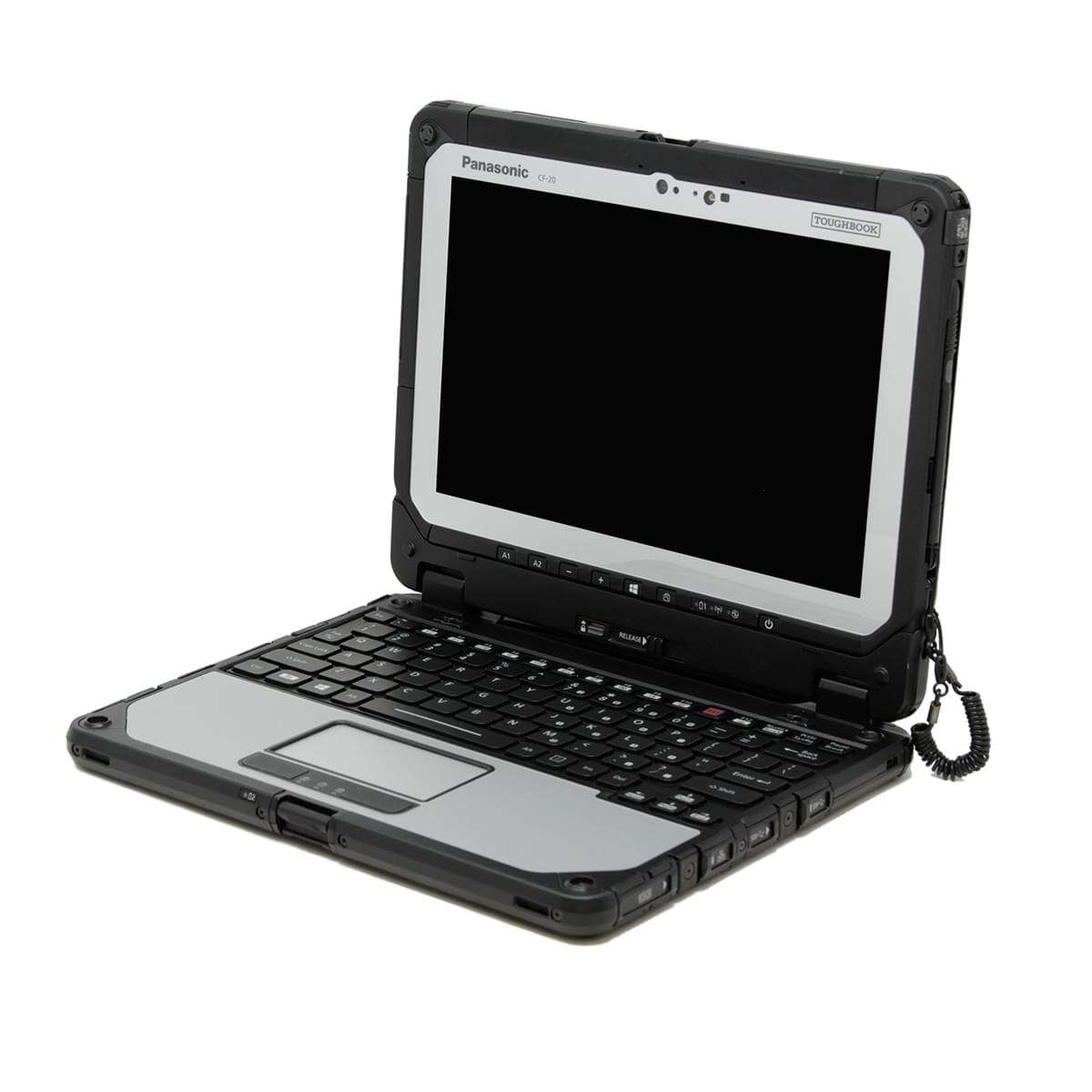 What Does A Panasonic Toughbook CF-20's Model Number Represent?
The Panasonic Toughbook CF-20 is a fully rugged detachable 2-in-1 tablet-laptop system, and its model numbers represent complete factory configuration builds rather than individual part codes.
CF-20 Model Number Structure
A CF-20 model number looks like:
| CF-20 Model Number Section | What It Represents |
|---|---|
| CF-20 | Toughbook 20 product family |
| C / G | MK generation |
| 5684 / 0223 | Factory configuration bundle |
| VM | Windows image + North America region |
MK Generation System
The CF-20 uses a simple MK system with two primary generations. Based on Panasonic manuals and verified decoding patterns:
| CF-20 Model Number Section | What It Represents |
|---|---|
| MK1 | A / B / C / D |
| MK2 | E / F / G / H |
Platform Codes
| CF-20X | Which MK (Generation) Your Computer Is |
|---|---|
| C | MK1 base platform (earlier hardware revision) |
| G | MK2 refined platform (newer CPU + wireless + storage options) |
Key difference:
- C-series → lighter configurations, earlier Core m5 hardware
- G-series → upgraded Core i5-7Y series, higher RAM/storage options
Hardware Configuration Bundles
The numeric block is the factory build bundle, controlling full system specs. These bundles typically define:
- CPU type (Core m5 vs Core i5-7Y57)
- RAM (8GB or 16GB DDR3L)
- Storage (256GB / 512GB SSD)
- WWAN (LTE Advanced / EM7455 modules)
- GPS integration
- Camera set (8MP rear + IR webcam)
- Bridge battery support
- Security modules (TPM 2.0)
Operating System + Region Codes
The final two characters define OS image and region.
| Operating System and Region Codes | What It Represents |
|---|---|
| VM | Windows Pro image + North America |
| (other variants) | regional or contract-specific imaging streams |
Real CF-20 Model Number Decoding
| CF-20C0223VM | Model Number Broken Down |
|---|---|
| CF-20 | Toughbook 20 |
| C | MK1 platform |
| 0223 | Base configuration bundle (Core m5-6Y57, 8GB RAM, 256GB SSD) |
| VM | Windows 10 Pro image + North America |
| CF-20C0223VM | Model Number Broken Down |
|---|---|
| CF-20 | Toughbook 20 |
| G | MK2 platform |
| 5684 | Base high-tier configuration bundle (i5-7Y57, 16GB RAM, 512GB SSD, LTE + GPS) |
| VM | Windows 10 Pro image + North America |
Key Takeaway
The CF-20 is comparatively simple to decode because Panasonic kept the structure compact and consistent across its main production life.
- MK1 (C) → earlier Core m5 configurations
- MK2 (G) → upgraded Core i5-7Y series configurations
- The 4-digit middle code is the primary hardware definition (CPU, RAM, storage, wireless)
- The trailing suffix helps identify Windows image + region stream
If you need quick buying or inventory triage on CF-20 units, prioritize the platform letter and numeric bundle first. Those two fields usually tell you more than any other part of the SKU.
Important: These decoding patterns are best-fit estimates based on the models we have carried and researched. Panasonic does not publish a complete official public source for every code, so this is the most accurate guidance we can provide from real inventory data.
If you want to help improve this research, email your model number and specs to info@bobjohnson.com.
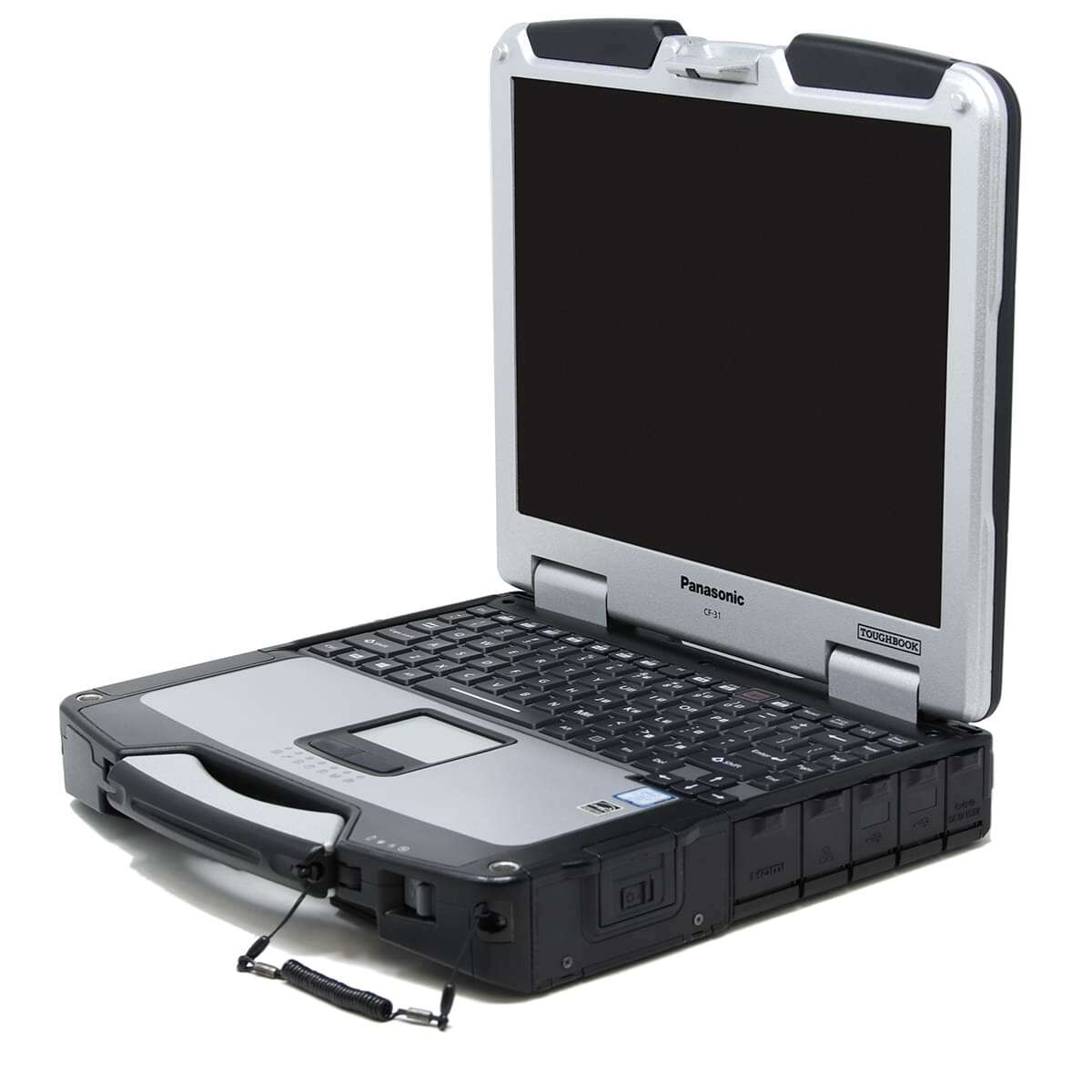 What Does A Panasonic Toughbook CF-31's Model Number Represent?
The Panasonic Toughbook CF-31 uses a hybrid model numbering system that evolved across multiple generations (MK1 through MK6).
CF-31 Model Number Structure
A CF-31 model number typically looks like:
CF-31SBLAX1M
It can be broken into:
| CF-31 Model Number Section | What It Represents |
|---|---|
| CF-31 | Toughbook 31 product family |
| S / W / 1 / etc. | MK generation |
| BL / BL / 8D / etc. | Platform family code |
| LAX1 / 478 / 3529 / etc. | Hardware configuration bundle |
| M / CM / VM | Region + OS image |
CF-31 MK Generation Codes
The CF-31 has one of the clearest MK decoding systems among Toughbooks. Based on Panasonic documentation and field analysis:
| CF-31X | Which MK (Generation) Your Computer Is |
|---|---|
| MK1 | A / B / C / D / E / F / G / H |
| MK2 | J / K / M / N / P / Q / R |
| MK3 | S / U / V |
| MK4 | W / X / Y |
| MK5 | 1 / 2 / 3 / 4 |
| MK6 | 6 / 7 / 8 / 9 |
Key insight: CF-31 transitions from letters → numbers in later MK generations (MK5+), which is why models like 3117 or 318B... look “non-standard” at first glance.
Hardware Configuration Bundles (The Key Layer)
This is the factory build recipe block, similar to FZ-series but less abstract. It typically encodes:
- CPU generation (Core i5/i7 Sandy/Ivy Bridge depending MK)
- RAM (4GB–16GB typical)
- storage (HDD / SSD options)
- touchscreen / digitizer
- WWAN (3G/4G)
- GPS module
- keyboard type
- security modules (fingerprint / smart card)
| CF-31 Hardware Codes | What It Represents |
|---|---|
| LAX1 | Standard enterprise base configuration |
| WLSXLM | Wireless + extended feature bundle |
| D478 | Higher-performance MK6-era configuration |
| F245 | Alternate CPU/storage configuration |
| 3529 | Variant enterprise build profile |
| 925 | Base or mid-tier configuration profile |
Operating System and Region Codes
The final characters define OS image and region.
| CF-31 Region Codes | What It Represents |
|---|---|
| M | North America region |
| CM | North America + Canada variant |
| VM | Windows Pro enterprise image |
Real CF-31 Model Number Decoding
| CF-31WBLSXLM | Model Number Broken Down |
|---|---|
| CF-31 | Toughbook 31 |
| W | MK3 generation |
| BL | Platform family |
| LSXL | Hardware configuration bundle |
| M | North America |
| CF-318D478VM | Model Number Broken Down |
|---|---|
| CF-31 | Toughbook 31 |
| 8 | MK6 generation |
| D | Platform family |
| 478 | Hardware configuration bundle |
| VM | Windows Pro image + North America |
| CF-3113529CM | Model Number Broken Down |
|---|---|
| CF-31 | Toughbook 31 |
| 1 | MK5 generation |
| 3529 | Hardware Configuration Bundle |
| LAX1 | Hardware configuration bundle |
| CM | North America/Canada region variant |
Key Takeaway
The CF-31 shows Panasonic’s transition from traditional readable model logic to modern bundle-driven SKU behavior, which is why it remains one of the most informative families to decode.
- MK1–MK3 → clear letter-based decoding
- MK4–MK5 → mixed letters + numeric transitions
- MK6 → compressed numeric bundle system begins
- Platform and hardware bundle blocks still provide useful clues for CPU tier, wireless, and feature profile
- Suffixes continue to carry practical OS/region deployment context
For day-to-day use, treat CF-31 as a hybrid: readable enough to infer generation and class, but mature enough that final confirmation should come from bundle lookup or verified spec records.
Important: These decoding patterns are best-fit estimates based on the models we have carried and researched. Panasonic does not publish a complete official public source for every code, so this is the most accurate guidance we can provide from real inventory data.
If you want to help improve this research, email your model number and specs to info@bobjohnson.com.
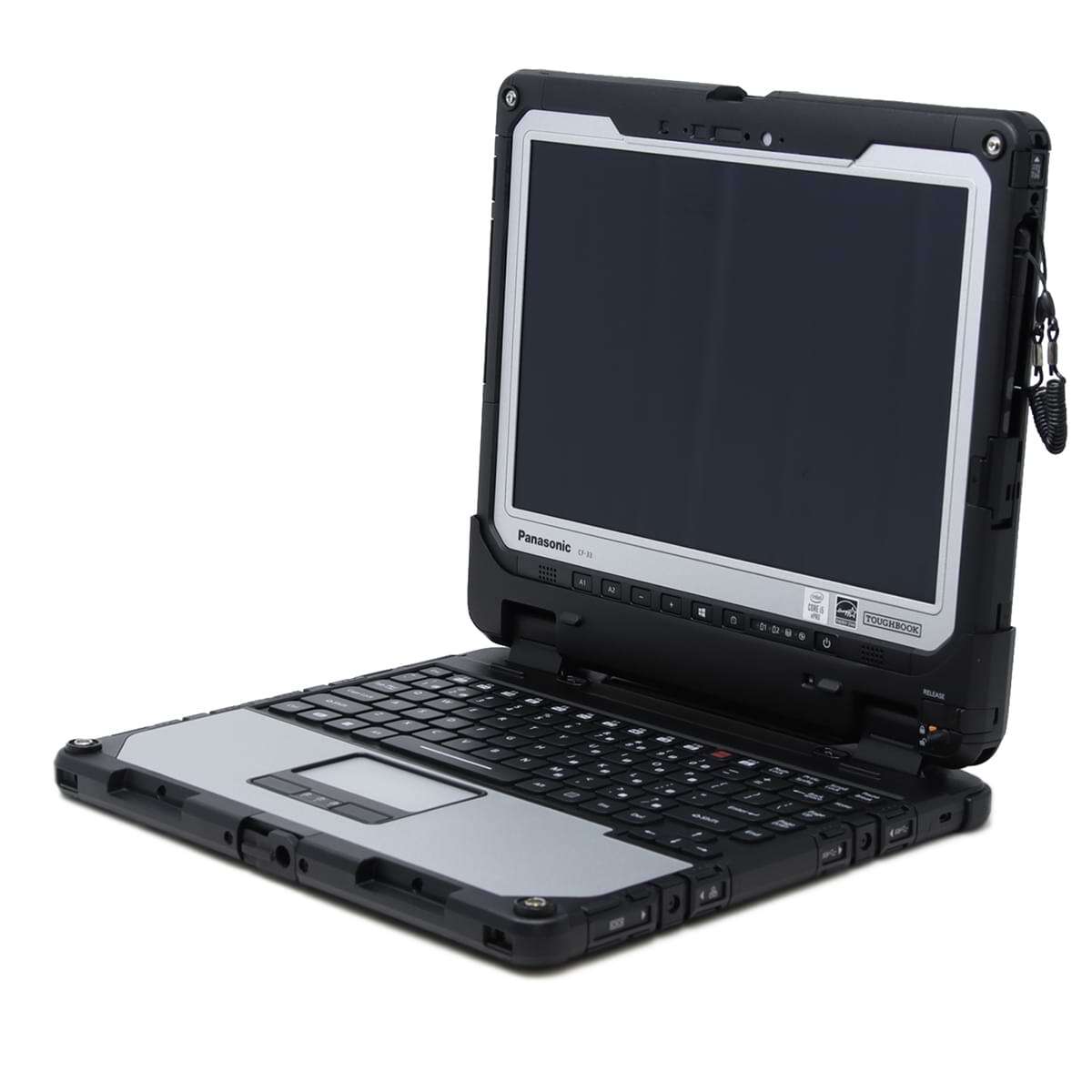 What Does A Panasonic Toughbook CF-33's Model Number Represent?
If you've ever looked at a Panasonic Toughbook CF-33 model number such as CF-33AFHAJVM or CF-33LEHVJVM, you've probably wondered what all those letters and numbers mean.
Panasonic uses a structured model numbering system to identify the hardware configuration, generation, operating system package, and regional destination of each Toughbook. While Panasonic has never publicly released a complete CF-33 decoder, years of inventory analysis and comparison of factory configurations allow us to identify many of the patterns used throughout the CF-33 product line.
This guide explains what we currently know about CF-33 model numbers and provides the most complete public decoder available.
Understanding the CF-33 Model Number Structure
| CF-33 Model Number Section | What It Represents |
|---|---|
| CF-33 | Toughbook 33 model family |
| A | MK generation |
| F | Platform or chassis package |
| HAJ | Hardware configuration bundle |
| V | Operating system package |
| M | Regional designation |
- The structure remains generally consistent throughout the CF-33 product family, although the exact meanings of some configuration codes remain proprietary to Panasonic.
CF-33 MK Generation Codes
The first character after "CF-33" identifies the generation of the system, commonly referred to as the "MK" version.
This is the most well-documented portion of the CF-33 model numbering system.
| CF-33X | Which MK (Generation) Your Computer Is |
|---|---|
| MK1 | A / B / D / E / L / M / P / Q |
| MK2 | G / J / K / R / S / X / 1 / 2 / 3 |
| MK3 | T / U / 4 / 5 / 6 / 7 |
| MK4 | Y / 8 / 9 / 0 |
Knowing the MK generation is important because processor options, RAM support, storage capabilities, and Windows compatibility can vary significantly between generations. Learn about the differences between the CF-33 generations if you would like to learn more.
CF-33 Platform Codes
The second character following the generation code appears to identify the platform or chassis package.
Based on analysis of multiple factory model numbers, the following patterns emerge:
| CF-33 Platform Codes | What It Represents |
|---|---|
| F | Detachable system with keyboard bundle |
| E | Enterprise or tablet-focused configuration |
| Z | Government or special contract configuration |
While additional research is still ongoing, these platform designations consistently appear across multiple configurations and inventory records.
CF-33 Hardware Configuration Codes
The middle section of the model number appears to represent the factory-installed hardware bundle.
Rather than assigning a separate character to every individual component, Panasonic appears to group multiple specifications together into a configuration code.
- HAA
- HAJ
- YEJ
- PAA
- PDA
- PDR
- PFR
- PER
- HVJ
- 001
- 002
- 011
These codes likely determine combinations of:
- Processor
- Memory (RAM)
- SSD capacity
- LTE modem
- GPS
- Camera options
- Smart card readers
- NFC support
- Other factory-installed hardware
A different bundle code may represent a completely different combination of processor, RAM, storage, and wireless features.
Operating System Package Codes
The second-to-last character appears to represent the operating system image package.
Common examples include:
| CF-33 System Package Codes | What It Represents |
|---|---|
| V | Windows business image |
| K | Older Windows package designation |
As Panasonic transitioned through different Windows versions over the years, these codes likely evolved to represent different factory imaging packages.
Regional Designation Codes
The final character indicates the region for which the Toughbook was originally configured.
The most commonly encountered code in North America is:
| CF-33 Regional Codes | What It Represents |
|---|---|
| M | North America |
Most refurbished CF-33 units found in the United States and Canada carry the "M" regional designation.
Real-World CF-33 Model Number Examples
| CF-33AFHAJVM | Model Number Broken Down |
|---|---|
| CF-33 | Toughbook 33 |
| A | MK1 |
| F | Platform package |
| HAJ | Hardware bundle |
| V | Operating system package |
| M | North America |
| CF-33LEHVJVM | Model Number Broken Down |
|---|---|
| CF-33 | Toughbook 33 |
| L | MK1 |
| E | Platform package |
| HVJ | Hardware bundle |
| V | Operating system package |
| M | North America |
| CF-33RZ002VM | Model Number Broken Down |
|---|---|
| CF-33 | Toughbook 33 |
| R | MK2 |
| Z | Special platform package |
| 002 | Hardware bundle |
| V | Operating system package |
| M | North America |
| CF-33DPVAAKM | Model Number Broken Down |
|---|---|
| CF-33 | Toughbook 33 |
| D | MK1 |
| P | Platform package |
| VAA | Hardware bundle |
| K | Operating system package |
| M | North America |
What We Still Don't Know
Although Panasonic's internal configurator can fully decode every CF-33 SKU, the company has never released a public reference table explaining every character.
The biggest remaining unknowns are:
- Exact hardware bundle definitions
- LTE and GPS option mappings
- Smart card and NFC package identifiers
- Original storage and RAM combinations
- Certain operating system package variations
Continued analysis of factory model numbers and configuration records will likely reveal additional details over time.
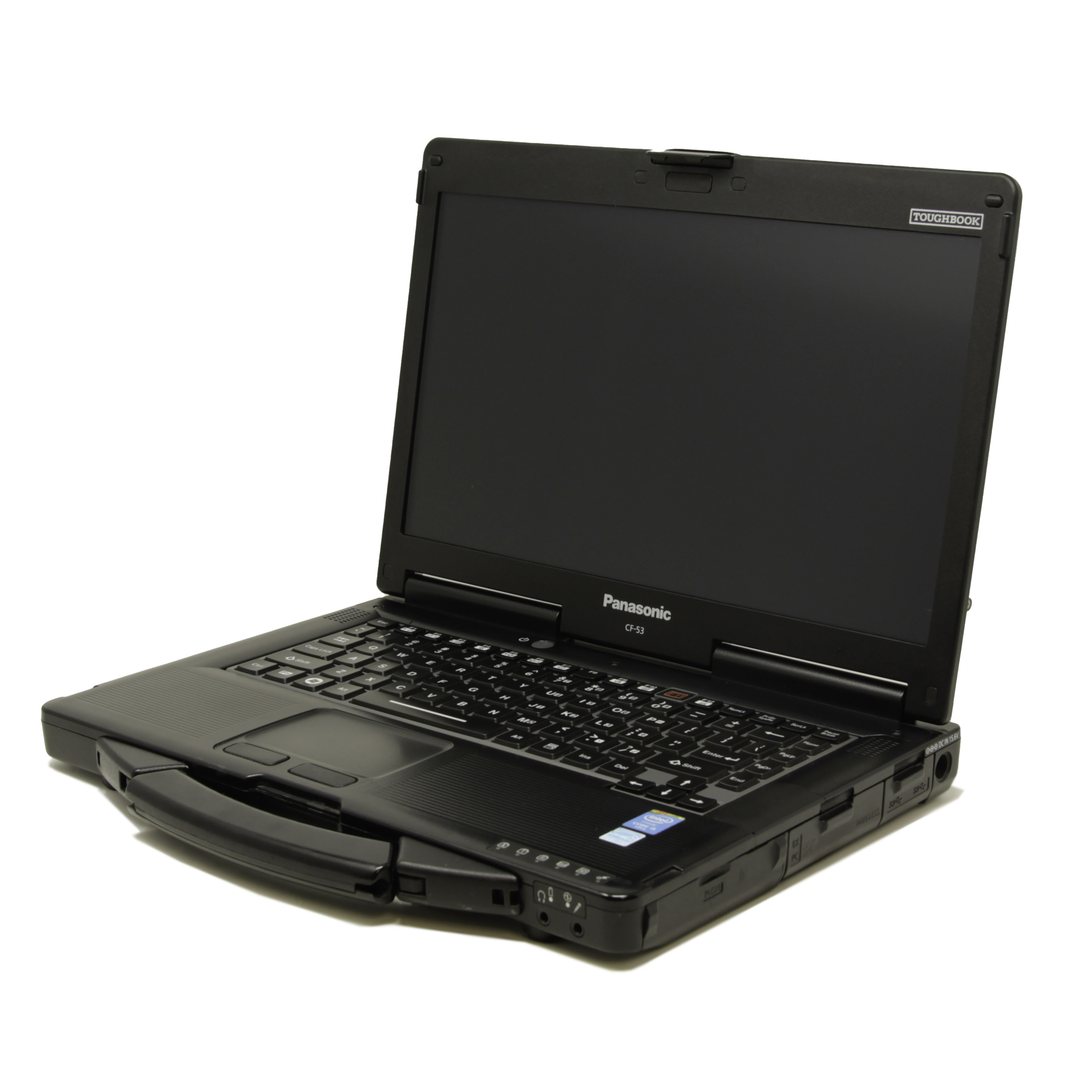 What Does A Panasonic Toughbook CF-53's Model Number Represent?
The Panasonic Toughbook CF-53 uses a hybrid configuration-based model number system that bridges older MK-style decoding and newer bundle-based SKU logic.
It represents a factory-built configuration profile, including CPU generation, RAM, storage, wireless options, operating system image, and region.
CF-53 Model Number Structure
A typical CF-53 model number looks like:
- CF-532U64PNM
It can be broken into:
| CF-53 Model Number Section | What It Represents |
|---|---|
| CF-53 | Toughbook 53 product family |
| 2 / E / S / J | MK generation |
| U64 / AL / SSL / JSM | Platform + hardware configuration family |
| ZY / ZL / ZY1 | Bundle / feature set identifier |
| P / C / L | OS image stream |
| NM / CM / LM | Region + distribution variant |
MK Generation Codes (CF-53 Family)
Based on Panasonic documentation and reseller decoding patterns, CF-53 generations are primarily identified by the first character after “CF-53”.
| CF-53X | Which MK (Generation) Your Computer Is |
|---|---|
| A / D / E | MK1 |
| J / L / M / N / P / Q / R | MK2 |
| S / U / V / Z / 1 | MK3 |
| 2 / 3 / 4 / 7 | MK4 |
Platform / Configuration Family Codes
The next segment defines the hardware platform family, which bundles CPU tier, motherboard revision, and feature set.
| CF-53 Platform Codes | What It Represents |
|---|---|
| U64 | High-performance enterprise configuration (i5/i7 tier) |
| AL | Standard enterprise platform bundle |
| SSL | Secure / enhanced wireless configuration family |
| JSM | Regional or legacy enterprise build profile |
Hardware Configuration Bundles
This is the core factory configuration layer. CF-53 bundles define:
- CPU (commonly Intel Core i5-4310U in later MKs)
- RAM (4GB / 8GB DDR3L typical)
- Storage (HDD / SSD variants)
- Display (non-touch or optional touchscreen)
- WWAN / GPS options
- Security modules (TPM, smart card, fingerprint options)
Operating System + Region Codes
The final characters define OS image stream and region.
| CF-53 Region Codes | What It Represents |
|---|---|
| M | North America region |
| CM | North America + Canada variant |
| LM | Latin/alternate regional distribution stream |
| VM | Windows Pro enterprise image |
Real CF-53 Model Number Decoding
- CF-532U64PNM
- CF-53 → Toughbook 53
- 2 → MK4 generation family
- U64 → high-performance enterprise configuration bundle
- PNM → Windows Pro image + North America region
- ✔ Verified against CF-53 i5 enterprise spec class systems (bobjohnson.com)
| CF-53SSLZYLM | Model Number Broken Down |
|---|---|
| CF-53 | Toughbook 53 |
| S | MK3 generation family |
| SSL | secure enterprise platform family |
| ZYLM | full feature bundle (wireless + OS + region variant) |
| CF-53JSMZY1M | Model Number Broken Down |
|---|---|
| CF-53 | Toughbook 53 |
| J | MK2 generation family |
| JSM | enterprise platform family |
| ZY1 | updated configuration bundle |
| M | North America region |
| CF-532ALZYCM | Model Number Broken Down |
|---|---|
| CF-53 | Toughbook 53 |
| 2 | MK4 generation family |
| AL | enterprise platform bundle |
| ZY | configuration bundle |
| CM | North America/Canada region variant |
Key Takeaway
The CF-53 is a transitional platform that combines older MK-style readability with newer bundle-centric factory configuration logic.
- older MK-letter-based decoding (CF-19 / CF-31 style)
- newer bundle-based systems (FZ-55 / FZ-G2 style)
- Generation marker + platform family still provide meaningful first-pass decoding
- The configuration/bundle portion is the strongest indicator of actual hardware tier
- OS and region suffixes remain important for imaging and deployment expectations
The best practical CF-53 method is to decode left-to-right: MK generation, platform family, bundle identifier, then OS/region stream. That sequence gives reliable compatibility and sourcing insight.
Important: These decoding patterns are best-fit estimates based on the models we have carried and researched. Panasonic does not publish a complete official public source for every code, so this is the most accurate guidance we can provide from real inventory data.
If you want to help improve this research, email your model number and specs to info@bobjohnson.com.
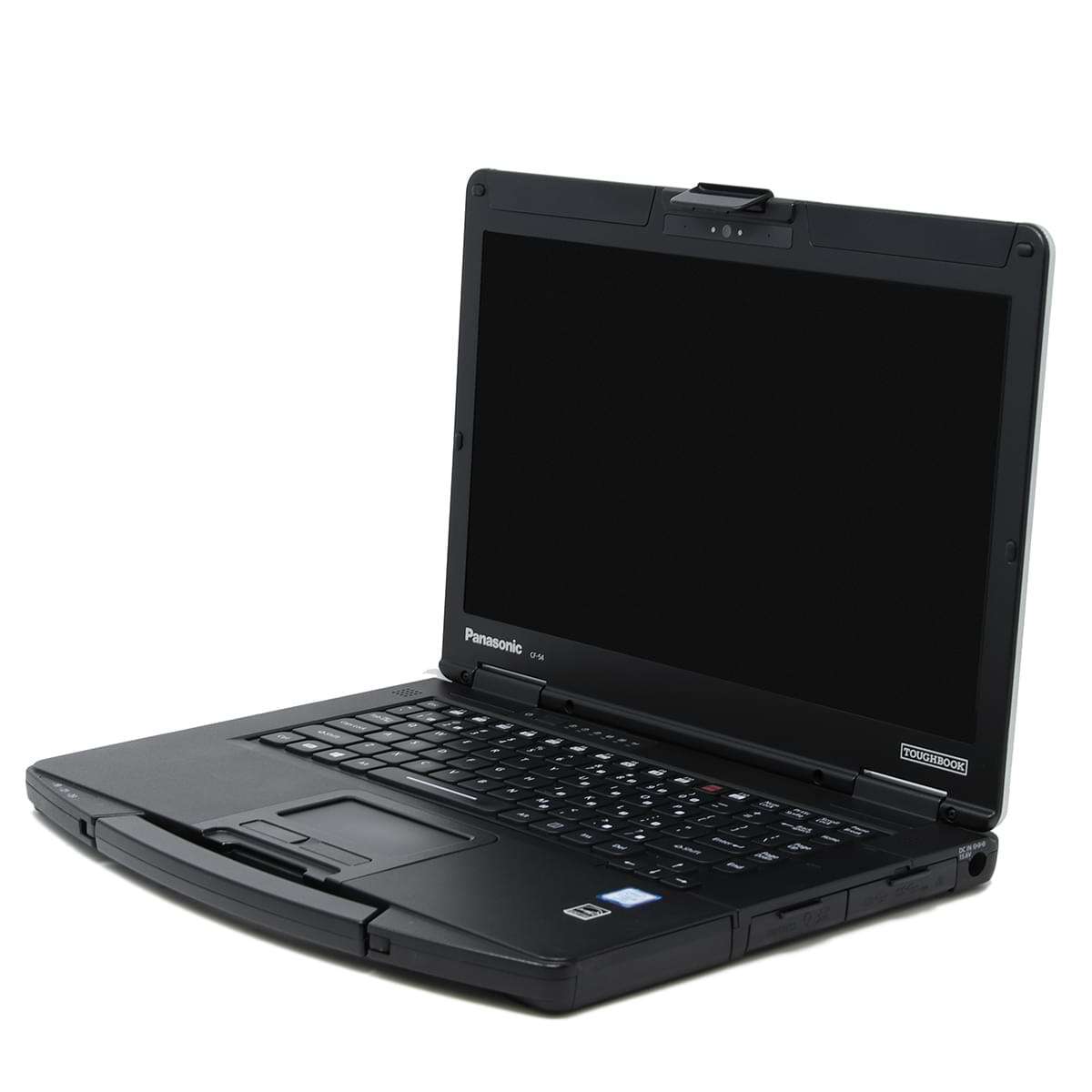 What Does A Panasonic Toughbook CF-54's Model Number Represent?
Unlike newer Toughbooks, the CF-54 still retains a partially readable MK-based structure combined with bundle-style configuration IDs.
CF-54 Model Number Structure
A typical CF-54 model number looks like:
| CF-54 Model Number Section | What It Represents |
|---|---|
| CF-54 | Toughbook 54 product family |
| A / C / D / E / F / J | MK generation |
| 2487 / 4922 / 9887 / 2902 | Factory configuration bundle |
| VM / CM / KM | OS image + region |
MK Generation System (CF-54 Platform Codes)
The CF-54 uses a letter-based MK system, where the first character after “CF-54” indicates platform generation.
Based on verified CF-54 service documentation patterns and field decoding behavior:
Performance Tiers (Lite / Prime / Performance Behavior)
While Panasonic does not explicitly encode “Lite / Prime / Performance” in a single character, CF-54 SKUs strongly cluster into tiers based on:
- CPU generation (i5-6300U vs i5-7300U)
- Display resolution (HD vs FHD)
- Touch capability
- Storage type (HDD vs SSD)
| CF-54 Performance Tier Codes | What It Represents |
|---|---|
| Lite | HD display, lower storage, base CPU |
| Prime | Balanced configs, mid-tier storage |
| Performance | i7 options, FHD touchscreen, SSD standard |
Configuration Bundles
The middle numeric block (e.g. 2487, 4922, 9887, 2902) is the factory configuration bundle ID.
This defines:
- CPU configuration (i5-6300U / i5-7300U / i7-7600U)
- RAM (8GB / 16GB / 32GB)
- Storage (HDD / SSD sizes)
- WWAN / GPS options
- Keyboard / security features
- Display type (HD vs FHD, touch vs non-touch)
Operating System + Region Codes
The final characters define OS image and regional distribution.
| CF-54 Operating System + Region Codes | What It Represents |
|---|---|
| VM | Windows Pro image + North America |
| CM | North America / Canada distribution |
| KM | Alternate enterprise image stream |
Real CF-54 Model Number Decoding
| CF-54J2487VM | Model Number Broken Down |
|---|---|
| CF-54 | Toughbook 54 |
| J | MK3 performance platform |
| 2487 | FHD performance configuration bundle |
| VM | Windows Pro image + North America |
| CF-54A2902CM | Model Number Broken Down |
|---|---|
| CF-54 | Toughbook 54 |
| A | MK1 platform family |
| 2902 | base enterprise configuration bundle |
| CM | North America / Canada region variant |
| CF-54E9716KM | Model Number Broken Down |
|---|---|
| CF-54 | Toughbook 54 |
| E | MK2 platform family |
| 9716 | mid-tier configuration bundle |
| KM | alternate enterprise image stream |
Key Takeaway
The CF-54 is one of Panasonic’s clearest transition-era SKUs, where readable platform markers and opaque bundle IDs coexist in the same model code.
- MK platform letter (A / C / D / E / F / J)
- Numeric configuration bundle (2487 / 9887 / 2902)
- OS + region suffix (VM / CM / KM)
- Platform letter helps with generation/tier orientation, while the numeric block carries most hardware specifics
- Suffixes help distinguish deployment stream and geographic provisioning
In short, CF-54 decoding is most accurate when you combine readable platform context with bundle lookup discipline. It is neither fully legacy-readable nor fully opaque, and that hybrid nature is exactly what makes it useful.
Important: These decoding patterns are best-fit estimates based on the models we have carried and researched. Panasonic does not publish a complete official public source for every code, so this is the most accurate guidance we can provide from real inventory data.
If you want to help improve this research, email your model number and specs to info@bobjohnson.com.
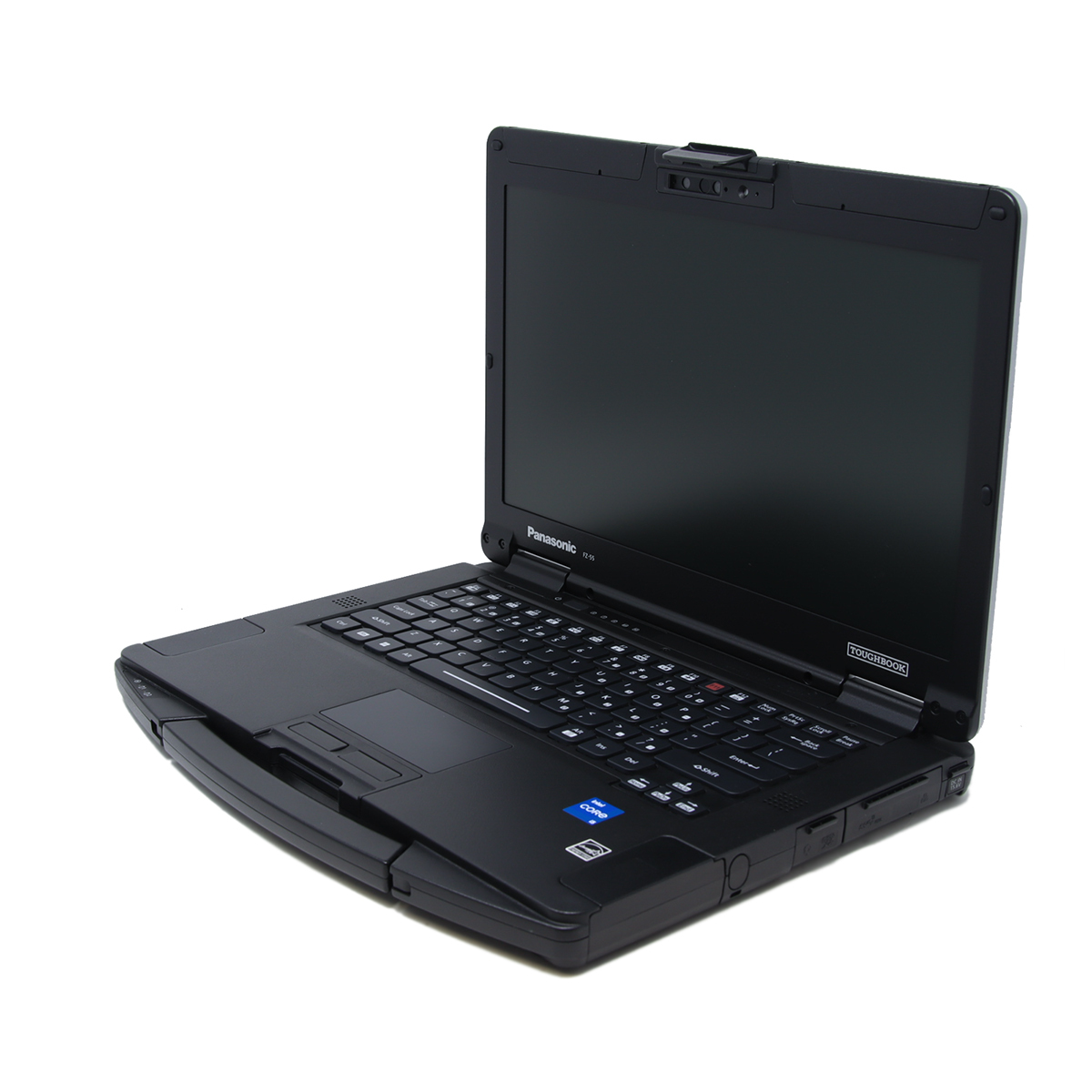 What Does A Panasonic Toughbook FZ-55's Model Number Represent?
Panasonic Toughbook FZ-55 model numbers (such as FZ-55C8601VM or FZ-55F2601KM) are factory configuration codes used to identify how a unit was built at the time of manufacture.
Unlike older Toughbook generations, the FZ-55 does not fully encode every hardware option in individual characters. Instead, Panasonic uses a hybrid system where the model number references a pre-defined factory configuration bundle.
That means one code like:
FZ-55C8601VM
represents a full system build including CPU, RAM, storage, display type, and wireless options.
FZ-55 Model Number Structure (Simplified)
Based on real-world configurator data and verified SKUs, the structure is:
- FZ-55 + [Platform Code] + [Configuration Bundle] + [OS Code] + [Region]
Example:
FZ-55C8601VM
| FZ-55 Model Number Section | What It Represents |
|---|---|
| FZ-55 | Toughbook 55 product family |
| C | MK generation |
| 8601 | Factory configuration bundle |
| V | Operating system image |
| M | North America region |
Platform / Generation Codes (First Letter After FZ-55)
The first letter after “FZ-55” identifies the platform family or production wave.
Based on multiple real SKUs:
| FZ-55X | Which MK (Generation) Your Computer Is |
|---|---|
| MK1 | A / B / C |
| MK2 | D / E / F |
| MK3 | G / J |
Configuration Bundles
The middle block (example: 8601, 2601, CA60, FZ004) is the factory configuration bundle ID.
This is the most important part of the FZ-55 system.
Instead of encoding individual specs, Panasonic groups them into a single pre-built configuration.
Common bundle patterns fount in real inventroy
| FZ-55 Configuration Codes | What It Represents |
|---|---|
| 0718 | Early base configuration (i5/i7 mix) |
| 8601 | Core i7 enterprise baseline configuration |
| 860C | Variant of 8601 (minor hardware differences) |
| CA60 | Lower-tier / alternate CPU configuration group |
| C860 | Split variant of 8601 family |
| F2601 | Revised generation bundle (later production run) |
| Z001 | Government / contract locked configuration |
| Z004 | Government / contract variant |
Operating System + Region Codes
The final two characters define OS image and region.
Operating System Code
| FZ-55 Operating System Codes | What It Represents |
|---|---|
| V | Windows 10/11 Pro business image |
| K | Alternate enterprise imaging stream |
Region Code
| FZ-55 Region Codes | What It Represents |
|---|---|
| M | North America |
| J | Japan |
| E | Europe |
Real FZ-55 Model Number Examples
| FZ-55C8601VM | Model Number Broken Down |
|---|---|
| FZ-55 | Toughbook 55 |
| C | Platform family |
| 8601 | i7 enterprise factory bundle |
| V | Windows Pro image |
| M | North America |
| FZ-55F2601KM | Model Number Broken Down |
|---|---|
| FZ-55 | model family |
| F | later platform revision |
| 2601 | revised factory configuration bundle |
| K | alternate OS image stream |
| M | North America |
| FZ-55DZ001KM | Model Number Broken Down |
|---|---|
| FZ-55 | model family |
| D | enterprise revision platform |
| Z001 | government / locked configuration |
| K | OS image stream |
| M | North America |
Key Takeaway
The FZ-55 is primarily a bundle-reference model system, not a letter-by-letter hardware decoder like older CF-series devices.
- The model code points to a factory bundle that defines CPU, RAM, storage, display, and wireless options as one package
- Platform letters still help frame production wave and revision family
- OS and region suffixes remain useful for imaging and deployment planning
- Close-looking codes can still represent materially different builds, so bundle validation matters
Operationally, treat FZ-55 SKUs as lookup keys first and human-readable clues second. That mindset prevents misclassification and matches how Panasonic actually organizes these systems.
Important: These decoding patterns are best-fit estimates based on the models we have carried and researched. Panasonic does not publish a complete official public source for every code, so this is the most accurate guidance we can provide from real inventory data.
If you want to help improve this research, email your model number and specs to info@bobjohnson.com.
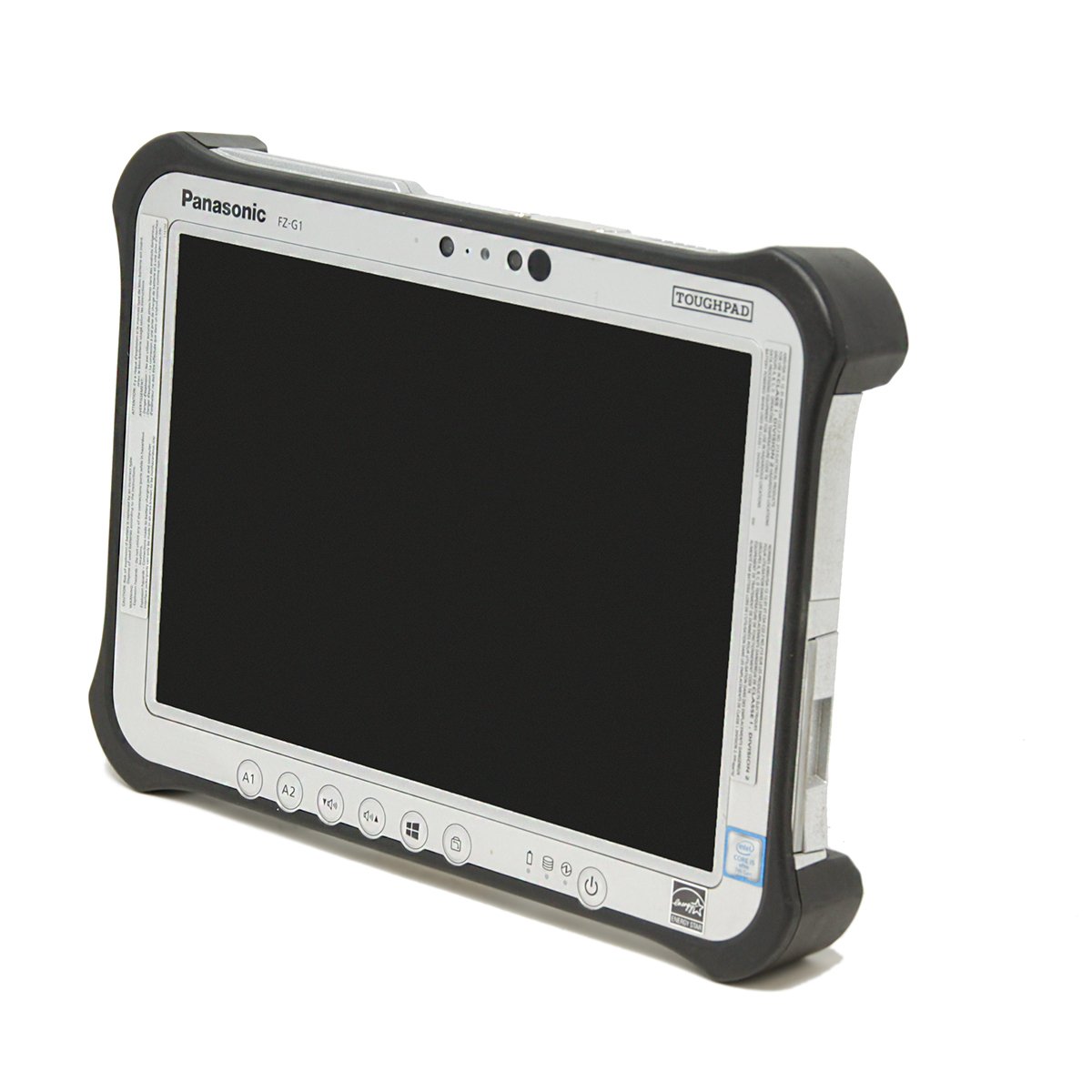 What Does A Panasonic Toughpad FZ-G1's Model Number Represent?
represents a factory-built configuration profile, not a single hardware component code. Each SKU defines a complete system build including:
- MK generation / platform revision
- Intel CPU generation (commonly i5-5300U, i5-6300U, i5-7300U)
- RAM (4GB–8GB typical, sometimes higher in later revisions)
- storage (SSD 128GB–512GB)
- WWAN (LTE modules depending SKU)
- GPS + barcode reader options (on select configs)
- OS image (Windows 8/10 Pro enterprise builds)
- region (VM = North America)
FZ-G1 Model Number Structure
A typical FZ-G1 model number looks like: FZ-G1V1651VM. It breaks down into:
| FZ-G1 Model Number Section | What It Represents |
|---|---|
| FZ-G1 | Toughpad/FZ rugged tablet platform |
| V / Q / J / P | MK generation |
| 1651 / 2701 / 6375 / 2657 | Factory configuration bundle |
| VM | Windows image + North America region |
Platform / Generation Codes
The FZ-G1 uses letter-based platform identifiers, where the first letter after FZ-G1 indicates the platform family and revision tier. Based on verified SKU patterns and real-world configuration mapping:
| FZ-G1X | What It Represents |
|---|---|
| MK1 | A / B / C |
| MK2 | F |
| MK3 | J / K / L / M / N |
| MK4 | P / Q / R / S / T |
| MK5 | U / V / W |
Configuration Bundles
This is the core factory configuration layer in the FZ-G1 system. Each numeric bundle defines the full hardware profile:
- CPU generation (i5-5300U / i5-6300U / i5-7300U)
- RAM (4GB or 8GB typical)
- storage (128GB / 256GB / 512GB SSD)
- WWAN module (LTE / multi-carrier)
- GPS / dual-pass antenna configuration
- rear camera (8MP standard)
- front camera (92MP or equivalent low-res unit in early builds)
- barcode scanner (optional in some SKUs)
- rugged accessories compatibility (hand strap, cradle, etc.)
Operating System + Region Codes
The final suffix defines OS image and region:
- FZ-G1V1651VM → VM = Windows 10 Pro / enterprise image for North America
Real FZ-G1 Model Number Decoding
| FZ-G1V1651VM | Model Number Broken Down |
|---|---|
| FZ-G1 | Toughpad G1 platform |
| V | early enterprise platform family |
| 1651 | mid-tier configuration bundle |
| VM | Windows Pro image + North America |
| FZ-G1Q2701VM | Model Number Broken Down |
|---|---|
| FZ-G1 | Toughpad G1 |
| Q | refreshed enterprise platform |
| 2701 | LTE/GPS enterprise bundle |
| VM | Windows Pro image + North America |
| FZ-G1J6375VM | Model Number Broken Down |
|---|---|
| FZ-G1 | Toughpad G1 |
| J | later revision platform (newer CPU generation class) |
| 6375 | high-tier configuration bundle |
| VM | Windows Pro image + North America |
Key Takeaway
The FZ-G1 sits between old and new Toughbook logic: it is still semi-readable, but the bundle number remains the strongest indicator of actual hardware behavior.
- The FZ-G1 uses a hybrid configurator system:
- Platform letter (V / Q / J / P) = generation family
- Numeric bundle (1651 / 2701 / 6375 / 2657) = full hardware configuration
- VM = Windows Pro + North American region image
- Unlike newer FZ-G2 models, the FZ-G1 is still semi-readable, meaning you can often infer performance tier from the SKU alone.
For practical decoding, use the platform letter for revision context, confirm capability from the numeric bundle, and use suffix codes for region/image validation.
Important: These decoding patterns are best-fit estimates based on the models we have carried and researched. Panasonic does not publish a complete official public source for every code, so this is the most accurate guidance we can provide from real inventory data.
If you want to help improve this research, email your model number and specs to info@bobjohnson.com.
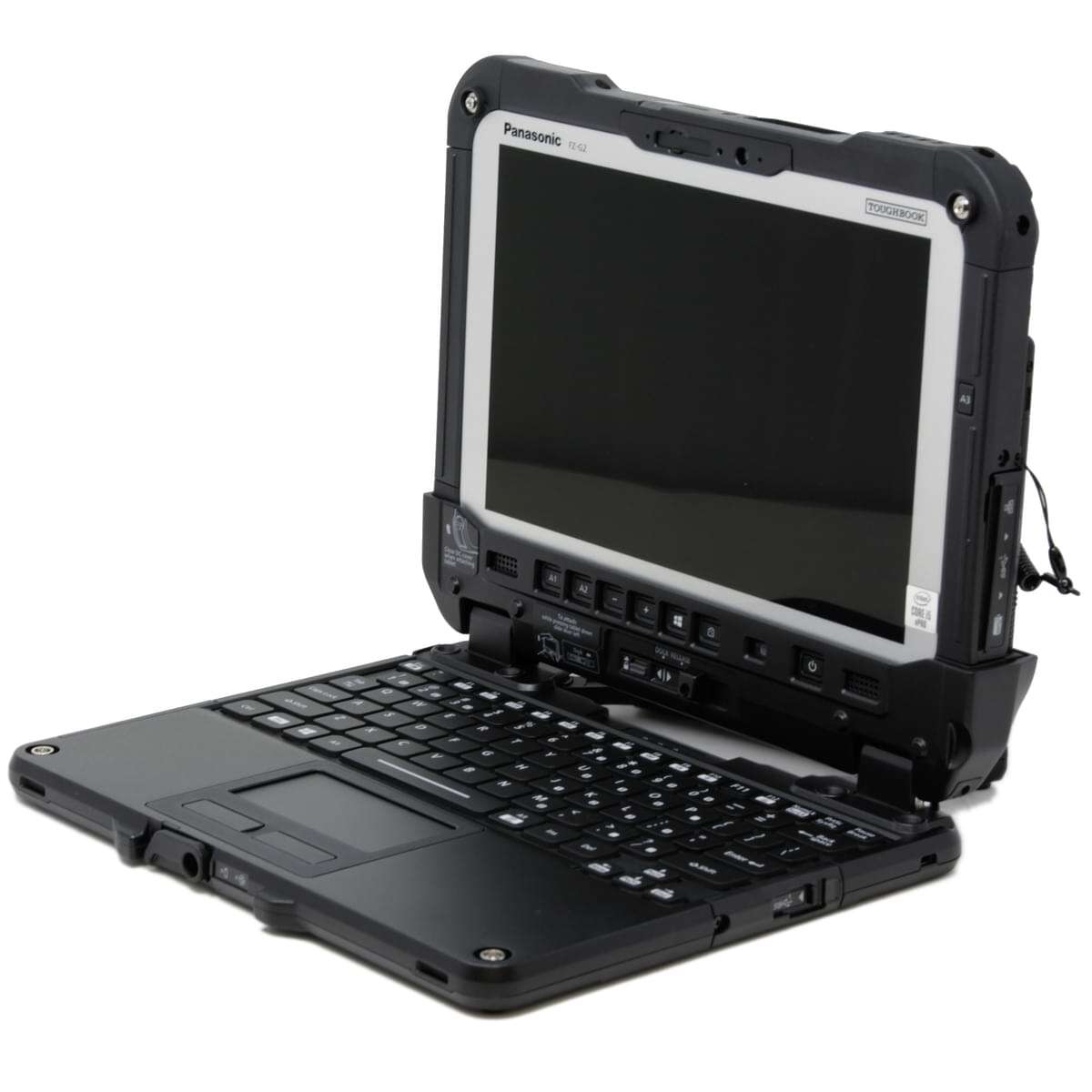 What Does A Panasonic Toughbook FZ-G2's Model Number Represent?
FZ-G2 model numbers such as FZ-G2AZ-0AVM, FZ-G2AZ-0BVM, and FZ-G2BBFBHAM are factory configuration keys, not traditional “character-by-character” spec codes.
Instead of encoding individual hardware components like older Toughbooks, the FZ-G2 uses a database-driven configurator system, where the full model number maps directly to a predefined build profile inside Panasonic’s manufacturing system.
- A single FZ-G2 model number = a complete factory build recipe (CPU class, RAM, storage, WWAN, GPS, cameras, and rugged options).
FZ-G2 Model Number Structure
A typical FZ-G2 model number looks like:
FZ-G2AZ-0AVM
The structure breaks into four functional blocks:
| FZ-G2 Model Number Section | What It Represents |
|---|---|
| A / B | Platform / hardware revision family |
| Z-0AV / Z-0BV / BFBH | Factory configuration bundle |
| VM / M / HAM | OS image + region + contract classification |
Platform / Revision Families
The first two-letter block defines the hardware/platform family, not individual specs.
| FZ-G2 Model Number Section | What It Represents |
|---|---|
| FZ-G2 | Toughbook G2 platform |
| MK1 | A / B / C / D |
| MK2 | E / G / K / M |
| MK3 | N / P |
Configuration Bundles
This is the core of the FZ-G2 system. The middle block represents a complete hardware configuration bundle, not individual components. Each bundle defines:
- CPU tier (i5 / i7 / Ultra 5 / Ultra 7 depending generation)
- RAM (16GB / 32GB typical)
- Storage (512GB / 1TB / 2TB)
- WWAN module (LTE / 5G)
- GPS inclusion
- Camera configuration
- Security modules (TPM, IR, fingerprint, CAC options)
Observed configuration families
| FZ-G2 Configuration Codes | What It Represents |
|---|---|
| 0AV | Base enterprise configuration |
| 0BV | Variant of base config (wireless/security differences) |
| FBH | Higher-tier configuration (enhanced compute or WWAN package) |
| FBF | Alternate premium configuration variant |
| FBFB / HAM | Contract/government hardened image variants |
Operating System + Region Codes
The final segment defines OS image stream, region, and sometimes contract status.
| FZ-G2 Operating System + Region Codes | What It Represents |
|---|---|
| VM | Windows Pro image + North America region |
| M | North America region |
| HAM | Hardened / enterprise / contract provisioning stream |
Real FZ-G2 Model Number Decoding
| FZ-G2AZ-0AVM | Model Number Broken Down |
|---|---|
| FZ-G2 | Toughbook G2 platform |
| AZ | Standard enterprise platform family |
| 0AV | Base factory configuration bundle |
| M | North America region |
| FZ-G2AZ-0BVM | Model Number Broken Down |
|---|---|
| FZ-G2 | Toughbook G2 |
| AZ | Standard platform family |
| 0BV | Variant configuration bundle (minor hardware/WWAN differences) |
| M | North America region |
| FZ-G2BBFBHAM | Model Number Broken Down |
|---|---|
| FZ-G2 | Toughbook G2 |
| BB | Alternate/revised platform family |
| FBH | Higher-tier hardware bundle |
| HAM | Contract / hardened enterprise OS image stream |
Key Takeaway
The FZ-G2 is the most database-driven model family in this guide, and should be interpreted primarily as a configuration lookup key rather than a direct hardware code string.
- Per-character decoding is limited compared with older CF-series generations
- Platform block + configuration bundle together define the intended build class
- Suffix blocks carry OS/region/contract provisioning implications
- Reliable decoding depends on verified bundle mapping, not visual guesswork
For resellers and IT teams, the safest workflow is to map the bundle first, then validate against known distributor or configurator data. That approach aligns with how modern FZ-G2 SKUs are actually managed.
Important: These decoding patterns are best-fit estimates based on the models we have carried and researched. Panasonic does not publish a complete official public source for every code, so this is the most accurate guidance we can provide from real inventory data.
If you want to help improve this research, email your model number and specs to info@bobjohnson.com.
Conclusion: How Toughbook Model Numbers Work
Across CF-19, CF-20, CF-31, CF-33, CF-53, CF-54, FZ-55, FZ-G1, and FZ-G2, Panasonic model numbers function as factory configuration identifiers with a consistent structure: model family → generation/platform layer → hardware bundle → OS/region or provisioning suffixes. Older CF-series models tend to be more human-readable with clear MK systems, while transition-era platforms like CF-53 and CF-54 blend readable markers with opaque bundle logic, and newer FZ-series models rely primarily on configuration lookup behavior.
In practice, here's how to use this guide: If you own a Panasonic Toughbook and want to verify its original configuration, use this reference to decode the model number, then validate against the Panasonic Configurator for the most accurate factory specs. When shopping for new rugged computers, check the vendor's specs first. When shopping for refurbished units, use this guide to decode the model number and confirm it in the Panasonic Configurator—but remember that a refurbisher may have added or removed upgrades from the original factory build.
Important research note: Every decoding pattern in this guide is based on real inventory data from models we have carried and researched over 31 years. Panasonic does not publish complete official public documentation for every SKU code, so this represents the most accurate guidance we can provide from real-world evidence. These are educated estimates, not definitive manufacturer specifications. If you want to help us improve this research, email your model number and specs to info@bobjohnson.com.