

 9am – 5pm Eastern, Monday – Friday
 133 N Dupont Blvd Ste 103, Smyrna, DE 19977
 Sale Tax Free Shopping!
Buying a Rugged Computer in 2026: What Specs Still Matter Most?
13th Feb 2026
By 2026, rugged computers will no longer be limited to extreme or dangerous work situations. Many businesses worldwide have begun using these computers in their day-to-day operations due to their reliability, security, and durability. When considering the purchase of a rugged computer today, the individual or business is not concerned solely with the adverse weather conditions or drop tests the computer must endure. Instead, they also wish to have the assurance that the computer they have purchased will remain functional, secure, and useful in three or five years. This guide provides readers with the tools they need to understand the importance of the rugged computer they select.
Types of Rugged Computers
Types of rugged computers have expanded and matured over the years, giving buyers more choice than ever before, depending on how and where they use the device.
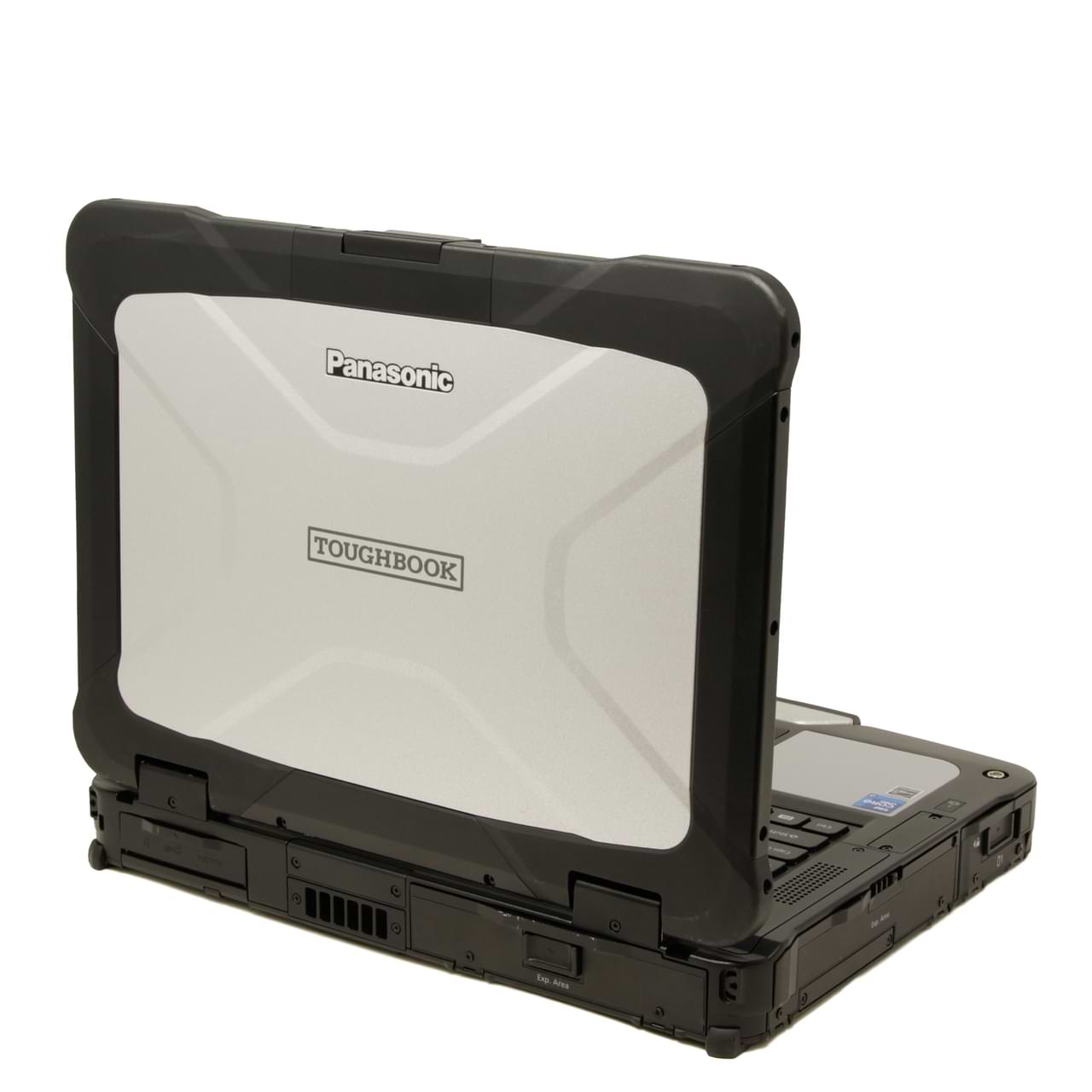
Fully rugged laptops are built for environments where failure is not an option. These machines are designed to operate in extreme heat, cold, heavy rain, dust storms, and constant vibration. They are commonly used in military operations, oil and gas exploration, and emergency services where reliability can directly impact safety and outcomes. In 2026, fully rugged laptops continue to prioritize durability, sealed components, and long-term serviceability over sleek design.
Semi-rugged laptops offer a practical middle ground. They provide solid protection against drops, spills, and vibration while remaining lighter and easier to carry than fully rugged models. These systems are especially popular with field technicians, utility workers, and fleet operations that need durability without sacrificing portability or comfort during long workdays.
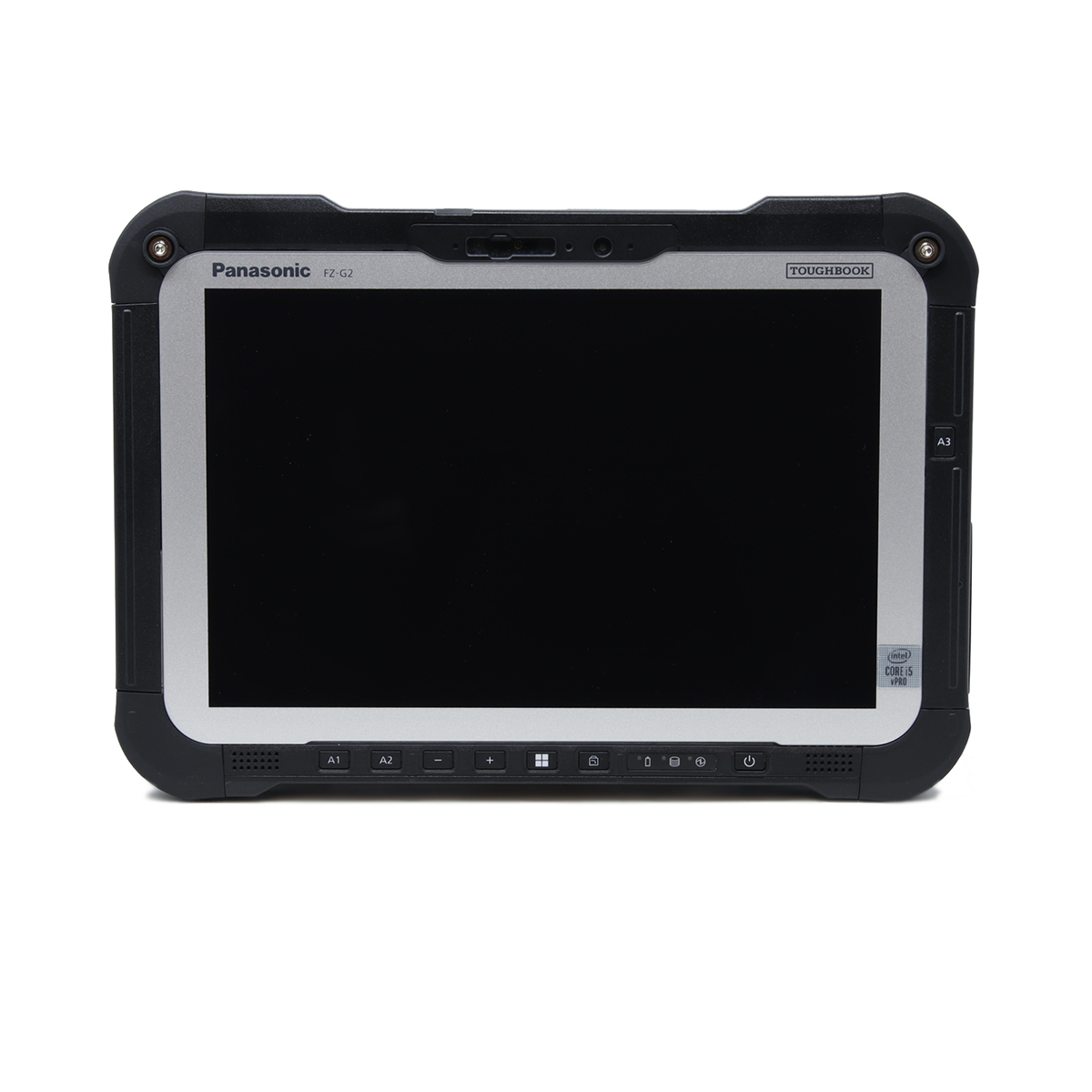
Rugged tablets have become a favorite for teams that value mobility. Their lightweight design and touch-first interfaces make them ideal for logistics, inspections, healthcare, and real-time data entry. In 2026, rugged tablets deliver impressive performance while maintaining the toughness needed for daily field use.
Rugged handhelds and 2-in-1 devices are built for fast-paced workflows. These compact systems support data capture, scanning, and mobile applications where speed and convenience matter. Detachable keyboards and integrated scanners allow them to adapt quickly between tablet and laptop-style use, making them highly versatile in the field.
The Most Important Specs That Still Matter in 2026
Rugged computer specifications remain the foundation of long-term performance. While marketing trends change, the core hardware choices still define how well a device performs over time.
Processor (CPU): The processor remains the engine behind every rugged workload. In modern field environments, CPUs handle mapping software, diagnostics, real-time analytics, and sometimes AI-driven tasks. Efficiency and thermal management are critical because rugged systems operate in sealed enclosures. In 2026, common options include Intel Core Ultra processors, Intel Core i5 and i7 with vPro, and ARM-based processors for tablets. Entry-level CPUs work well for basic applications, mid-range processors handle multitasking and industry software, and high-performance CPUs are reserved for CAD, AI, and heavy analytics.
 Memory (RAM):
Memory plays a major role in keeping rugged computers responsive. When multiple applications run simultaneously, insufficient RAM can slow everything down. In 2026, 16GB of RAM has become the standard for most professionals, while 8GB is limited to very light workloads. Advanced applications often demand 32GB or more. Systems with upgradeable RAM slots and dual-channel memory offer a longer usable life and better overall performance.
Storage Drives (SSD and Drive Speeds):
Storage speed directly affects how quickly a rugged computer boots, loads software, and processes data in the field. NVMe PCIe Gen3 and Gen4 SSDs are now standard, with Gen5 appearing in high-performance systems. Capacities have also grown, with 512GB covering basic needs, 1TB serving most professionals, and 2TB or more supporting data-heavy workloads. Dual-drive and hot-swap storage options add flexibility and reduce downtime when systems are deployed full-time.
Security Features That Still Matter
Rugged computer security remains a top concern as devices handle sensitive data in uncontrolled environments.
Fingerprint Readers: Provide fast, reliable authentication, even in challenging field conditions. Integration with Windows Hello allows users to log in quickly without compromising security.
Smart Card and CAC Readers: Are essential for organizations that require multi-factor authentication. Government agencies and enterprise environments rely on these features to meet compliance and security standards.
TPM and Hardware Encryption: TPM modules and hardware-level encryption protect devices from unauthorized access and ensure secure boot processes. These features help organizations comply with IT policies and protect data if a device is lost or stolen.
Expansion and Upgrade Options
Rugged computer upgradeability is one of the biggest advantages these systems have over consumer devices.
Upgradeability extends the lifecycle of a rugged computer. Adding components or replacing parts reduces downtime, lowers repair costs, and delays full system replacement.
Modern rugged systems often support additional RAM, extra SSD bays, dedicated GPU modules, barcode scanners, and legacy connectivity. Serial ports, extra LAN options, and modular I/O ensure compatibility with existing equipment and workflows.
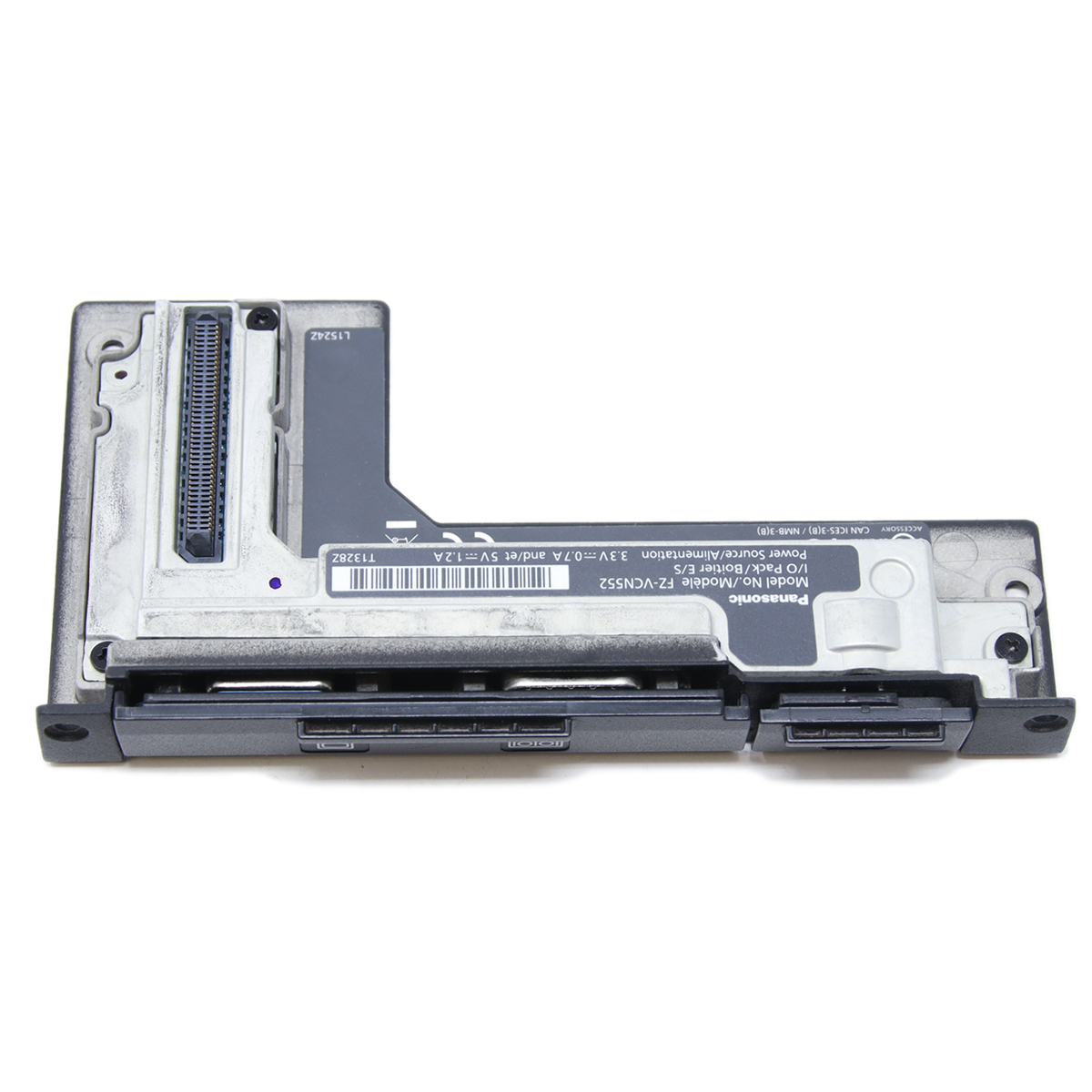 Panasonic’s xPAK Modular Expansion System
Panasonic’s xPAK modular expansion system represents a forward-thinking approach to rugged computing.
xPAK is a modular platform that allows users to customize and expand their rugged devices without replacing the entire system.
Modules range from extra storage and optical drives to specialized I/O and authentication tools, giving organizations flexibility as needs evolve.
In 2026, xPAK helps protect long-term investments by allowing devices to adapt to new requirements rather than becoming obsolete.
Display Features for Outdoor Use
Rugged computer displays must perform well in outdoor conditions. High-brightness screens exceeding 1,000 nits, sunlight-readable panels, glove and rain touch modes, and anti-glare coatings ensure visibility and usability in any condition.
Connectivity and Ports
Rugged computer connectivity is critical for field operations that rely on constant communication and data transfer.
Wireless Connectivity: Support for Wi-Fi 6, 6E, and Wi-Fi 7 ensures fast and reliable networking. Many systems also include 4G LTE and 5G options, along with GPS for tracking and location-based services.
Essential Physical Ports: Physical ports remain essential despite advances in wireless technology. USB-A supports legacy devices; USB-C and Thunderbolt handle modern peripherals; Ethernet ensures stable networking; serial ports connect industrial equipment; and HDMI or DisplayPort supports external displays.
Battery and Power Features
Rugged computer battery life expectations are higher than ever. Hot-swappable dual batteries allow continuous operation; all-day runtime is now the baseline; vehicle dock compatibility supports mobile workforces; and fast-charging capabilities keep downtime to a minimum.
Durability and Environmental Ratings
Real-world standards measure rugged computer durability. MIL-STD-810H certification, IP65 to IP68 ratings, drop and shock resistance, wide operating temperature ranges, and vibration resistance ensure devices survive harsh environments rather than just lab tests.
Best Rugged Computer Categories in 2026
The best rugged computers in 2026 vary by use case. Fully rugged laptops lead in extreme durability; semi-rugged laptops balance toughness and portability; rugged tablets dominate mobile workflows; and rugged 2-in-1 devices offer unmatched flexibility across roles.
How to Choose the Right Rugged Computer
Choosing the right rugged computer starts with understanding the work environment, software requirements, battery expectations, security needs, and future expansion plans. When these factors align with the hardware, the result is a device that feels purpose-built rather than compromised.
Common Buying Mistakes to Avoid
Rugged computer buying mistakes often stem from shortcuts. Choosing consumer laptops with rugged cases, ignoring upgrade options, misjudging CPU needs, or overlooking display brightness usually leads to higher costs and frustration over time.
Final Thoughts: Specs That Will Still Matter in the Next 3–5 Years
Future-proof rugged computer specs are about balance, not excess. Efficient processors, adequate RAM, fast storage, strong security, real upgrade paths, and proven durability will continue to matter well beyond 2026. Buyers who focus on these fundamentals tend to make smarter long-term investments. It’s a philosophy often echoed by experienced voices in the industry, including Bob Johnson’s Computer Stuff, where practical advice consistently reminds readers that the right specs age far better than flashy features ever will.
Frequently Asked Questions
|
|
Who should consider buying a rugged computer? |

Anyone working in demanding environments—like field service, construction, manufacturing, emergency services, oil and gas, and military operations—can benefit from rugged computers. Increasingly, businesses seeking long-term reliability and security are also choosing rugged devices for regular operations.
|
|
How long will a rugged computer last? |
With proper care and timely upgrades, rugged computers can remain functional and relevant for 3–5 years or more, making them a smart investment for organizations prioritizing reliability and total cost of ownership.
|
|
What are common mistakes when buying a refurbished rugged computer? |
Mistakes include underestimating CPU and RAM needs, ignoring upgrade options, choosing consumer-grade devices with rugged cases, and overlooking display quality for outdoor use. Another common pitfall is purchasing a device from a seller who cannot confirm whether the BIOS password has been cleared. A BIOS password can prevent you from accessing or configuring the computer, and removing it may require manufacturer intervention or proof of ownership. Always verify with the seller that the BIOS password is either removed or provided with the device.