

 9am – 5pm Eastern, Monday – Friday
 133 N Dupont Blvd Ste 103, Smyrna, DE 19977
 Sale Tax Free Shopping!
Windows 11's Biggest Problems For Refurbished Rugged Computers
17th Apr 2026
Windows 11 offers a modern interface and better security, but it poses notable issues—especially for those using rugged, refurbished, or older business laptops. If you’re considering or already using Windows 11, below are the most common problems to note.
Windows 11 will reach its 5th year this October, a key milestone for Microsoft’s latest OS. October also marks a year since Windows 10 lost support, making the move to Windows 11 even more urgent for those who need security updates and support.
Here, we outline the most common Windows 11 issues we've encountered on rugged and refurbished computers, along with practical advice based on our experience.
 Hardware Compatibility Restrictions
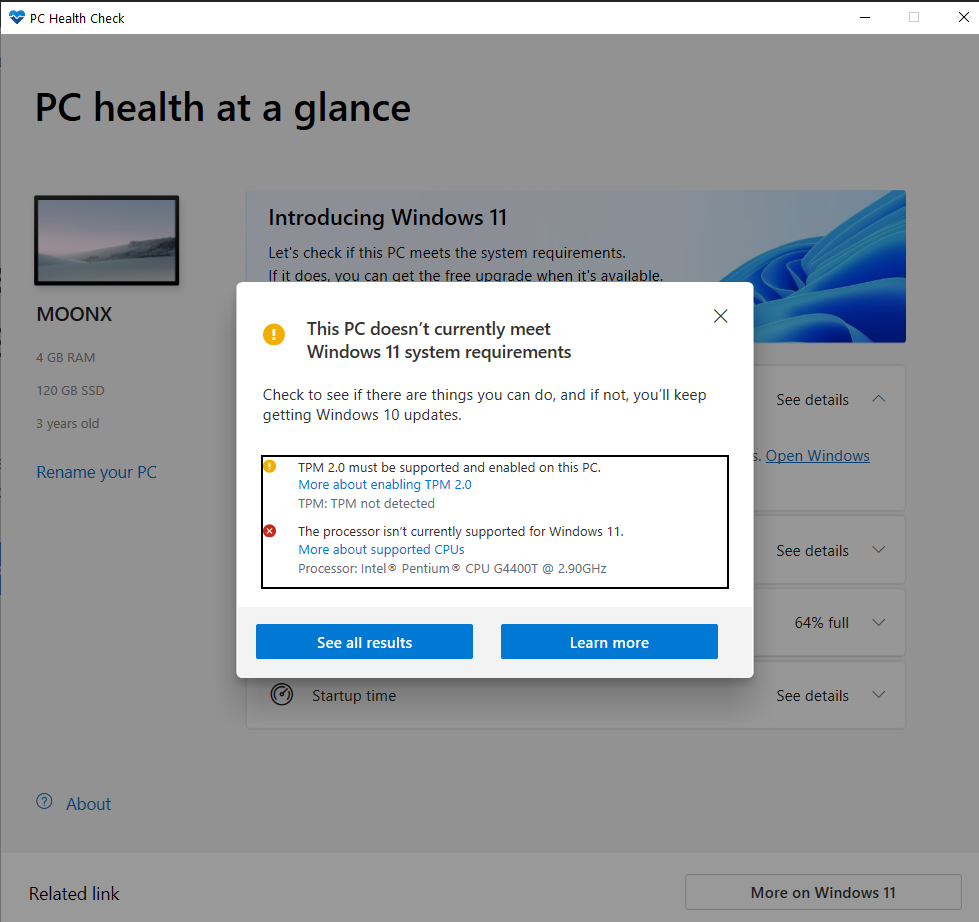
A major challenge with Windows 11 is its strict hardware requirements: TPM 2.0, Secure Boot, and recent CPUs (usually 8th Gen Intel or newer). These requirements can block many reliable, rugged and refurbished laptops. Even durable and capable devices may face compatibility checks that prevent installation or cause update issues. IT teams must research and plan to maintain productivity and minimize disruption.
Many rugged and refurbished laptops remain capable but lack official support. As a result, users may face upgrade blocks, inconsistent updates, or installation confusion. Even after successful installation, future updates may be blocked or require repeated workarounds. Users should also expect limited official troubleshooting support.
To address these hardware restrictions, we use a reliable bypass for the processor requirement on any Windows 11 computer we sell that doesn’t have an 8th-generation processor.
Slower Performance on Older Systems
Windows 11 uses more CPU, RAM, and storage than Windows 10. On lower-spec systems—especially those with 8GB RAM or HDDs—users often see slower performance. Rugged and refurbished models, designed for earlier versions, are especially affected. In field environments, this can cause lost productivity or frustration.
Common complaints are laggy navigation, slow boot times, and reduced responsiveness in daily tasks. Apps may take longer to start, and background processes can further strain hardware, especially when multitasking or running demanding software.
For best results, use rugged laptops with at least 16GB RAM and an SSD—larger drives are preferable. Avoid HDDs, as they bottleneck performance compared to SSDs.
Windows Update Issues
Update issues persist, including failed installations, stuck updates, and unexpected restarts. Some users also report repeated update loops or delays in critical patches due to hardware warnings.
On unsupported hardware, updates are even less reliable. This can mean missed security or feature updates, increasing organizational risk and potential noncompliance.
Driver Compatibility Problems
This is critical for rugged laptops and specialized hardware. Older devices may lack proper Windows 11 drivers. Even available drivers may be basic, missing advanced features or power management, which affects performance, battery, or connectivity.
Problems can occur with docking stations, serial ports, GPS modules, barcode scanners, legacy printers, and other industry-specific parts. If you need these peripherals, always verify compatibility before upgrading.
 BitLocker and Security Defaults
Windows 11 enables more security features by default, including BitLocker encryption. While this improves data safety, it can cause issues for users unfamiliar with encryption or recovery keys.
If users don’t save their recovery key, they risk being locked out. Always store recovery keys securely—especially for businesses with rotating staff or shared devices—to prevent data loss or downtime.
Application Compatibility Issues
Most modern software works without issue, but some older—especially legacy business—applications may fail on Windows 11. Compatibility mode or virtualization may help, but not all tools will work after an upgrade.
Industries using specialized or outdated tools should test critical applications on a sample system or consult vendors about Windows 11 support before migrating.
 Microsoft Account Requirements
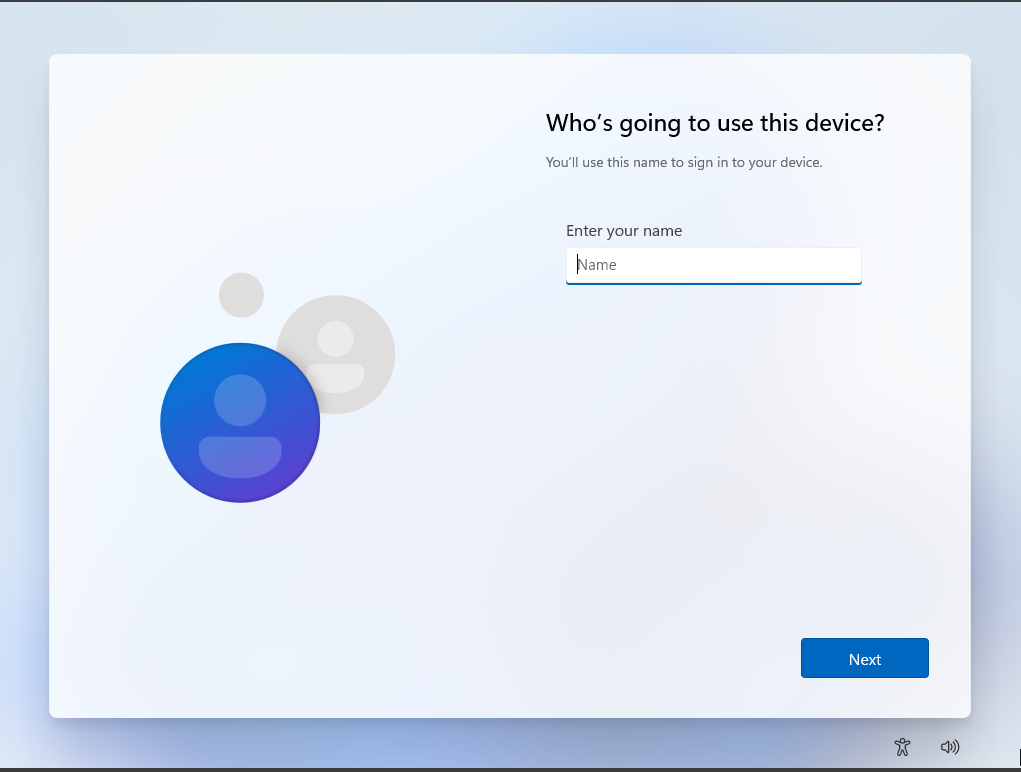
Windows 11 strongly pushes Microsoft account sign-in, especially during setup. This can be inconvenient for those preferring local accounts. For organizations with offline or secure environments, this adds extra steps or deployment workarounds.
It also increases reliance on services like OneDrive, which many users may not need. Cloud-based authentication can complicate password resets or user management in some business settings.
File Explorer Changes and Slowdowns
File Explorer has been redesigned, but users frequently report slower folder loading and frustration with the new interface. The new layout can be unintuitive for those used to earlier versions, making file management slower—important for logistics, field service, or manufacturing workflows.
The new right-click menu hides common options behind “Show more options,” adding extra steps to basic tasks. This disrupts workflows for technicians and power users needing quick access to advanced actions.
Limited Taskbar Customization
Windows 11 simplified the taskbar but removed several useful features. The taskbar can no longer be moved or customized like in Windows 10. Quick-launch icons, toolbars, and resizing are all restricted, making it harder to suit individual or workflow-specific needs.
This frustrates power users who need efficient workflows. In technical settings with multi-monitor setups, not being able to reposition the taskbar is a significant annoyance.
User Interface and Workflow Changes
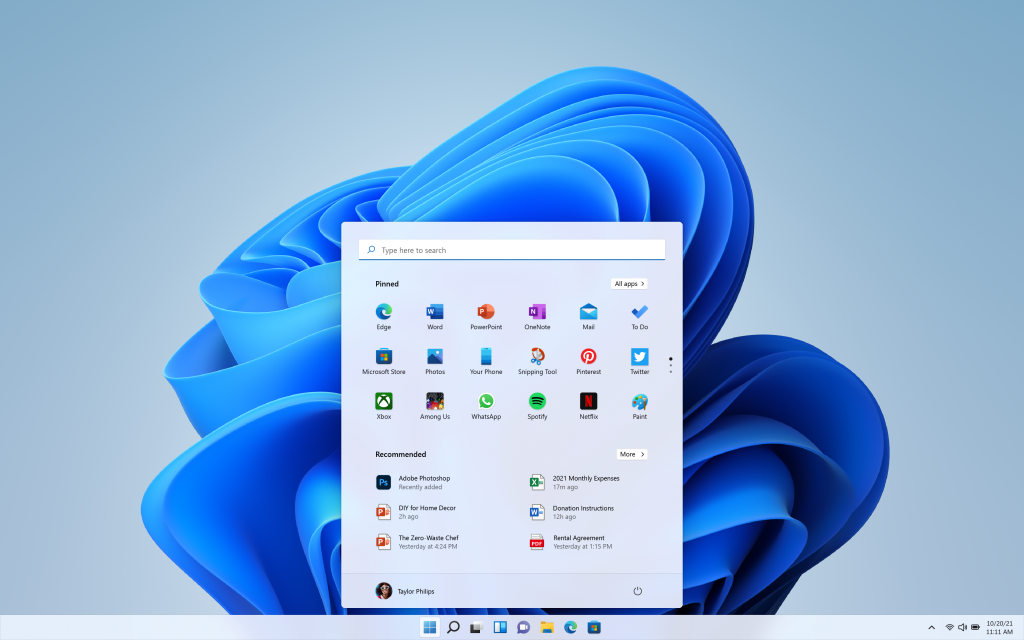
The new interface features a centered Start Menu and reorganized settings. While modern, these changes slow experienced Windows 10 users. Shortcuts and menus may have moved or vanished, forcing users to relearn workflows and spend more time searching for features.
The gradual loss of the Control Panel adds to the learning curve. Some admin functions are now hidden deeper in Settings or may no longer be available, frustrating IT professionals and advanced users.
Need Windows 11 on Rugged Hardware? We’ve Got You Covered
Windows 11 modernizes the user experience and security, but it also introduces unique challenges for users of rugged and refurbished hardware. Managing compatibility checks, slowdowns, driver gaps, and workflow changes can be daunting—but with proper support and the right upgrades, many systems can run Windows 11 reliably and securely.
If you need Windows 11 on a rugged laptop, we can help. Whether upgrading, replacing, or deploying, we’ll make your Windows 11 transition as smooth and dependable as possible. Fill out our repair form and let us know if you would like a fresh load of Windows 11!