


Free Shipping! (USA only)
 9am – 5pm Eastern, Monday – Friday
 133 N Dupont Blvd Ste 103, Smyrna, DE 19977
 Sale Tax Free Shopping!

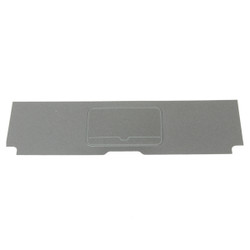


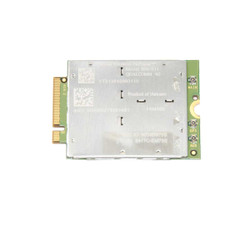
If you own a Getac laptop and need to replace a part, it can be overwhelming to know where to start. This guide will walk you through finding the right replacement parts and installing them correctly, so you can get your laptop back up and running quickly.
Before ordering parts from our website, you must know your Getac laptop model and generation. We currently only have parts for the S400, V100, and V110 models. These models have hardware that is compatible only with specific generations. For example, the Getac S400 G1 came out in 2011 and the S400 G2 in 2014. Getac stopped making this model in 2017. The V100 model also has two separate batches: the first debuted in 2011, and the second launched in 2013. Production of the V100 ended in 2016. The V110 is still in production and has reached the sixth generation. Please carefully check the parts' descriptions to match your Getac laptop model and series.
To replace a part on your Getac rugged laptop:
Installing a new part for your Getac laptop requires some safety precautions and proper procedures. Before you start, you must turn off your unit and unplug it from any power source. It is also a good idea to remove the battery. You need to follow the instructions for installing the part provided in the user manual or from online resources. These instructions will guide you through opening the laptop, replacing the hardware, and closing the casing. If you need more clarification about any stage of the repair or encounter any difficulty, you should seek assistance from a professional technician or BJCS customer support. This step is crucial because it will help you install the part safely and correctly.
After installing the replacement part, testing and troubleshooting are essential to ensure everything functions correctly. Turn on the laptop and check that the replacement part works as intended. If you notice any issues or errors, consult the user manual or online resources for troubleshooting tips. It's also a good idea to run a diagnostic test to check for any other potential issues with the computer. If you still need help with problems, contact BJCS customer support.
|
|
Is there any warranty or return policy for purchased Getac parts? |
|
|
What should I do before installing a replacement part? |
|
|
Can BJCS perform the repair for me? |
Need help finding a replacement part, upgrade, or accessory for your rugged device? Our team specializes in technical support and parts sourcing—even for items not listed on our site. Complete our Technical Support Form or call our office to speak directly with a specialist who can identify the right part, check compatibility, and answer your technical questions. We’re dedicated to keeping your equipment running smoothly—no matter where you purchased it.