

 9am – 5pm Eastern, Monday – Friday
 133 N Dupont Blvd Ste 103, Smyrna, DE 19977
 Sale Tax Free Shopping!
Toughbook CF-33 vs FZ-G2: Which Is Better?
20th Nov 2026
Toughbook CF-33 vs FZ-G2 sounds like two heavyweights duking it out for the win. But while both are powerhouse computers, the winner depends on how you’ll use yours.
That choice starts with how you work throughout the day. The Panasonic Toughbook CF-33 offers a larger screen and a rugged 2-in-1 laptop design with a detachable keyboard. Meanwhile, the Panasonic Toughbook FZ-G2 puts tablet use first, with modular options that let you adapt it to different tasks.
To help you choose, this guide compares their designs, explains who each suits and breaks down new and refurbished pricing.
A Quick Overview of the CF-33 and FZ-G2
Both the Panasonic Toughbook CF-33 and FZ-G2 are newer hybrid 2-in-1 Toughbooks that run Windows. Each carries an IP65 seal and passes MIL-STD-810H. That shared ruggedness makes their designs and how you’ll use them more useful factors to compare.
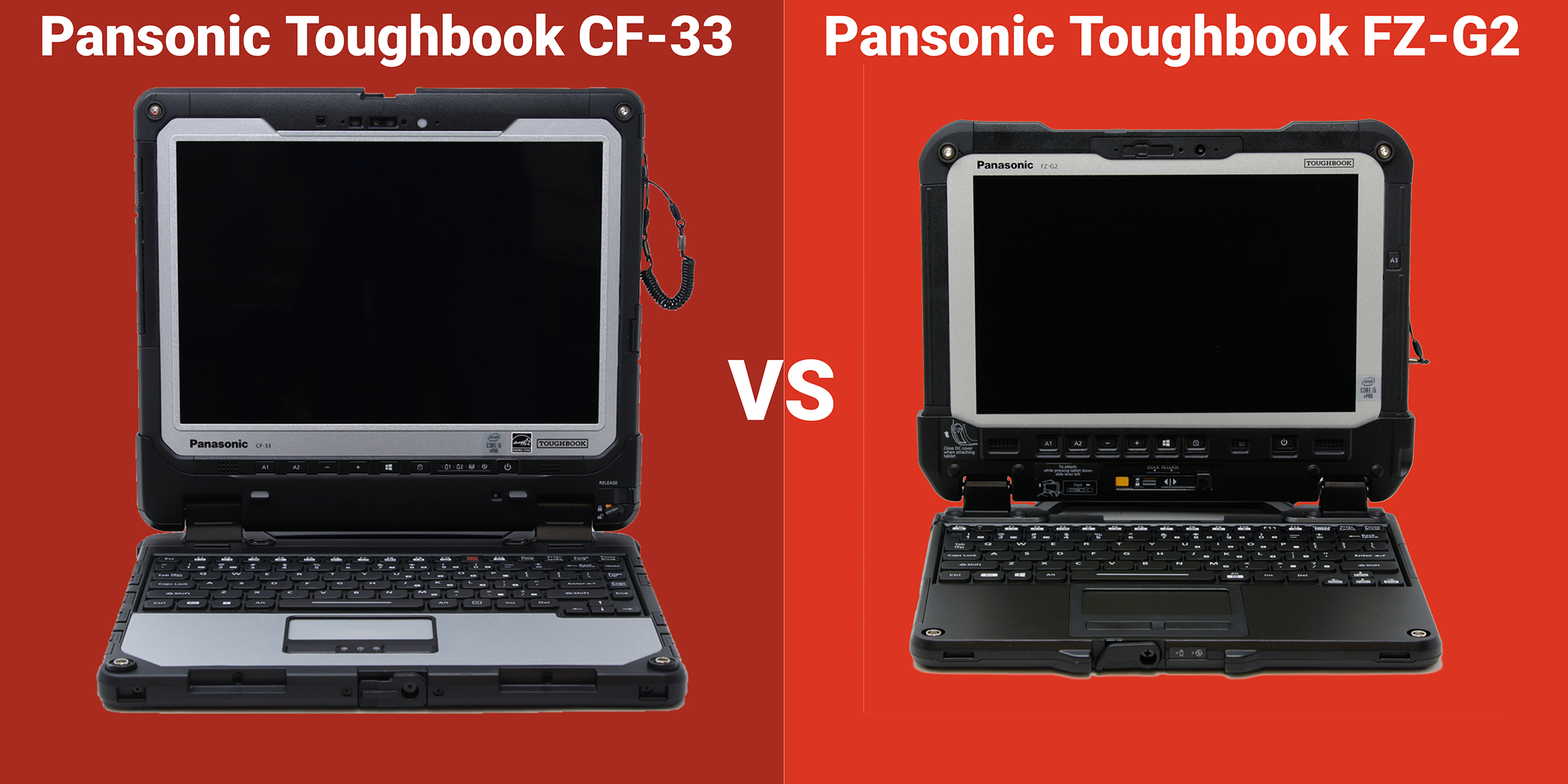
The CF-33 is a 12-inch 2-in-1 with a detachable keyboard, so it works as a laptop or a tablet. Comparatively, the FZ-G2 is a 10.1-inch fully rugged tablet on a newer platform, with heavier modular options.
With those designs in mind, we’ll compare their screens, keyboards, batteries and expansion options to see how each supports your workday.
The Key Differences Between the CF-33 and FZ-G2
The CF-33 and the FZ-G2 differ across a handful of areas, from the screen to the keyboard to expansion. Below, we explain how both models affect the work you do.
 Display and Size: 12-Inch Laptop vs 10-Inch Tablet
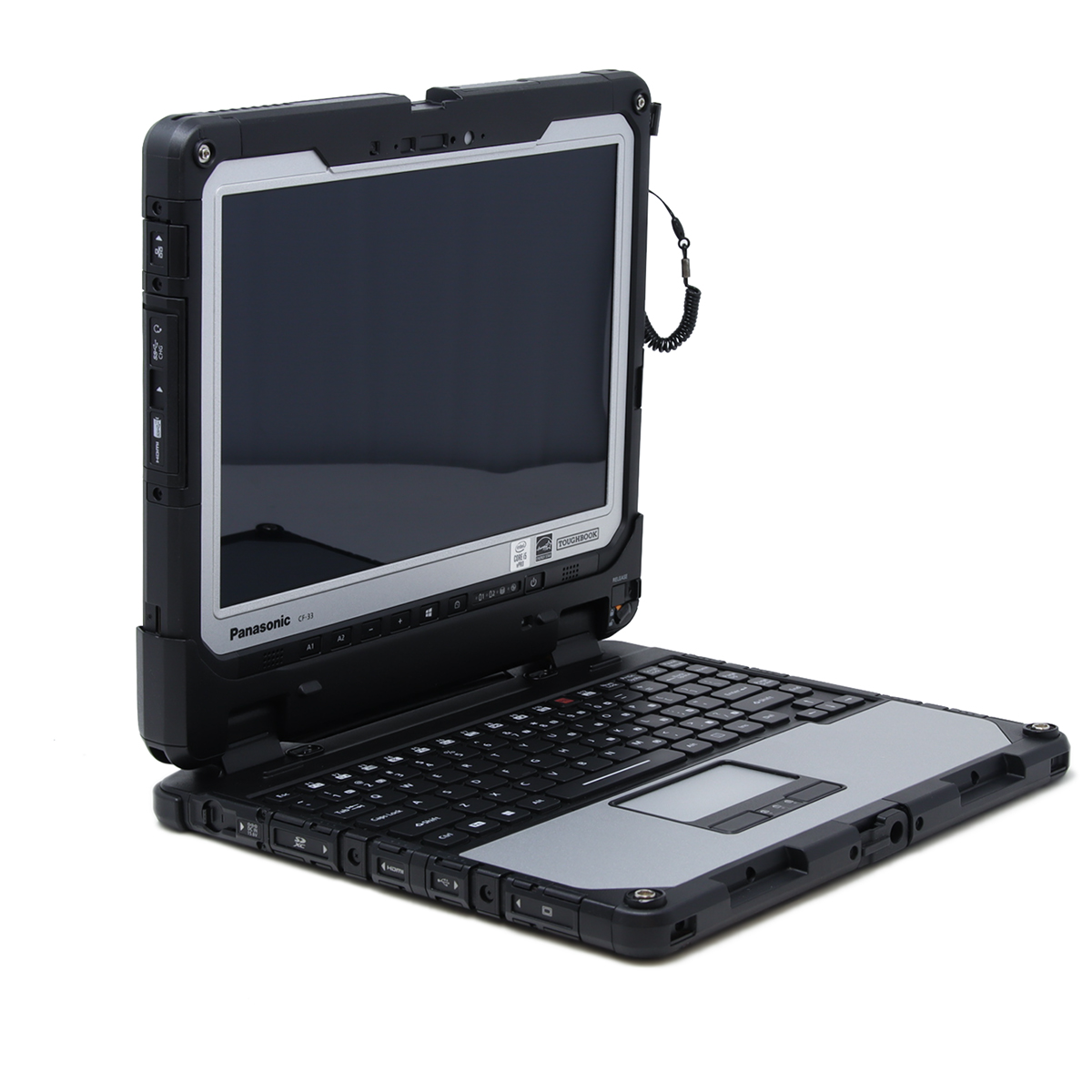
The CF-33 gives you a 12-inch display at 2160 x 1440. Its taller 3:2 shape suits forms, maps, and side-by-side documents. Panasonic rates it up to 1,200 nits, so it holds up in direct sun. The FZ-G2 runs a 10.1-inch screen at 1920 x 1200, rated up to 1,000 nits. It's smaller and a touch dimmer, but far lighter in the hand. Workers who hold a tablet all day start to notice that weight difference right away.
For detailed drawings or split-screen work, the bigger CF-33 screen helps. For walking a route or scanning all day, the lighter G2 wins.
Keyboard and Typing: Built-In vs Optional
The keyboard is one of the biggest differences between the two. The CF-33's detachable keyboard base turns it into a full laptop with keys and a touchpad. For long reports, dispatches, or email in a vehicle, that keyboard is indispensable.
The FZ-G2 features a tablet-first design. You can add an optional keyboard, but it's smaller and less comfortable for heavy, continuous typing. The FZ-G2 suits forms, data capture, and signatures more than long-form writing.
Their physical designs differ, too. The CF-33’s tablet latches into its keyboard base, then detaches for handheld use.
Programmable Buttons for Fast Field Input
Both Toughbooks have programmable buttons, though their number and location depend on the model and options you choose. You can set these buttons to open an app or run a command. Here’s a tip: When you’re wearing gloves, pressing a button is easier than using a touchscreen menu.
Power and Batteries: Twin Hot-Swap vs Single
The CF-33 runs twin hot-swap batteries. You can change one on the move and keep working, which helps on long field shifts away from power.
On the other hand, the FZ-G2 uses a single main battery. Hot-swapping requires an optional bridge battery with this option. If your crews stay out for a full shift, those twin batteries are great to have. If they dock often, the G2's single battery is rarely a limiting factor.
Modular Expansion: Bays, Readers, and Docks
Both use Panasonic's modular design, but the FZ-G2 goes further. Its top and rear bays add a barcode reader, a FLIR thermal camera, extra USB or Ethernet, a serial interface, or smart card and fingerprint readers. A quick-release SSD lets you pull the drive for security.
The CF-33 keeps it simpler, with a contactless smart card reader, a barcode reader, or GPS, plus an internal SSD. Its smart card reader supports CAC and PIV cards used to verify identity and control access to secure systems. The CF-33 also uses an older 2-in-1 design, while the G2 reuses many CF-20 and FZ-G1 vehicle docks.
The modules you need depend on the job. Utilities tend to need serial and thermal, logistics on barcode, and agencies on smart card and fingerprint readers.
Who Each Toughbook Is Best For
The right pick comes down to whether your crews spend the day typing or holding a tablet. The CF-33 fits people who type most of the day and detach the tablet now and then. Think dispatchers, report-heavy officers, and crews running mapping, CAD, or e-citations from a vehicle.
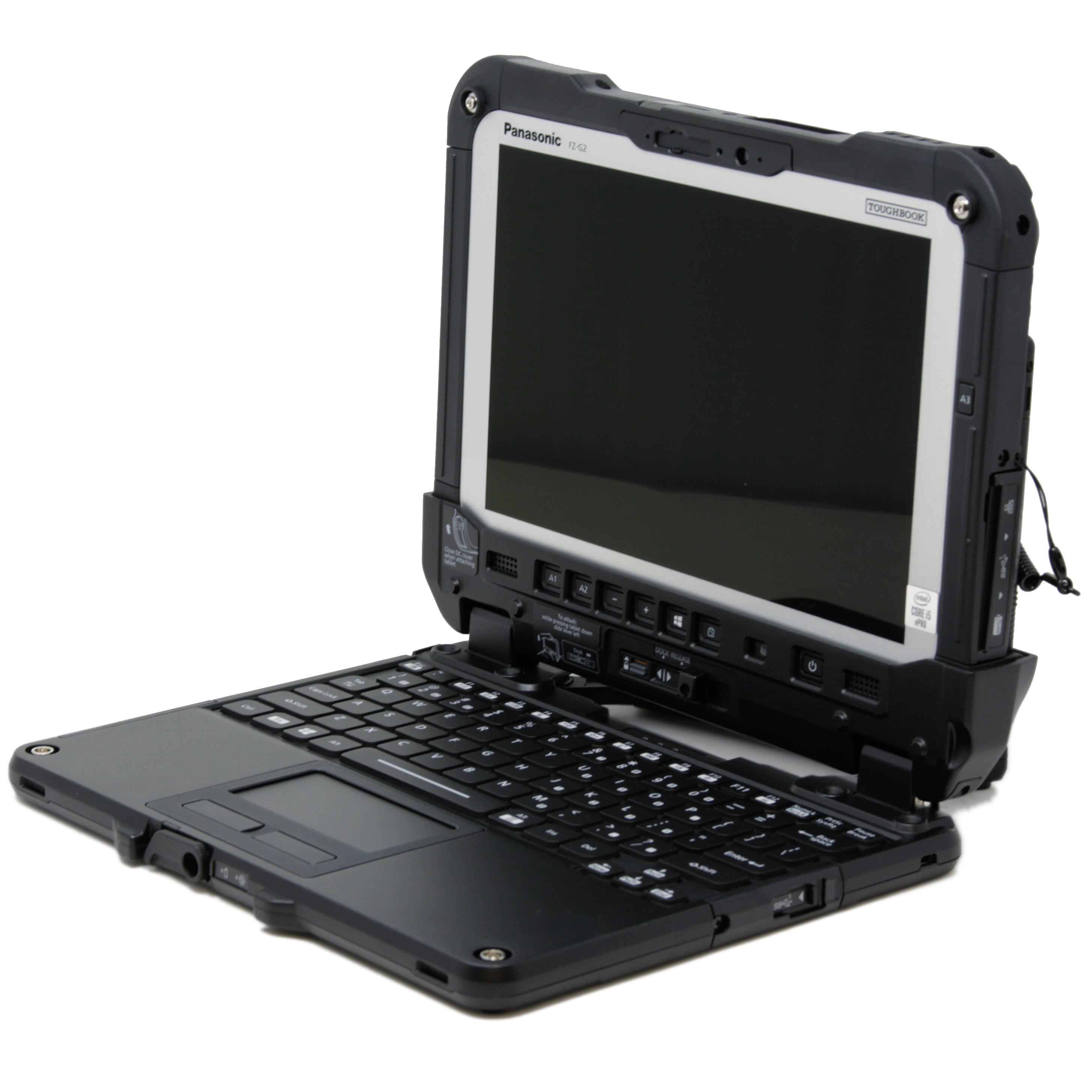 The FZ-G2 fits people who carry a tablet all day and type once in a while. Think inspectors, warehouse teams, and field techs handling forms, deliveries, and signatures on the move.
Those work patterns help explain which Toughbook different organizations and crews choose:
- Public safety and utility companies typically go with the CF-33 for in-vehicle work.
- Meter readers, auditors, and logistics crews tend to prefer the lighter G2.
- Military and EMS teams regularly use both models for the different tasks their crews handle.
For a pure desk job, though, neither is necessary. If the work stays in an office, a standard business laptop costs less and does the same thing.
New vs. Refurbished: What You'll Pay
Bought new, both the CF-33 and FZ-G2 are pricey. Reviews list starting prices of nearly $3,200 for the CF-33 and nearly $3,000 for the FZ-G2, before the keyboard. The prices rise further with upgrades such as a faster processor, extra RAM, more storage or 5G. A refurbished unit offers the same rugged design for a lot less.
Our FZ-G2 units run about $700 to $1,400, all with 10th-gen Core i5 processors and 4G. Our CF-33 units range from about $150 to $2,000. Those listings include older MK1 models and newer MK2 models with 10th-gen processors and upgradeable RAM.
Why do refurbished prices vary so much? You’re comparing units from different generations, with different specifications and levels of wear. An older MK1 i5 costs considerably less than an MK2 i7. A scratch-and-dent unit also costs less than one with little wear and few hours of use. The amount of memory and storage, along with any installed modules, affects the price as well.
That means the least expensive listing may be an older, more worn computer with fewer upgrades. Spending more can get you newer hardware, better condition or additional features while still costing less than buying new.
Every refurbished unit also ships with our Limited Lifetime Warranty. Every refurbished Toughbook we sell is inspected, tested, and cleaned before it ships.
The CF-33 vs FZ-G2 Comparison at a Glance
|
Feature
|
Toughbook CF-33
|
Toughbook FZ-G2
|
|---|---|---|
|
Design
|
Fully rugged tablet, optional detachable keyboard
|
Fully rugged tablet, optional detachable keyboard
|
|
Display
|
12-inch, 2160 x 1440, up to 1,200 nits
|
10.1-inch, 1920 x 1200, up to 1,000 nits
|
|
Weight
|
About 3.4 lb as a tablet, near 6 lb with keyboard
|
About 2.6 lb as a tablet, near 5 lb with keyboard
|
|
Durability
|
IP65, MIL-STD-810H
|
IP65, MIL-STD-810H
|
|
Battery/ies
|
Twin hot-swap batteries
|
Single battery, bridge battery for hot-swap
|
|
Expansion
|
Smart card, barcode, GPS; internal SSD
|
xPAK bays; quick-release SSD
|
|
New price (approx.)
|
From about $3,200
|
From about $3,000
|
|
BJCS refurbished price
|
About $150 to $2,000
|
About $700 to $1,400
|
Still Deciding Between the CF-33 and FZ-G2?
If you know which Toughbook suits your work, browse our Toughbook CF-33 or Toughbook FZ-G2 listings to see available configurations.
If you’re still weighing your options, our Selection Assistance page can help. Take the quiz for instant recommendations, or fill out the form and tell us what you need. Our team will get back to you within 1–2 business days to help you match the right one to your workflow and budget.