

 9am – 5pm Eastern, Monday – Friday
 133 N Dupont Blvd Ste 103, Smyrna, DE 19977
 Sale Tax Free Shopping!
Panasonic

128+ products
Refine by







Panasonic The Leader in Rugged Laptops and Tablets
In 1996, Panasonic introduced the CF-25 model, the first fully rugged laptop with touchscreen technology. While it may seem basic compared to today's standards, it was a groundbreaking innovation at the time. Since then, Panasonic has continued to improve and refine its rugged laptop designs with subsequent models such as the CF-27, CF-28, CF-29, CF-30, CF-31, CF-33, and the newest addition, the FZ-40. We know better than anyone that each model maintains the rugged tradition that Panasonic has established, considering that we have been selling them for over 29 years.
Broad Product Range
Today, the brand that Panasonic has created in Toughbooks includes:
Fully-Rugged Toughbooks:
- CF-31 - The CF-31 is this brand's reliable and enduring flagship model, initially released in 2012. Despite being discontinued on April 17, 2020, its impressive eight-year lifespan attests to its strength and durability as a workhorse.
- CF-33 - The CF-33, a hybrid laptop, was released in February 2017 and eventually replaced the CF-31. Users can easily switch between laptop and tablet modes with its detachable screen.
- FZ-40 - This model is the replacement for the fully rugged laptop style. Moving the CF-33 into its category, the FZ-40 takes over where the CF-31 left off.
Semi-Rugged Toughbooks:
- CF-53 - The Toughbook model released in 2014 replaced the CF-52 and continued the legacy of the semi-rugged laptop line that began with the CF-45. The CF-53 maintained the quality tradition but was subsequently discontinued in 2019 with the introduction of the CF-54.
- CF-54 - The CF-54 is the successor to the CF-53 laptop, featuring a more modern design, and was launched in 2017. However, it was later discontinued in 2021 following the introduction of the FZ-55.
- FZ-55 - Taking over for the CF-54, the FZ-55 changed the game in rugged laptops with the new sleek design and innovative upgradability of the xPAK design. The FZ-55 has moved the semi-rugged brand forward.
Fully Rugged Tablets
- FZ-G1 - Panasonic's FZ-G1 tablet set the stage for a line of tablets that give the mobile office a new meaning. Adding the detachable keyboard to this tablet changed the way we look at the tablet.
- FZ-G2 - With the FZ-G1 discontinued in 2020. The next-generation FZ-G2 offers added flexibility and features. With the detachable keyboard designed and sold by Panasonic, the G2 is an excellent upgrade from the FZ-G1.
Key Features
Regarding rugged laptops and tablets, some standards must be met to be considered Fully-rugged or Semi-rugged. To be considered fully rugged, the computer must pass the MIL-STD-810G certification and have an ingress protection of IP65. These standards determine how much abuse these units can withstand and still operate based on rigorous testing. Read more about the MIL-STD-810G standard in our blog post "Testing a Toughbook's Mettle: A Guide to Rugged Laptop Certifications."
The identical tests are used to classify as semi-rugged, but the standards are slightly less strict. While they may not be as durable as the FZ-40, they are still much sturdier than any laptop sold in a typical retail setting.
OEM Replacement Toughbook Parts
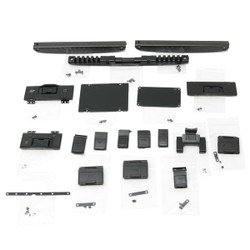
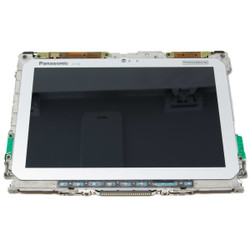
You can trust Bob Johnson's Computer Stuff to have a comprehensive selection of parts for Toughbook laptops. We only offer genuine Panasonic parts in our inventory that have undergone rigorous testing and are guaranteed to work with your particular Toughbook model, even if they have been used before.
Ruggedness Benchmark
Panasonic has been a consistent producer of innovative laptops across all categories. Their laptops, from the fully rugged FZ-40 to the semi-rugged FZ-55, are the benchmark for ruggedness in the industry.
I have always used a Toughbook in my office as a work laptop. I started with the CF-48, then went on to the CF-50, then the CF-51, and so on and so forth all the way until the CF-54, which is the one I currently work on. At the time of this writing, we have received our first FZ-55 and it is on its way to being my next computer. The moral of the story is that as a reseller and a customer, their products have always worked perfectly.
Frequently Asked Questions
For more information about Toughbook model numbers, visit our A note on model numbers (for Toughbook nerds) blog.
Check to see if you have any other LEDs lit on your Toughbook. If no LEDs are lit on your Toughbook and your Toughbook is on and charging, you may be in “concealed mode” which can be toggled using the F8 Key if you have the hotkey enabled or through the settings in BIOS. If concealed mode isn’t on, your next steps might be looking to replace an LCD or possibly even the motherboard depending on the severity of the issue.
Most Toughbooks with an m.2 slot only accept SATA m.2 SSDs, with the exception of the FZ-G2 and the FZ-40, which both accept the newer, faster m.2 NVMe SSDs. While the NVMe drive may fit in Toughbooks like the Cf-54 and the FZ-55, they will not read it.