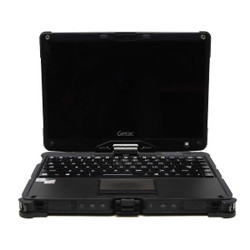
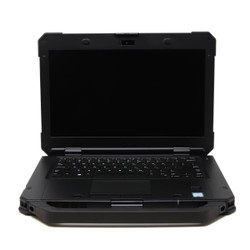
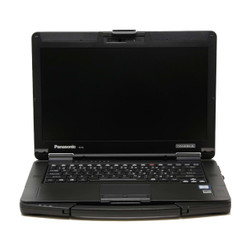
Shop New & Refurbished Rugged Laptops
Find a rugged laptop built for the way you work. At Bob Johnson’s
Computer Stuff, Inc., we carry new and refurbished rugged laptops
from Panasonic Toughbook, Getac, Dell, and Durabook. Compare options
for automotive diagnostics, public safety, field service,
construction, and other demanding work environments.
Whether you need a fully rugged notebook for outdoor work or a
semi-rugged laptop for a mix of office and field use, start with
your software, required connections, and working conditions.
Then compare each listing’s specifications, condition,
available upgrades, and warranty coverage.
Fully Rugged vs. Semi-Rugged Laptops
Fully rugged and semi-rugged laptops offer different levels of
protection. The right choice depends on the conditions your
computer will face, not simply which model has the toughest name.
-
Fully rugged laptops: Consider a fully rugged model when
greater protection against dust, water exposure, vibration,
and drops is a priority. Compare the specific IP rating,
drop-test information, and operating-temperature limits
for each model.
-
Semi-rugged laptops: Consider a semi-rugged model when you
need a reinforced computer for everyday transport, service
calls, vehicle-based work, or a combination of indoor and
outdoor use. Check its protection rating against your
expected exposure to dust and moisture.
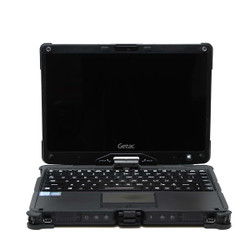
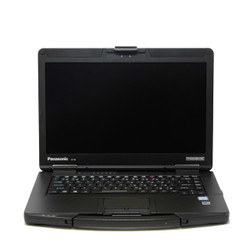
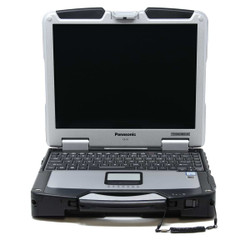
For example, our selection includes fully rugged Panasonic
Toughbook CF-31 and Getac V110 models, along with semi-rugged
Toughbook FZ-55 and Dell Latitude Rugged models. Protection
levels and features vary by model and generation.
Match the Laptop to Your Software and Equipment
Before choosing a rugged notebook, check the requirements for
your diagnostic software, reporting tools, mapping applications,
or other business programs. Compare the processor, memory,
storage, and operating system listed for the configuration
you plan to order.
Connections are especially important when working with
diagnostic interfaces, industrial equipment, or older
peripherals. Depending on the model and configuration,
available connections may include USB, Ethernet, HDMI, VGA,
or a serial port. Do not assume that every laptop in a model
family includes the same ports.
If you already use a vehicle dock, office dock, specialized
cable, or equipment interface, confirm compatibility before
ordering. Share the accessory model number and your connection
requirements with our team if you need help checking the fit.
Upgrading your laptop or replacing an incompatible dock?
Our
Rugged Trade-In Program
lets you trade in eligible rugged computers and compatible
vehicle docks for store credit toward a future purchase.
Submit your equipment details through the trade-in form
to get started. Acceptance and credit value depend on
the equipment and its condition; trade-ins are paid in
store credit only, not cash.
Compare Screens, Batteries, and Field Features
Choose features that support your daily workflow. For outdoor
use, check whether the specific configuration includes a
sunlight-readable display. If you need touch input or a
stylus, verify that the screen supports it; touchscreen
availability and input capabilities vary.
Other features to compare include:
- Screen size and resolution.
- Keyboard type and backlighting.
- Battery configuration and replacement options.
- GPS and cellular connectivity, where available.
- Fingerprint readers, smart card readers, and other security options.
- Compatible vehicle mounts, docks, and carrying accessories.
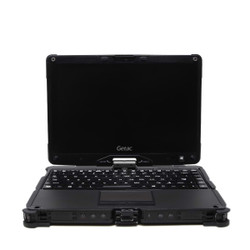
Need to switch between typing and touch input? Convertible
rugged laptops, such as the Getac V110, offer laptop and
tablet-style use in one device. Compare the design and
screen features against how you will actually use it.
Understand Durability Ratings Before You Buy
An IP rating describes a device’s tested protection
against solid-particle and water ingress. Your laptop’s
rating matters when comparing exposure to dust, rain, or
splashes, but it should not be treated as a promise of
protection in every situation.
MIL-STD-810 test information can also help you compare
environmental durability. Review the specific manufacturer
specifications for the model and generation you are considering
rather than relying on the phrase “military-grade”
alone.
Refurbished Rugged Laptops and Warranty Support
Our refurbished rugged laptops are inspected, tested, and
cleaned before sale. Review each product listing for its
condition, specifications, included accessories, and available
configuration options. Our refurbished listings feature
photos from our actual inventory.
Every refurbished Panasonic Toughbook, Getac, and Dell Rugged
computer we sell includes our automatic, non-transferable
Limited Lifetime Warranty. For new laptops and other brands,
check the individual product listing for applicable coverage.
Visit our
warranty page
for complete terms and exclusions.
Get Help Choosing a Rugged Laptop
Browse the rugged laptops above and compare the configurations
that fit your work. If you need help narrowing your choices,
fill out our
Selection Assistance Form
or call
302-659-2727.
Tell us about your software, equipment, work environment, and
budget so we can help you identify suitable options.
Still comparing form factors? Explore our
complete rugged computer selection
for laptop and tablet options.
Frequently Asked Questions

|
What is the difference between fully rugged and semi-rugged laptops?
|
Fully rugged laptops are generally designed for greater
environmental exposure than semi-rugged laptops. However,
protection depends on the specific model, so compare IP
ratings, drop-test information, and operating-temperature
limits rather than the classification alone.
For example, the Toughbook CF-31 MK6 is listed as fully
rugged with an IP65 rating, while the Toughbook FZ-55 MK1
is listed as semi-rugged with an IP53 rating.
Choose the level of protection that matches your work
environment, then compare performance, screen options,
ports, and price.
|
Are rugged laptops waterproof?
|
Do not assume a rugged laptop is waterproof or safe to
submerge. Water resistance depends on its specific IP
rating and the manufacturer’s operating instructions.
For example, an IP65 rating indicates a dust-tight
enclosure and protection against water jets under
specified test conditions. It does not indicate
protection against immersion.
Check the rating for the exact model you are buying and
follow the manufacturer’s instructions for port
covers, seals, and water exposure. Read our guide to
Ingress Protection Ratings
for an introduction to the rating system.
|
Which rugged laptop should I choose for automotive diagnostics or field equipment?
|
Start with the requirements for your diagnostic software
and equipment interface. Check the required operating
system, processor, memory, storage, and connection type
before choosing a laptop.
If your equipment needs a serial port, Ethernet
connection, or a specific USB interface, confirm that
the exact configuration includes it. Also check
compatibility with any dock, adapter, or cable you
already use.
Send us the software name, equipment model, and required
connections through our
Selection Assistance Form
for help comparing suitable laptops.
|
Do all rugged laptops have touchscreens or sunlight-readable displays?
|
No. Screen features vary by model and configuration.
A laptop may be available with different display options,
and a touchscreen is not automatically a
sunlight-readable display.
Check the individual listing for touchscreen capability,
outdoor visibility, and any required stylus or glove-input
support. If a particular screen feature is essential,
confirm it with us before ordering.
|
What should I check before buying a refurbished rugged laptop?
|
Review the laptop’s condition description, processor
generation, memory, storage, operating system, and
included accessories. Check the photos and note any
disclosed cosmetic wear or functional limitations.
Confirm that the exact configuration includes the ports,
display, and optional features your work requires.
Review the warranty coverage as well, particularly when
comparing different brands or new and refurbished models.
If you are considering a Scratch & Dent laptop, read
that listing’s condition notes carefully so you
understand the specific wear or limitations disclosed
for the product.


 9am – 5pm Eastern, Monday – Friday
 133 N Dupont Blvd Ste 103, Smyrna, DE 19977
 Sale Tax Free Shopping!