Panasonic’s semi-rugged Toughbook 55 MK3 earned PCMag’s Editors’ Choice award for semi-rugged laptops. The review praised its sturdy build and modular customization, along with its sunlight-readable screen and excellent keyboard. Its endurance with the optional second battery also stood out.
However, with a new MK3 configuration costing nearly $4,000, is an FZ-55 worth the extra money? Well, that depends on where you work and how much a failed laptop could cost you.
What Do You Get for the Extra Money?
The FZ-55 really earns its keep when your computer needs to handle more than a commute to the office. You’re paying for protection against field conditions, plus features that help you work away from a desk.
The following five features show where that extra money goes.
1. Modular xPAKs Keep Your Laptop Useful
Your equipment needs can change before your laptop wears out. One of the FZ-55’s best features is Panasonic’s xPAK expansion system. The xPAKs make a financial case on their own, letting you add compatible components without replacing the whole computer.
Options include VGA, serial and USB ports, along with a smart card reader and a second storage drive. A technician connecting to older equipment might need serial or VGA ports. Another field team member could use a card reader to verify an employee’s identity.
You can start with the equipment your work requires today and add compatible modules as your needs change.
2. Durability Helps Prevent Expensive Downtime
The FZ-55 carries an IP53 rating for protection against dust and water spray. Panasonic also rates it for three-foot drops and tests it to MIL-STD-810H requirements.
Those protections matter when your laptop travels between a truck and a work site throughout the day. Vibration and accidental bumps are part of that routine.
A damaged computer can leave a technician unable to finish a service call. It can also mean repair costs and time spent setting up a replacement. The extra purchase price becomes easier to justify when it helps avoid those interruptions.
IP53 does have limits. The FZ-55 isn’t dust-tight or waterproof, so your working conditions still need to fit its protection ratings.
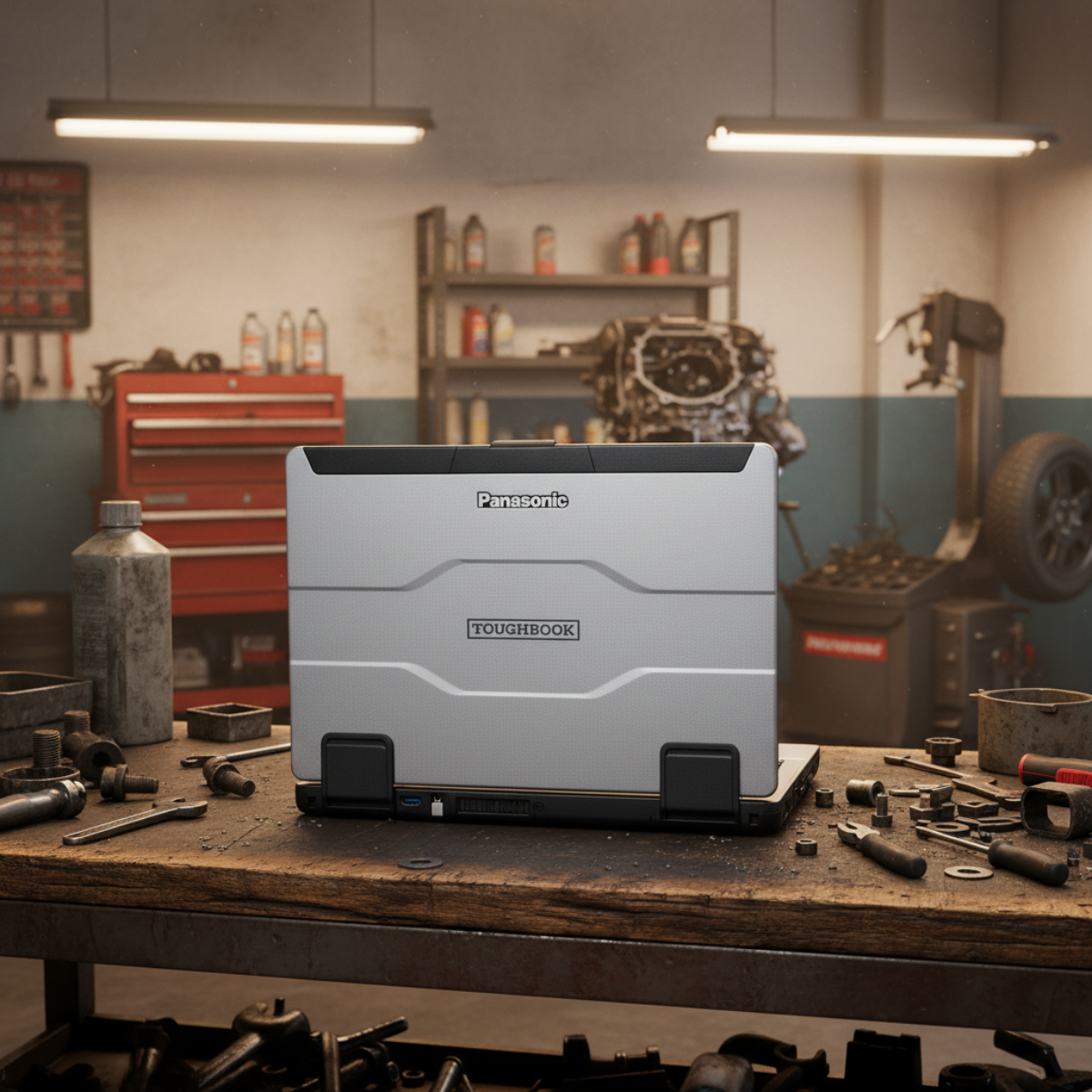 3. A Sunlight-Readable Screen Makes Outdoor Work Easier
A bright screen may sound like a small upgrade until you need to use it in direct sunlight. An office laptop’s screen can be difficult to read outside. If you’re checking plans or entering inspection notes, constantly searching for shade slows you down.
The FZ-55 offers a 1,000-nit touchscreen for daylight visibility. Anti-glare and anti-reflective treatments also help when you’re working outdoors.
The touchscreen models support different input modes, including glove and pen operation. That gives field workers more ways to enter information without depending on the keyboard alone.
4. Dual-Battery Capability Supports Longer Shifts
An outlet isn’t always available when you’re moving between service calls. The FZ-55 supports an optional second battery for longer operation away from power.
With the appropriate dual-battery setup, you can replace a battery without shutting down the laptop. In fact, you can keep your applications open instead of having to interrupt a task to restart.
Panasonic rates the MK3 for up to 20 hours with its optional second battery under MobileMark 25 testing. Actual runtime varies with workload and battery condition.
The value is having more flexibility when working a long shift. Check the battery configuration when ordering, since two batteries aren’t included with every unit.
5. A Backlit Keyboard Keeps the Keys Visible After Dark
Field work doesn’t always end before sunset. A backlit keyboard makes it easier to enter reports in a dark vehicle or dimmed work area.
The FZ-55’s keyboard is also spill-resistant. That adds protection against an everyday accident that could put an ordinary laptop out of service.
If you spend much of a shift typing, keyboard comfort deserves attention alongside the processor.
Who the FZ-55 Is Made For
The FZ-55 is best suited for people who regularly work away from a protected desk. Its features are especially useful when the laptop travels with the worker.
Utility techs may need connections for legacy equipment and a screen they can read during outdoor inspections. Automotive techs may use it for diagnostics while moving around a repair shop.
Construction supervisors can review plans on site. Police and fire crews may need a computer that fits a compatible vehicle dock.
Warehouse teams also move between work areas where drops and vibration are more likely than in an office. For these buyers, durability helps keep the laptop working through the demands of a shift.
What ties these jobs together is the cost of an interruption. A technician carrying a laptop to a site needs it to survive the trip and remain usable throughout the task.
When You Need Fully Rugged Instead
The FZ-55 sets the semi-rugged standard, but it does have its limits. So if your working conditions regularly exceed the FZ-55’s ratings, consider a fully rugged model such as the FZ-40.
The decision comes down to the protection your job requires:
- More water exposure: Compare water-resistance ratings when heavy spray or frequent rain is part of the job.
- Dense dust: Look for a dust-tight enclosure when fine particles are a persistent concern.
- Rougher handling: Compare drop ratings when equipment faces more severe impacts.
Temperature limits matter, too. Check the manufacturer’s operating range against the conditions where you’ll use the computer.
Fully rugged protection generally adds cost and weight. However, buying less protection than the job requires can leave you paying for repairs and interrupted work.
When a Business Laptop Is Enough
Office staff and people working from home may get more value from a lighter computer. Vehicle docking and field protection won’t contribute much to their day.
Some sites also involve constant trips between the floor and the yard. A rugged tablet or 2-in-1 can cover that without a full laptop. Look at our rugged tablets, the FZ-G2 or the CF-33 2-in-1 for hand-carried work.
Think about the laptop’s whole working day. If it rarely leaves a clean office, the FZ-55’s extra protection may be an expense you don’t need.
When a Refurbished FZ-55 Makes Sense
Once you know you need the FZ-55’s field features, the next question is whether you need newer hardware. Buying refurbished can bring the price down considerably.
New MK3 prices depend on the configuration. These listings show how the cost changes with the processor, screen and additional equipment:
|
New MK3 Configuration
|
Included Features
|
Listed Price
|
|
Basic
|
Core i5, non-touch HD screen, 16GB RAM and 512GB SSD
|
$2,600
|
|
Midrange
|
Core i5 and Full HD touchscreen, with configurable memory and storage
|
$2,899
|
|
Higher-Spec
|
Core i7, Full HD touchscreen, 16GB RAM, 512GB SSD, 4G LTE and dedicated GPS
|
$3,899
|
Prices reflect the listed configurations; upgrades can increase the total.
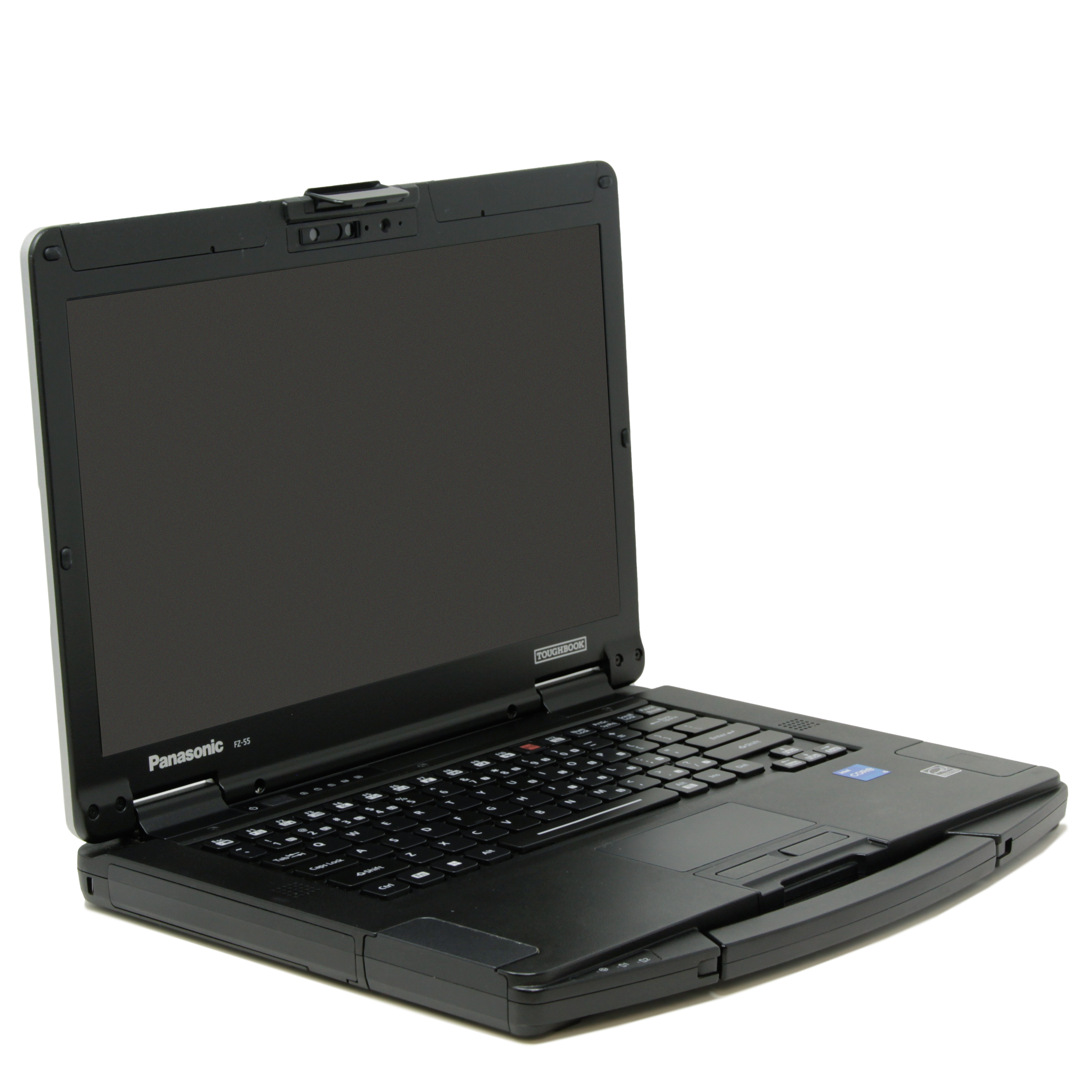
Our refurbished Toughbook FZ-55 MK1 i7 Touchscreen is listed at a little over $1,299. Its standard configuration includes an eighth-generation Intel Core i7 processor, 16GB of RAM and a 256GB SSD. It also includes a 14-inch Full HD, 1,000-nit touchscreen.
That puts the refurbished MK1 roughly $1,300 to $2,600 below the new configurations shown above. The generations and included equipment differ, so consider what your work requires alongside the savings.
The MK3 offers 13th-generation Intel Core processors, along with Thunderbolt 4 and Wi-Fi 6E. Those upgrades may be worth paying for if your software needs more processing power or your equipment requires newer connections.
If the MK1 meets your software requirements, it could provide the durability and outdoor visibility you need at a lower price.
Compare the Complete Configuration
 A refurbished purchase should fit your work from the start. Consider the accessories you need along with the base price.
Our listed MK1 includes one used battery and no webcam. You can select available upgrades when configuring your order.
We also include our limited lifetime warranty, subject to its terms. Review the coverage and battery exclusions before purchasing.
Ultimately, refurbished makes sense when the complete configuration meets your needs for less money. Newer hardware makes sense when its added capabilities serve a purpose in your work.
Look at Five-Year Cost, Not the Sticker Price
Purchase price is only the first number. What matters more is the cost over the laptop’s whole life.
VDC Research studied enterprise mobility total cost of ownership. It found non-rugged devices fail almost three times as often as rugged ones. Across a lot of field jobs, rugged gear ends up cheaper to own.
The failures are where the money goes. VDC puts one device issue at about 74 minutes of lost work for the user. IT departments spend an average of 70 minutes addressing each mobile-device trouble ticket. Across a fleet, those interruptions can wipe out the savings from a lower purchase price.
Fewer replacements and less downtime can offset a rugged laptop’s higher purchase price. Compare those costs over five years using your own repair and replacement history.
So, Is the FZ-55 Worth It?
The FZ-55 is worth the extra money when your environment is hard on equipment and downtime is expensive. Consider what you’ll spend keeping the computer in service, along with its purchase price.
For a quiet office, a business laptop may be enough. For harsher conditions, you may need fully rugged protection. And when the FZ-55 fits the job, a refurbished model can make the purchase easier on your budget.
To explore its features and available upgrades, browse our Toughbook FZ-55 page:
If you still have questions, call 302-659-2727 to speak with the team at Bob Johnson’s Computer Stuff. Tell us where you work and what your laptop needs to do. We’ll be glad to help you choose the equipment that fits your needs and budget.
Frequently Asked Questions

|
What do FZ-55 and MK mean?
|
FZ is Panasonic’s prefix for newer rugged mobile computers, while 55 identifies the model series. The FZ-55 replaced the older CF-54 and introduced xPAK modular expansion slots.
MK identifies the hardware revision within the series. MK1 is the first revision, followed by MK2 and MK3. Their processors and other hardware differ, which helps explain price differences.
|
Is the Panasonic Toughbook FZ-55 waterproof?
|
No, the FZ-55’s IP53 rating provides protection against dust and water spray, not submersion. If your work involves greater water exposure, compare fully rugged models and their protection ratings.
|
Does every FZ-55 include two batteries?
|
No, the FZ-55 supports a second battery, but not every configuration includes one. Our refurbished MK1 listing includes one used battery. Check the included equipment when ordering.
|
Can I upgrade the FZ-55 myself?
|
Yes, the FZ-55 supports user-replaceable components and compatible xPAK expansion modules. Depending on the generation, you can upgrade memory or storage and add ports or card readers. Check compatibility before purchasing an upgrade.


 9am – 5pm Eastern, Monday – Friday
 133 N Dupont Blvd Ste 103, Smyrna, DE 19977
 Sale Tax Free Shopping!
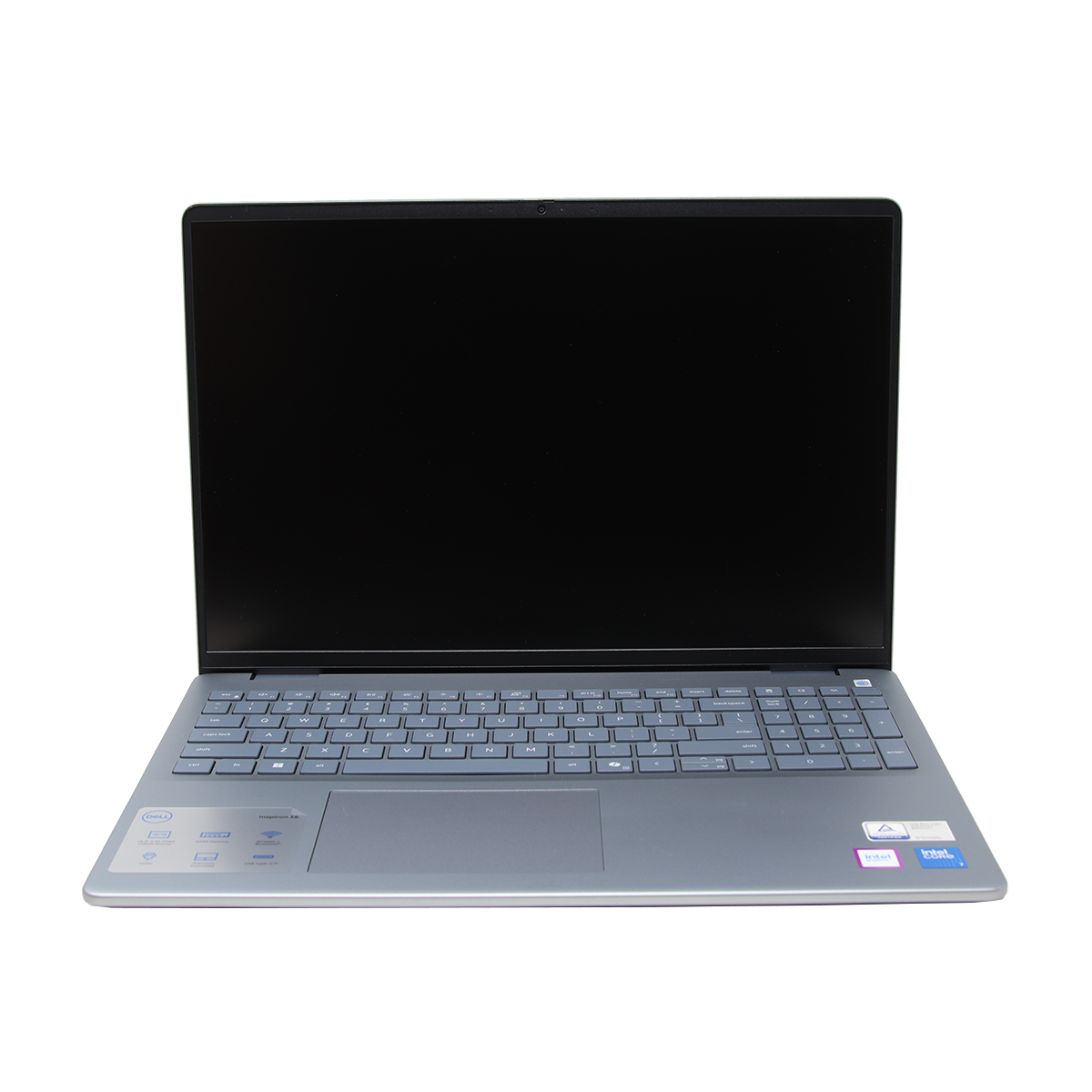 Plenty of jobs don’t need a Toughbook. A business laptop is enough when your daily work involves productivity tasks and your work stays at a desk. In these cases, a business laptop can cost less and handle your applications.