

 9am – 5pm Eastern, Monday – Friday
 133 N Dupont Blvd Ste 103, Smyrna, DE 19977
 Sale Tax Free Shopping!
What Is a Toughbook Expansion Pack?
13th Nov 2026
If you have been in the field of rugged computers, then you definitely have heard about Panasonic Toughbook laptops. These laptops are designed for people working in tough conditions where conventional laptops just cannot work: construction sites, police cars, warehouses, oil rigs, battle fields and so on. However, having a tough casing alone does not cut it. It also needs to be flexible and here come into play the Toughbook expansion packs. This guide gives information about this expansion pack.
What Is a Toughbook Expansion Pack?
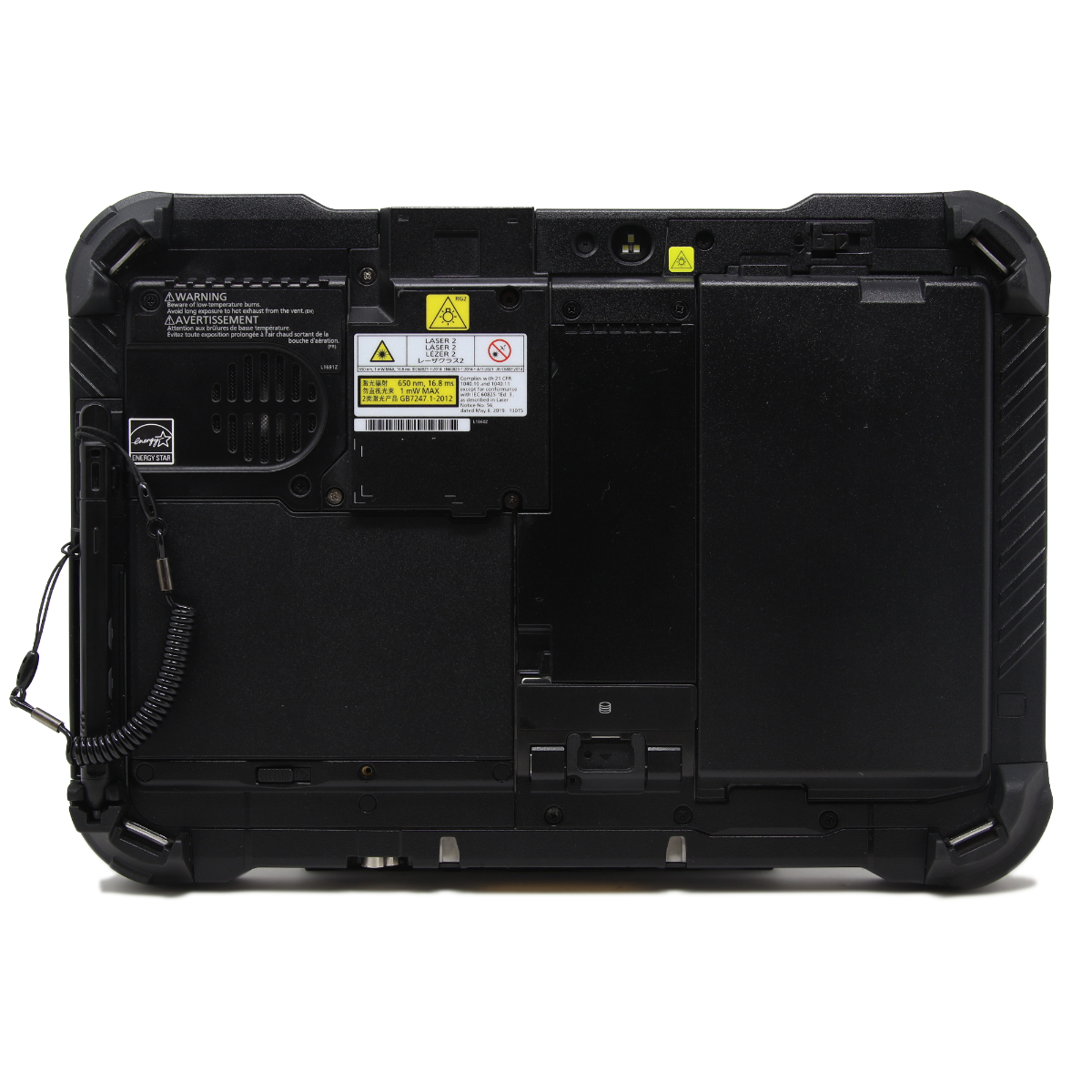 A Toughbook expansion pack is a swappable hardware module that slides into a dedicated bay on a compatible Toughbook. Panasonic calls these modules xPAK on newer models such as the Toughbook 55, Toughbook 40, and the latest iteration of the Toughbook 33 and Toughbook G2. Instead of building every possible port or radio into one fixed design, Panasonic gives you a bay and lets you decide what goes inside it.
Think of it as a rugged version of a modular toolkit. One user might need a serial port to connect to old industrial equipment. Another might need a DVD drive, a second network port or a barcode reader . Rather than buying a different laptop for each job, you choose the module that fits the work and keep the same core machine.
Why Panasonic Uses a Modular Design
Rugged laptops are expensive, and they stay in service for years. Field requirements, however, change quickly. A modular bay lets the laptop adapt to new needs without a complete replacement. It also keeps the main chassis sealed and simple, because the module carries the specialized connectors and electronics.
Expansion Pack vs. Standard Ports
Every Toughbook still includes its core ports, such as USB, HDMI and Ethernet on many configurations. The expansion pack adds capabilities on top of that standard set. It is best described as an optional extra layer, not a replacement for the built-in connectivity.
How a Toughbook Expansion Pack Works
The idea is straightforward. The laptop has an expansion area, usually at the rear or side of the chassis, protected by a cover. You remove the cover or the existing module, insert the new pack and secure it. The module then communicates with the laptop through an internal connector, so there are no loose cables to snag or break.
Installation and Swapping
Most packs are designed to be changed with basic tools or none at all. Depending on the model and the module, a technician can swap one in a few minutes. Always check Panasonic's documentation first, as some modules should only be changed with the unit powered down and the battery handled correctly.
Staying Rugged
A common worry is that a removable module weakens the seal against water and dust. Panasonic designs the bay and its connectors to preserve the ruggedness rating of the laptop when the module is correctly fitted. That is why it is worth buying official modules made for your exact model rather than generic alternatives.
Common Types of Toughbook Expansion Packs
The available modules vary by model, but several types appear again and again. Panasonic's accessory catalog for the Toughbook 55 shows a good picture of the range.
Legacy Port Modules (VGA, Serial and LAN)
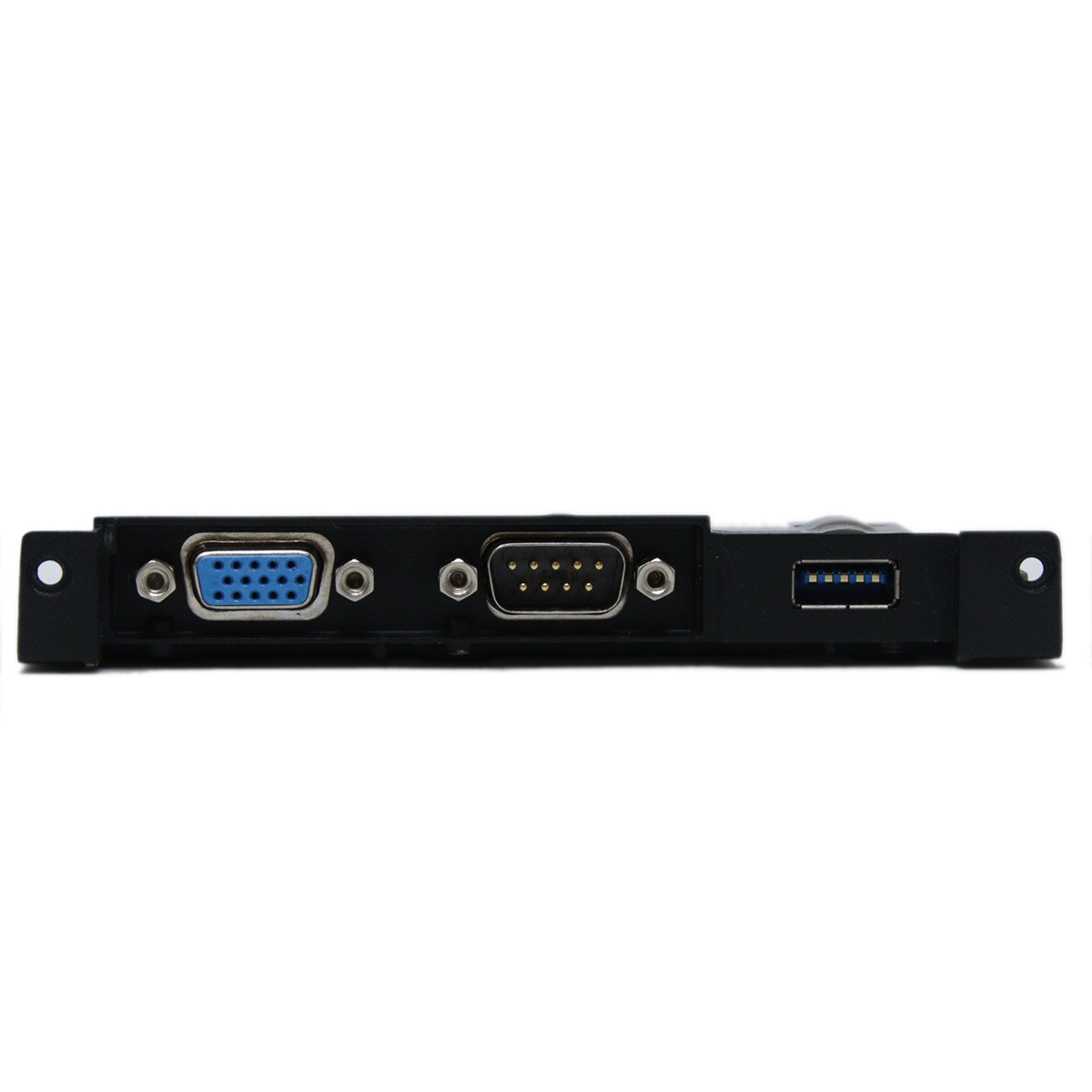
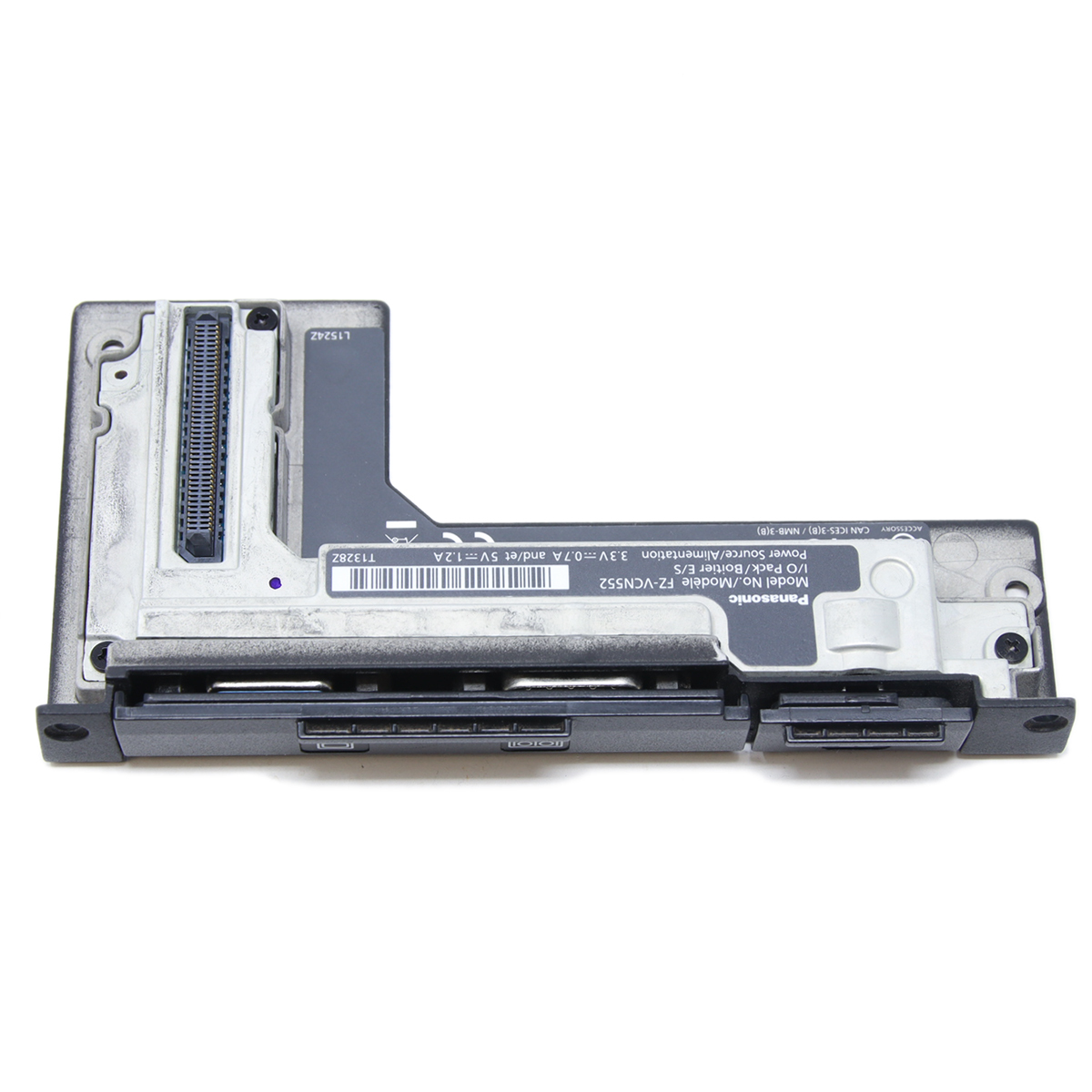 Many industries still rely on older equipment such as diagnostic tools, machine controllers and test instruments that use serial connections. Modules that combine VGA, serial and an extra LAN port let a modern Toughbook talk to this older hardware. Variations also exist with an USB-A port or a rugged Fischer USB connector for harsher environments.
Optical Drive Modules
A DVD module may sound old-fashioned, but it still matters. Some organizations install software to read legacy media or burn discs for compliance and evidence purposes. A DVD xPAK gives you that capability when you need it, without carrying an external drive.
Security Focused Modules
Depending on the Toughbook model and bay, users may be able to choose an insertable smart-card reader for card-based authentication, a contactless smart-card reader for tap-based credentials, or a fingerprint reader for biometric sign-in. These options can support an organization’s existing access-control practices, but confirm compatibility and software requirements for the exact model before ordering.
Benefits of Using an Expansion Pack
Choosing a modular approach brings several practical advantages, for both single users and large fleets.
- Customization: you configure each laptop for the job instead of paying for features nobody will use.
- Future-proofing: when requirements change, you swap the module rather than buying a new computer.
- Lower total cost: one core machine can serve different roles over its lifetime.
- Fewer dongles: an integrated module is more reliable than an adapter dangling from a USB port.
- Easier fleet management: IT teams can standardize on one base model and vary only the modules.
A Real-World Example
Imagine a utility company with two hundred field laptops. Most technicians need a basic setup, but a smaller group works with older substation equipment that requires serial communication. By buying the same Toughbook for everyone and adding a serial module only for the specialists, the company keeps its fleet consistent and its costs under control.
Who Needs a Toughbook Expansion Pack?
Not every user will benefit, but certain industries rely on this flexibility every day.
 Public Safety and Defense
Police, fire and military teams often need secure, reliable connectivity and the ability to interface with specialized equipment.
Utilities, Energy and Field Service
Technicians work with equipment that spans several decades. Expansion packs let one laptop connect to both modern sensors and older controllers.
Manufacturing, Logistics and Transportation
Warehouses and factories use scanners, industrial networks and specialized software. A module with extra network or serial ports helps integrate the laptop into these environments.
How to Choose the Right Expansion Pack
Picking a module is simpler when you follow a clear process. Work through the questions below before you buy.
Confirm Compatibility First
This is the most important step. Modules are designed for specific Toughbook models and generations, and a pack for one model will not necessarily fit another. Check the exact model number (e.g., FZ-55 or FZ-40) and the module's part number against Panasonic's compatibility information.
Define the Job
List the devices the laptop must connect to and the networks it must reach. If you cannot name a clear use for a module, you probably do not need it yet. Start with the essentials and add more later.
Consider Environment and Durability
A module that will be used in a vehicle or outdoors should match the ruggedness of the laptop. Rugged connectors, such as Fischer USB, are worth the extra cost when vibration, moisture or dust are daily realities.
Plan for Support and Warranty
Official Panasonic modules, purchased through an authorized reseller, are covered by warranty and are tested for your laptop. Unofficial parts may save money upfront but can cause compatibility problems and void support.
Tips for Buying and Maintaining Your Expansion Pack
 Buy From Authorized Sources
Because rugged equipment is a significant investment, buy from Panasonic or an authorized reseller. This protects you from counterfeit parts and ensures you receive the right firmware and drivers.
Keep Drivers and Firmware Updated
Some modules, especially cellular and wireless ones, depend on drivers and firmware to perform well. Check for updates regularly, particularly after operating system changes.
Inspect and Clean the Bay
Whenever you swap a module, look over the connector and seals for dirt, damage or wear. Keeping the bay clean helps preserve the laptop's dust and water resistance over the long term.
Store Spare Modules Properly
If you keep several modules for a fleet, store them in a dry, protected place. Label each one with its model and part number so the right module reaches the right laptop.
Final Thoughts
A Toughbook expansion pack is a simple idea with a big payoff: it turns a rugged laptop into a tool that fits your exact workflow. Whether you need legacy ports, an optical drive or a 5G connection, the modular design lets you build the right machine today and adjust it tomorrow. Before you buy, confirm your model, define your needs and choose official modules from an authorized seller. Do that, and your Toughbook will keep earning its place in the field for years to come.
Frequently Asked Questions
|
|
Can I use any expansion pack with any Toughbook? |

No. Modules are model-specific, so always verify compatibility before purchasing.
|
|
Can I install an expansion pack myself? |
In many cases yes, because the design is meant for quick swaps. Follow Panasonic's instructions for your model, and ask your IT team if your organization manages the laptop.
|
|
Does adding a module reduce ruggedness? |
When the correct official module is fitted properly, the laptop is designed to keep its rugged protection. A missing or poorly seated module can create a weak point, so make sure it is secure.