

 9am – 5pm Eastern, Monday – Friday
 133 N Dupont Blvd Ste 103, Smyrna, DE 19977
 Sale Tax Free Shopping!
Tips For Setting Up A Rugged Mobile Workspace
28th Aug 2026
For those who spend their working days on the road in their trucks, vans, and fleet vehicles, the driver's cabin is the office. No matter what business you are running, be it field service, utilities, logistics, or public safety, the need for an efficient vehicle workstation goes without saying. The core of such an in-vehicle office is the vehicle dock – the specially designed mounting that will safely house your device, power it and keep it online as you operate your vehicle.
Choose A Device Built For Vehicle Dock Compatibility
Not every rugged device is designed to work with a vehicle dock. Before investing in a docking system, make sure your laptop or tablet is compatible. The device and the dock have to work together as a single unit, physically, electrically, and in terms of data connections. Choosing the right device from the start saves you from expensive compatibility problems down the road.
Dock-Ready Devices To Consider
Devices like the Panasonic Toughbook, Dell Latitude Rugged, and Zebra ET series are popular in vehicle dock deployments because dock manufacturers build mounts specifically for these models. Look for devices with dedicated docking connectors or pogo pin contacts, as these allow the dock to handle power and data without relying on a USB cable that can loosen over time. Sunlight-readable screens are a big advantage for drivers who need to glance at the display mid-shift. Confirm dock compatibility with your chosen model before purchasing either component.
Select The Right Dock Mount For Your Vehicle
 The dock itself is only half the equation; how it mounts inside your vehicle matters just as much. A poorly positioned dock creates awkward viewing angles, blocks controls, or interferes with safe driving. The right mounting solution depends on your vehicle type, the space available in the cab, and how often the driver needs to interact with the device.
Common Mounting Options
Tunnel console mounts sit between the front seats and provide a stable, central position that is easy to reach. Pedestal mounts bolt to the vehicle floor and offer heavy-duty stability for larger laptops in trucks and emergency vehicles. Dashboard and windshield arm mounts work well for tablets in lighter-duty vans or passenger vehicles. Brands like Gamber-Johnson, Havis, and RAM Mounts offer vehicle-specific brackets so the dock fits the cab precisely. Always verify the mount is rated for the vibration loads your vehicle produces, especially in off-road or heavy equipment environments.
Power Your Dock Correctly From The Vehicle
One of the biggest advantages of a vehicle dock is built-in power delivery. Rather than relying on battery life alone, the dock draws from the vehicle’s electrical system to keep your device charged throughout the entire shift. But vehicle power is not always clean or stable, and getting this wrong can damage your device or cause unexpected shutdowns.
Getting Vehicle Power Right
Most vehicle docks accept 12V or 24V DC input directly from the vehicle, and many include an internal power conditioning module that filters out voltage spikes from the engine or alternator. Always use a dock with this built-in protection rather than running a raw power line to your device. If your dock does not include power filtering, install an inline DC-DC converter between the vehicle circuit and the dock. For fleets with ignition-controlled circuits, look for docks that support a delayed power cut-off so the device can complete shutdown before power is removed. This protects the operating system and prevents data corruption.
Connect Your Dock To In-Vehicle Communications
A vehicle dock can do far more than hold and charge a device. Many docks include pass-through ports for antennas, network adapters, and communication equipment that connects your device to the vehicle’s existing infrastructure. This is where the dock becomes a true integration hub rather than just a mount.
Connectivity Features To Prioritize
Look for docks with a built-in RF antenna pass-through port, which routes an external roof-mounted antenna signal directly into the device. This dramatically improves cellular and GPS reception compared to relying on the device’s internal antenna inside a metal cab. Some docks also include an Ethernet port so you can hardwire the device to a vehicle router or LTE gateway for a faster, more reliable connection than Wi-Fi. If your operation uses a CAD system, AVL tracking, or dispatch software, a dock with dedicated serial or USB ports makes integrating those systems straightforward.
Add Peripherals Through The Dock, Not Around It
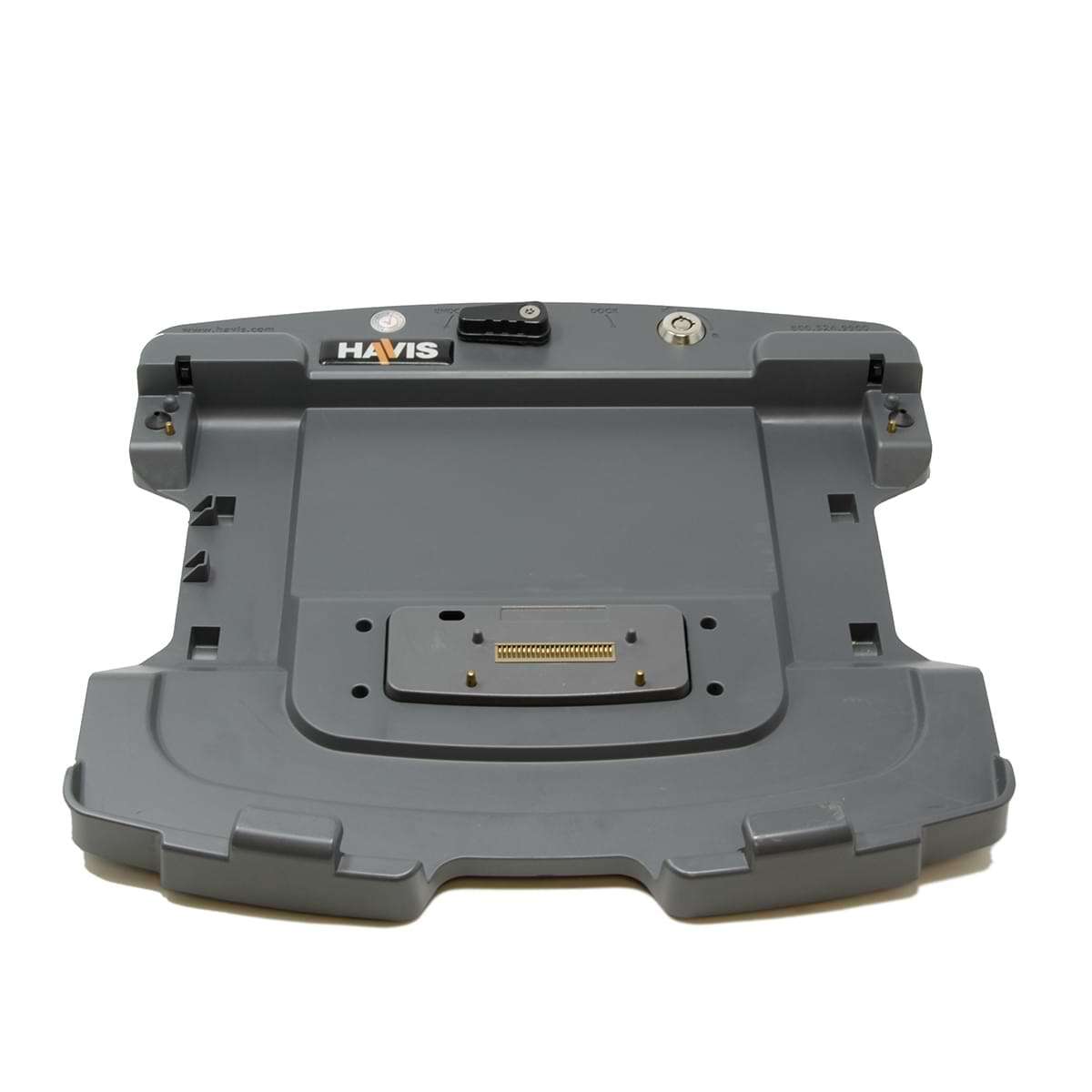 A tangle of cables in the cab is a safety hazard and a maintenance headache. One of the core benefits of a quality vehicle dock is that it centralizes all peripheral connections, so accessories plug into the dock once and stay there. The driver simply drops the device into the dock and everything is immediately available.
Peripherals That Work Well With Vehicle Docks
Barcode scanners and RFID readers can connect to the dock’s USB ports and stay permanently wired in the vehicle. A magnetic stripe or smart card reader for ID verification plugs in the same way. For public safety and utilities, a dock-connected printer lets drivers produce tickets, work orders, or receipts without leaving the cab. A vehicle-mounted keyboard tray, available as an optional accessory from most dock manufacturers, gives operators a proper input surface when they need to type extended entries. All of these connections go through the dock, keeping the cab clean and the device ready to pull out and carry when the driver needs to work outside the vehicle.
Protect Data Security When Hot-Swapping Devices
In fleet operations, it is common for multiple drivers to share the same vehicle on different shifts, each using their own device or the same shared device. This flexibility is one of the strengths of a vehicle dock, but it also introduces security risks that need to be managed deliberately.
Security Practices For Docked Devices
Enable full-disk encryption on every device that goes into a vehicle dock, so that a stolen or lost device cannot be read without credentials. For shared vehicles, configure the device to require login on dock insertion and automatically lock when removed from the dock most MDM platforms support this through dock-detection triggers. Use cloud-based storage so that work data is never stored only on the local device. For fleets, consider a device management platform like Microsoft Intune or VMware Workspace ONE to enforce policies, push updates remotely, and remotely wipe a device if it goes missing.
Plan For Installation, Maintenance, And Fleet Scaling
A vehicle dock is not a plug-and-play accessory. It requires proper installation, and for fleets of any size, it requires a deployment plan. Getting this step right from the beginning prevents downtime, reduces support calls, and makes it far easier to add vehicles or upgrade hardware in the future.
Deployment Tips For Single Vehicles And Fleets
Have docks professionally installed by a certified installer or upfitter who knows how to wire into the vehicle’s electrical system safely. Improper wiring is the most common cause of dock failures and device damage. Use a standardized dock model across your fleet so that any driver can operate any vehicle without retraining, and so that spare parts are interchangeable. Document the wiring diagram and hardware specifications for each vehicle type you deploy, which speeds up troubleshooting and replacement. When upgrading devices, check whether your current dock model has a conversion kit for the new hardware, many dock manufacturers offer these to avoid replacing the entire mount. Finally, schedule periodic inspections of the dock, cabling, and mount hardware, as vehicle vibration gradually loosens connections over time.
Final Thoughts
A well-designed vehicle dock setup transforms the cab into a reliable, professional workstation that supports drivers through every shift. Start with a compatible rugged device, choose the right mount for your vehicle type, and wire power correctly. Use the dock as the central hub for connectivity and peripherals, protect data through smart security policies, and plan your deployment carefully so the system scales as your fleet grows. When all seven pieces work together, your in-vehicle workspace becomes one of the most productive tools your team has.