

 9am – 5pm Eastern, Monday – Friday
 133 N Dupont Blvd Ste 103, Smyrna, DE 19977
 Sale Tax Free Shopping!
Which Rugged Computers Can Run Windows 11?
30th Oct 2026
Shopping for a rugged computer with Windows 11 can be confusing. Two laptops may both have Windows 11 installed, yet only one may meet Microsoft’s official hardware requirements. The other may use an installation workaround to run the operating system on older hardware.
That difference matters when you are choosing a computer for work. A rugged laptop needs to handle your applications, connect to your equipment, and fit your budget. But if you plan to keep it for several years, its operating-system compatibility deserves just as much attention as its physical condition.
The most important distinction is eligibility. Having Windows 11 installed does not automatically mean a computer meets Microsoft’s requirements. Older systems can sometimes run Windows 11 through a bypass, but Microsoft considers installations on hardware that does not meet its requirements unsupported and does not guarantee updates, including security updates.
For buyers who want a supported Windows 11 installation, the starting point is a compatible processor—followed by the rest of the computer’s hardware, firmware, and driver support.
What Are the Processor Requirements for Windows 11?
Microsoft requires a compatible 64-bit processor or system on a chip running at 1 GHz or faster with at least two cores. However, clock speed and core count are only part of the requirement. The processor must also be a supported model. A fast older processor does not automatically qualify simply because it has enough power to run your applications.
For the Intel Core processors commonly found in refurbished rugged computers, eighth-generation models are generally the starting point for Windows 11 eligibility. Microsoft’s supported processor list includes eighth-generation Core i3, i5, and i7 families, along with later generations. Always verify the exact processor rather than relying on a general description such as “Intel Core i7.”
This is important because “i5” and “i7” describe processor tiers, not their age. An older Core i7 can fall outside the supported processor list, while a newer Core i5 can meet the requirement. When comparing rugged computers, check both the processor tier and its generation.
 The processor is not the only requirement. Microsoft also specifies:
- At least 4GB of RAM.
- A storage device with 64GB or more.
- UEFI firmware with Secure Boot capability.
- Trusted Platform Module version 2.0, commonly called TPM 2.0.
- DirectX 12-compatible graphics with a WDDM 2.0 driver.
- A display larger than nine inches with at least 720p resolution.
These are minimum installation requirements, not necessarily the specifications you should choose for a work computer. At Bob Johnson’s Computer Stuff, we recommend at least 16GB of RAM and an 512GB SSD for a more practical rugged-computing setup. Your specific applications may require more memory, storage, or processing power.
Which Rugged Computers Should You Consider?
Start with the exact model, hardware generation, and processor configuration—not just the name printed on the case. Rugged computer manufacturers often keep a product family in production through several hardware revisions. Those revisions can make a substantial difference to Windows 11 eligibility.
The following models provide useful starting points for shoppers looking for supported processors. A compatible processor is only the first step; the complete configuration still needs to meet Microsoft’s other requirements.
Panasonic Toughbook FZ-55
The Toughbook FZ-55 is a good place to start when comparing refurbished rugged laptops for Windows 11. Our FZ-55 MK1 configurations include eighth-generation Intel Core i5 and i7 processors, while MK2 configurations include eleventh-generation Intel Core processors. These generations fall within the Intel Core families Microsoft lists as Windows 11-supported.
That gives buyers a choice between an older, potentially more affordable platform and a newer generation. An FZ-55 MK1 can make sense when your priority is meeting Windows 11 requirements without paying for the latest hardware. An MK2 or later generation is worth considering when you want a newer platform for a longer deployment.
The FZ-55 also offers modular xPAK expansion options. Depending on the generation and configuration, these options let buyers add compatible ports, readers, storage, and other hardware. That flexibility is useful when the computer needs to fit an existing workflow rather than forcing you to replace equipment around it.
 Panasonic Toughbook CF-33 MK2 and Later Generations
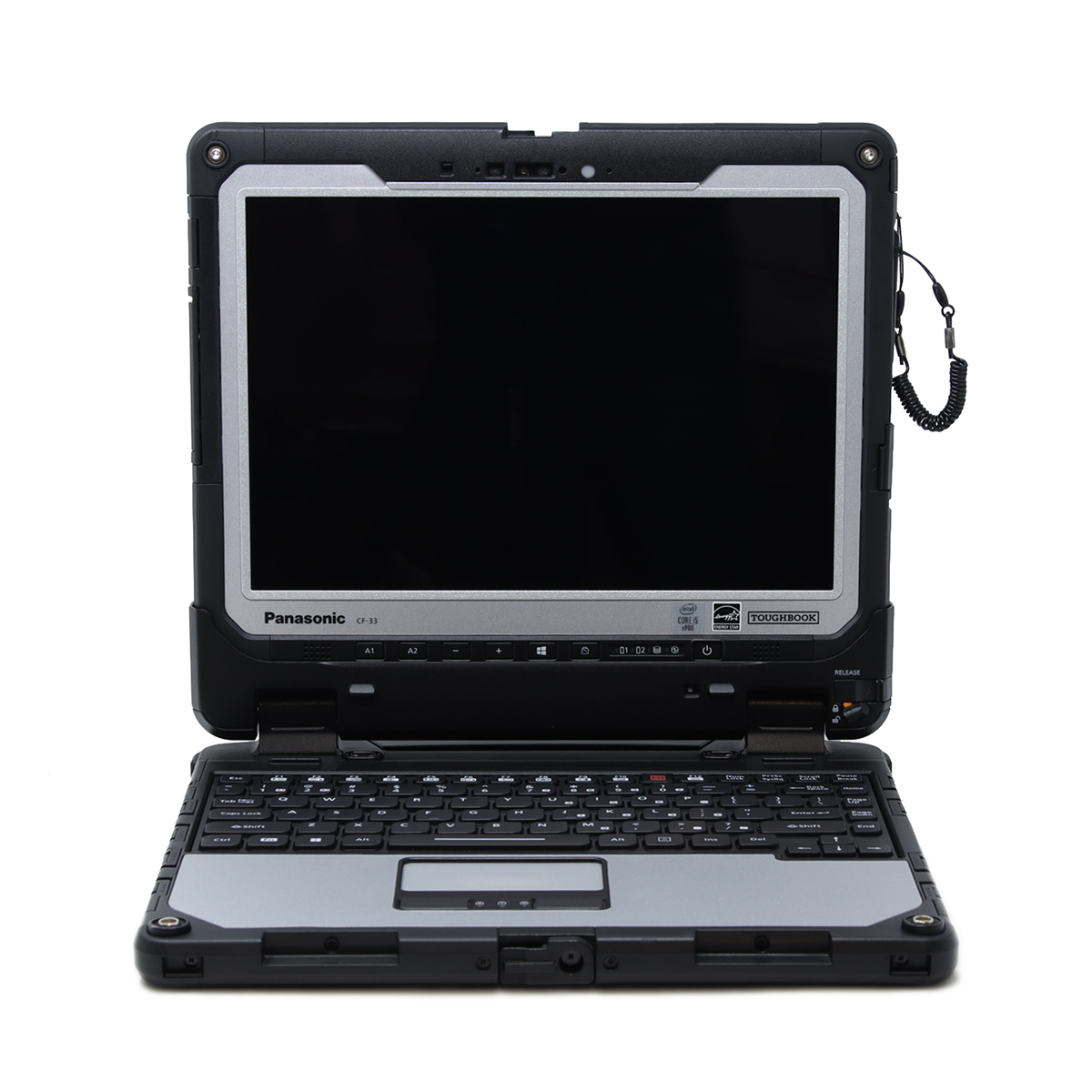
The Toughbook CF-33 demonstrates why the hardware generation matters so much. The CF-33 MK1 uses seventh-generation Intel Core processors, while the MK2 moved to tenth-generation processors. The newer processor platform makes the MK2 a stronger starting point for buyers seeking Windows 11 eligibility without a processor bypass.
A listing that says only “CF-33” is therefore not enough to establish compatibility. Check the MK generation and exact CPU before purchasing.
This same approach applies to tablets and detachable computers: a familiar product name does not tell you everything about the hardware inside. Confirm the specific configuration, and check that any required docks, touch features, communications modules, or specialized accessories support Windows 11. Our Windows troubleshooting guide highlights peripheral and driver compatibility as important considerations for rugged systems.
Dell Latitude 5420/5424 Rugged
Our Dell Latitude 5420 and 5424 listings include configurations with eighth-generation Intel Core i5 processors. Those processors provide another starting point for buyers looking for a rugged laptop that meets the Windows 11 processor requirement. The only difference between these units is the available DVD multi-drive slot.
As with a Toughbook, verify the individual unit rather than assuming that every computer in a product family has identical specifications. Check the installed processor, available operating-system options, TPM and firmware requirements, and the equipment you intend to connect.
The goal is not simply to find a laptop that can boot Windows 11. It is to find a complete configuration that meets the requirements and supports the work you need it to do.
What About Older Rugged Computers That Use a Bypass?
Older rugged computers can still be useful, and some can run Windows 11 through an installation bypass. In our article, “Windows 11’s Biggest Problems for Refurbished Rugged Computers,” we explain that we use a processor-requirement bypass on Windows 11 computers we sell that do not have an eighth-generation processor.
However, a bypass changes the installation process; it does not make an unsupported processor officially eligible.
Our separate Windows 11 24H2 installation guide documents testing on older systems, including:
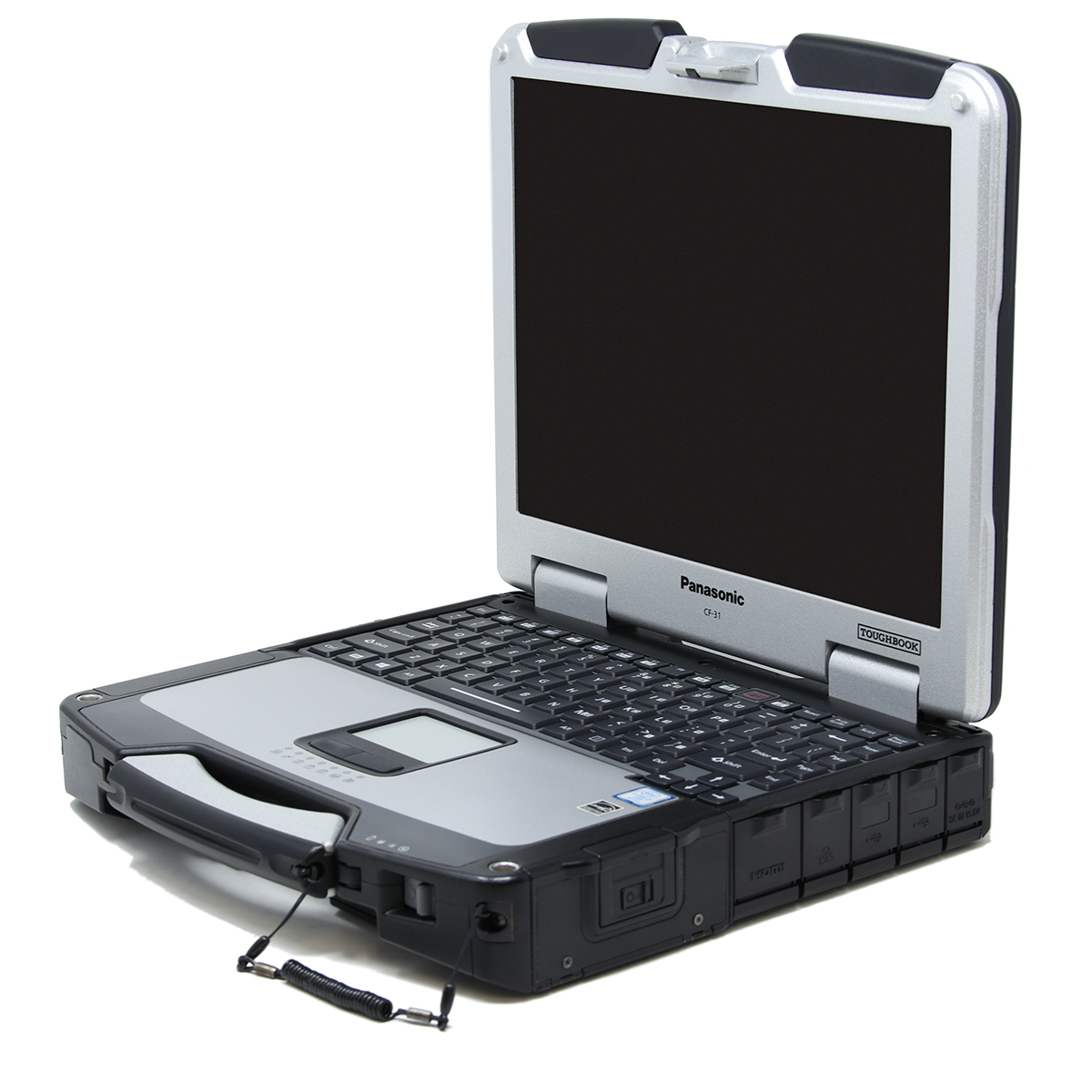 Panasonic Toughbook CF-31 MK4, MK5, and MK6.
- Panasonic Toughbook CF-33 MK1.
- Panasonic Toughbook CF-53 MK3 and MK4.
- Panasonic Toughbook CF-54 MK1, MK2, and MK3.
- Panasonic Toughbook CF-20 MK1 and MK2.
- Panasonic Toughpad FZ-G1 MK4 and MK5.
- Panasonic Toughbook CF-19 MK7 and MK8.
- Dell Latitude Rugged 5404 and 5414.
These are examples from our tested installation guide, not a list of officially eligible Windows 11 computers. The guide also lists several Getac configurations tested with that installation method. Because compatibility depends on the exact processor and hardware, shoppers should confirm whether an individual configuration actually requires a bypass rather than treating a model name alone as proof.
Who Should Consider a Rugged Computer Running Windows 11 Through a Bypass?
If your budget is around $500, an older refurbished rugged computer running Windows 11 through a bypass may be worth considering, depending on current pricing and availability. This approach gives budget-conscious buyers another option, but it is important to understand the difference between having Windows 11 installed and owning hardware that officially meets Microsoft’s requirements.
These computers are worth evaluating when you have a specific, established workload rather than a need for the latest hardware. Before purchasing, let us know which programs you use, what equipment you need to connect, and whether the computer will be your primary work machine or a backup. That information helps us recommend a configuration based on your actual needs—not just the operating system listed on the product page.
If you want another three to four years of use from your purchase, treat that as a buying goal rather than a guaranteed lifespan. The computer’s condition, battery health, hardware specifications, workload, and future software compatibility all matter. A lower purchase price can be appealing, but weigh it against the possibility of additional maintenance or an earlier replacement.
The tradeoff needs to be clear. Microsoft warns that devices which do not meet Windows 11 requirements may experience compatibility problems and are not guaranteed to receive updates, including security updates. A successful installation today doesn't guarantee that every future feature update will install normally.
For a buyer whose priority is official eligibility, a computer that meets the requirements without a workaround is the more straightforward choice.
Are Newer Processors Worth the Extra Money?
A newer processor can increase the purchase price, but the lowest upfront price is not always the lowest long-term cost.
 Consider the difference between buying a computer that meets your current needs with little room to spare and buying one with additional capacity for future workloads. If you expect to keep the computer through changing applications, heavier multitasking, or more demanding work, that additional capacity can be valuable. Microsoft notes that application requirements can exceed Windows 11’s minimum specifications and that performance scales with more capable hardware.
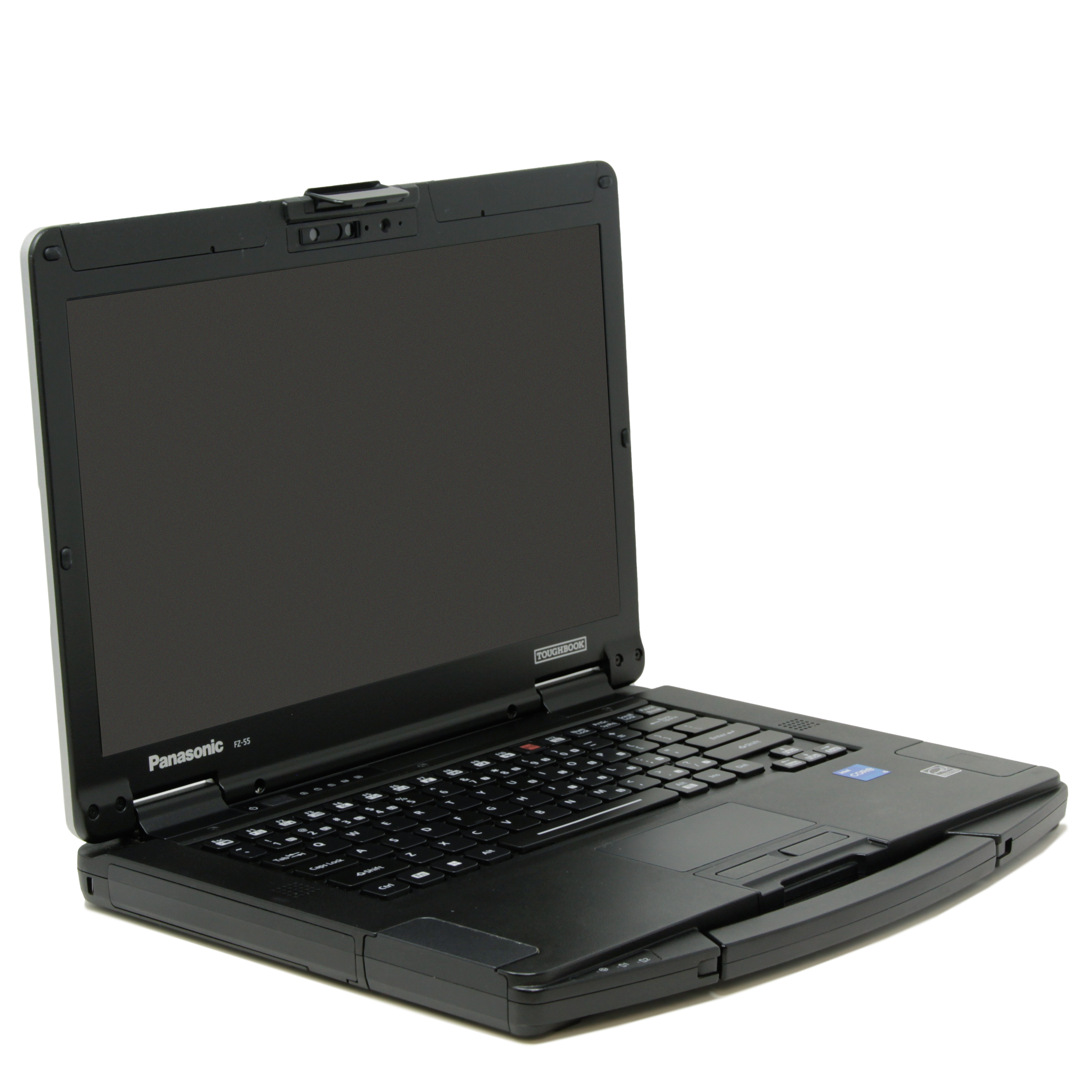
Within the FZ-55 family, for example, the MK1 uses eighth-generation processors, the MK2 moves to eleventh-generation processors, and the MK3 offers thirteenth-generation processors. These are different hardware platforms, not simply different prices for the same computer.
A newer platform may offer a longer useful working life because it has more room to accommodate your needs before performance becomes a reason to replace it. That does not mean the processor itself is guaranteed to remain physically functional longer. It means the computer may remain suitable for your workload longer.
There are limits to that argument. A newer processor does not guarantee compatibility with an unannounced future Windows release. It also does not guarantee a fixed number of additional years of manufacturer support. Windows eligibility, driver availability, application requirements, battery condition, repairability, and the computer’s overall condition all need to be considered. Microsoft specifically advises users to check whether their hardware remains supported by its manufacturer when maintaining Windows 11.
For lighter workloads and a tighter budget, an eligible eighth-generation system may be sufficient. For a longer planned deployment or growing software demands, spending more on a newer processor may be worthwhile. The right purchase balances today’s price with the work you expect the computer to handle over time.
Choosing the Right Windows 11 Rugged Computer
Before ordering, ask a few specific questions:
- What is the exact processor model and generation?
- Does this configuration meet Windows 11 requirements without a bypass?
- Are TPM 2.0 and Secure Boot capability present and correctly configured?
- Are Windows 11 drivers available for the features and accessories you need?
- Does the computer have enough RAM and SSD storage for your applications?
- Is Windows 11 included in the configuration you are purchasing?
Microsoft’s PC Health Check app can help assess an existing computer’s Windows 11 compatibility. For a purchase, review the individual product specifications and confirm any requirements that are not clearly stated.
At Bob Johnson’s Computer Stuff, we can help you distinguish between an older rugged computer running Windows 11 through a workaround and a configuration that meets the official requirements. Our product selection includes different processor generations and operating-system configurations, so let us know before ordering if officially supported Windows 11 hardware is a requirement.
Start with eligibility, then compare performance, features, condition, and price. That approach helps you choose a rugged computer that fits your budget without overlooking the compatibility and working life you need.