Happy New Year from all of us at Bob Johnson's Computer Stuff!
Celebrating another year of rugged reliability. Thank you for being part of our story!
Happy Valentine's Day! Show your rugged laptop some love.
Happy St. Patrick's Day! May your battery life be long and your luck be rugged.
Happy Easter weekend from our family to yours!
It's World Autism Awareness Day. Our site is blue today to support the autism community.
Happy Earth Day! Refurbished rugged computers keep great technology out of landfills.
Happy Mother's Day weekend to all the moms out there!
This Memorial Day weekend, we remember and honor those who gave their lives in service.
Happy International Firefighters' Day. Thank you for the work you do!
Happy Armed Forces Day! Thank you to every member of our military.
It's National Police Week. Thank you to the officers who serve and protect us.
Happy EMS Week! Thank you to the EMTs and paramedics who answer the call.
Happy Father's Day weekend to all the dads out there!
Happy Fourth of July weekend! Have a safe and happy holiday.
Happy Labor Day weekend! We salute the hard-working people who keep America running.
Happy Halloween from Bob Johnson's Computer Stuff!
Our website is pink today for Breast Cancer Awareness.
Happy Veterans Day! Thank you to all who have served.
Happy Thanksgiving! We're thankful for you, our customers.
Our Black Friday Sale is on all week. Don't miss these deals!
Cyber Monday Sale week is here. Shop the deals before they're gone!
Merry Christmas from all of us at Bob Johnson's Computer Stuff!

Parts have free shipping in the Continental USA!
5% Discount if you signup for our Newsletter!
Panasonic Toughbook CF-33 as low as $149.31!
Sign in

Blog

Blog Topics & Categories

Toughpad FZ-G1: How to Access and Update the BIOS

Toughpad FZ-G1: How to Access and Update the BIOS

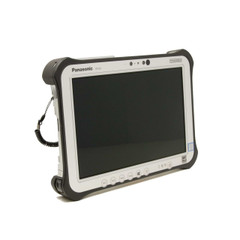
The Toughpad FZ-G1 is a Windows tablet that Panasonic made for field workers like Police, Firefighters, and EMS. Perfect for anyone who is always on the move. This rugged tablet has a 10.1" screen and runs on Windows 10 Pro 64-Bit. It is one of the thinnest and lightest fully rugged tablets in its c…
Toughpad FZ-G1: How to Access and Update the BIOS

How Tough is a Panasonic Toughbook?

"Are They Really That Tough?"... "Will my Toughbook work in extreme heat or cold?" "What happens if it gets wet?" "Will my Toughbook survive if It gets run over?" Many people have questions about what these fully rugged laptops can truly withstand, and we're here to answer them! Panasonic Toughbooks…

What Is the BIOS (And Its Password)?

Here at BJCS, we get a lot of questions about the baffling nature of BIOS. The good news is, we’re here to give you the answers you need. So let’s get into it… What is it? The BIOS-a.k.a. the Basic Input/Output System- comes preinstalled on virtually all modern computers motherbo…
Help! My Toughbook Won’t Connect to Wi-Fi!

Help! My Toughbook Won’t Connect to Wi-Fi!

How to get back online using Panasonic’s Wireless Switch Utility At some point, your Toughbook’s Wi-Fi was turned off. Maybe you switched it off yourself, or maybe Windows ran an update and shut it off. It might be a mystery. What matters is that you need to get online and you can’…
Help! My Toughbook Won’t Connect to Wi-Fi!

How to Calibrate the Touch Screen on Your Toughbook

If you're having trouble with your touch screen, finding that the place you tap is different from where your Toughbook thinks you're tapping, or if you just feel like your touch screen isn't as accurate as it should be, you may need to calibrate it. Calibrating your touch screen is a cinch, but the…