

 9am – 5pm Eastern, Monday – Friday
 133 N Dupont Blvd Ste 103, Smyrna, DE 19977
 Sale Tax Free Shopping!
How Much RAM Do You Actually Need in a Rugged Laptop?
15th May 2026
When purchasing a rugged laptop, users tend to prioritize features related to its strength and durability because they want their laptop to withstand impacts, dust, high and low temperatures, water, and a labor-intensive environment. However, speed is another important aspect of a laptop. RAM plays an important role in it.
The amount of RAM needed cannot be easily determined, as some users believe 8GB would suffice for any task, while others believe 64GB would be necessary, since times change. Nevertheless, the amount of RAM required would depend on the user's needs and preferences.
There are certain types of jobs for which a laptop's performance becomes crucial. For instance, construction workers, policemen, factory workers, engineers, and many others require laptops that operate quickly and reliably so they can work efficiently and avoid delays.
How Rugged Laptop Usage Differs from Regular Laptops
Rugged laptops are built for environments very different from those of regular consumer laptops. Most standard laptops are used in offices, homes, or coffee shops where conditions are controlled and comfortable. Rugged laptops, on the other hand, are designed for tough environments where reliability matters every single day.
People working in the field often depend on these systems for critical tasks. They may be dealing with extreme temperatures, dusty job sites, moving vehicles, or remote locations where technical support is not available. Because of that, rugged laptops need to maintain stable performance even under pressure.
Fieldwork Requires More Performance Stability
In office environments, a slow laptop can be annoying. In field environments, it can delay operations and affect productivity. A field technician running diagnostics software or a construction manager opening large project files cannot afford constant lag or freezing.
This is where RAM becomes important. Enough memory helps the laptop stay responsive while multiple applications run simultaneously. It allows users to switch between tasks without frustrating delays.
Rugged laptops already deal with physical stress from heat, vibration, dust, and movement. If the laptop also struggles with low memory, the entire system can become unstable. That’s why rugged laptop users often need more reliable performance compared to regular users.
Industries That Depend on Rugged Laptops
Construction professionals and engineers regularly use software for blueprints, CAD files, reporting, and project management. These applications often use a large amount of RAM, especially when working with complex designs.
Police departments, firefighters, and emergency response teams rely on rugged laptops for communication, incident reporting, mapping, and dispatch systems. In critical situations, the laptop must work smoothly without delays.
Warehouse teams and manufacturing facilities use rugged laptops for inventory systems, equipment monitoring, and industrial applications. Workers often multitask throughout the day, which increases memory usage.
Military operations often involve secure software, surveillance systems, advanced mapping tools, and data-heavy applications. These workloads usually require higher RAM configurations for stable performance.
How Much RAM Do Different Users Actually Need?
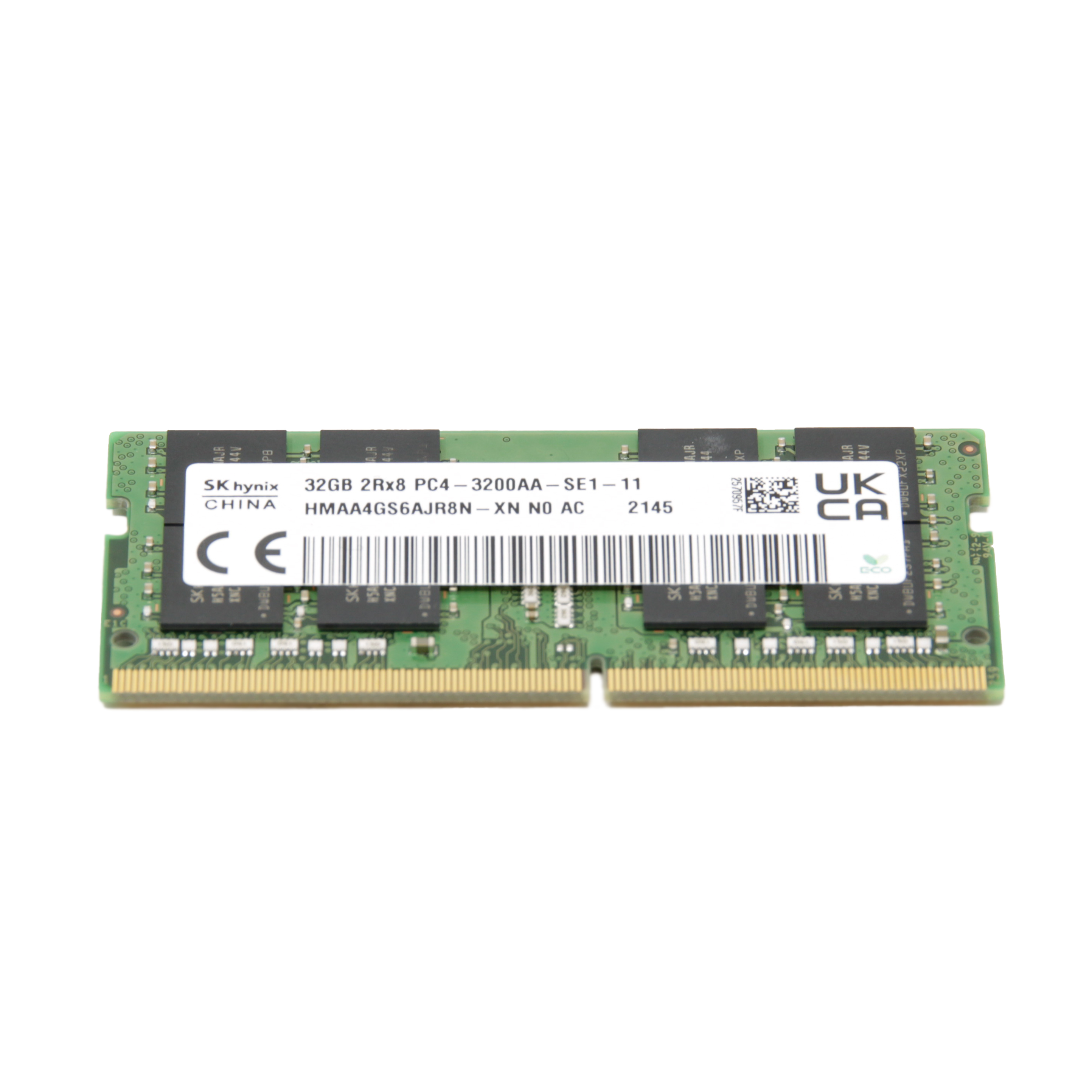
Not every rugged laptop user needs the same amount of RAM. The ideal amount depends on your daily workload, software requirements, and multitasking habits.
8GB RAM: For light users, 8GB RAM can still handle basic tasks fairly well. If you mainly use your rugged laptop for emails, web browsing, simple reports, and office applications, you may not face major problems. Many entry-level rugged laptops still come with 8GB because it keeps costs lower. The problem is that modern software uses more memory than before. Even web browsers consume a surprising amount of RAM today. If you open multiple tabs, video meetings, or industry software at the same time, 8GB can quickly feel limiting. For professional field users, 8GB is becoming the minimum rather than the ideal option.
16GB RAM: For most rugged laptop users, 16GB RAM offers the best balance between performance and price. It gives enough memory for multitasking without making the system overly expensive. Most professionals can comfortably run multiple applications at once with 16GB. Rugged laptops are often expected to last several years. Choosing 16GB helps the system remain useful longer as software requirements continue to increase. For many businesses, this is the safest and most practical choice.
32GB RAM: Users running advanced software often benefit from 32GB RAM. This includes people working with: CAD applications, 3D modeling, large databases, virtual machines, engineering simulations, and advanced analytics. These workloads can push memory usage far beyond 16GB. Power users often keep many applications open simultaneously. With 32GB RAM, switching between programs feels smoother and faster, especially during heavy workloads.
64GB RAM: Most people do not need 64GB RAM. However, some enterprise environments and specialized industries can benefit from it. This includes advanced research, military systems, virtualization, AI workloads, and scientific simulations. Many buyers assume the highest RAM option automatically means the best performance. In reality, unused RAM does not improve everyday performance. Buying far more memory than you need can simply increase costs unnecessarily.
Deciding How Much RAM You Require Based On Usage
 Understand How the Operating System Affects RAM Usage: Today’s operating systems use much more RAM than older versions. Windows 11, for example, already uses a noticeable amount of memory even before opening applications. That means systems with lower RAM have less available memory for actual work tasks. Security software, updates, syncing applications, and background services constantly consume memory. Many users don’t realize how much RAM is already being used behind the scenes.
Evaluate the Type of Software You Use: Engineering software, GIS tools, diagnostic applications, and industrial systems often require substantial RAM to run smoothly. The heavier the software, the more memory your laptop will need. Cloud-based work environments are now very common. If you regularly work with online platforms and dozens of browser tabs, memory usage can increase quickly. (You can find hardware specfications similar to the picture on the left for most software applications.)
Analyze Your Multitasking Habits: Some people only run one application at a time. Others constantly switch between several programs throughout the day. If you multitask heavily, more RAM helps maintain smooth performance. Imagine an engineer running CAD software while attending video meetings, opening large spreadsheets, and using cloud tools at the same time. That setup can easily push memory usage beyond 16GB.
Future-Proof Your Rugged Laptop for Long-Term Performance: Unlike regular consumer laptops, rugged devices are often used for many years. Choosing slightly higher RAM today can help avoid performance issues later. Applications become more demanding every year. Investing in enough RAM now can help extend the system's useful life.
Signs Your Rugged Laptop Needs More RAM
Slow Application Performance: If software suddenly feels slower than usual, low RAM may be the cause. Applications may struggle to load because the system lacks available memory. Even simple actions like switching tabs or opening files may start feeling sluggish.
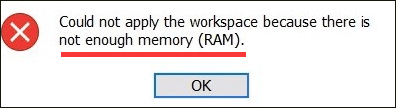
Frequent Freezing or Crashing: When RAM runs out, laptops can freeze, crash, or become unresponsive. This becomes especially frustrating during important work. Large engineering files or databases may stop opening smoothly if the system lacks enough memory.
Delays During Multitasking: If your laptop slows down whenever several applications are open, there’s a good chance the RAM is struggling to keep up. Even updates or antivirus scans can affect performance when available memory is limited.
High Memory Usage Warnings: If your operating system regularly warns about high memory usage, it usually means your current RAM capacity is no longer enough for your workload. Checking memory usage through Task Manager can quickly reveal whether the system is constantly operating near maximum capacity.
Can You Upgrade RAM in a Rugged Laptop?
In most cases, yes, you can upgrade the RAM in a rugged laptop. In some cases, mostly on rugged tablets, you cannot upgrade the RAM. The Panasonic Toughbook CF-33, Dell Latitude 7220, and Getac F110 are all examples of tablets whose RAM cannot be upgraded. In all of their cases, the RAM is soldered onto the system board and cannot be upgraded easily.
This can be hard to keep track of, so here’s a table of all the models we have confirmed are upgradeable and those that are not.
| Panasonic Toughbooks | Can The Memory (RAM) be Upgraded? |
|---|---|
| CF-19 | ✔ |
| CF-31 | ✔ |
| CF-33 | ✘ |
| FZ-40 | ✔ |
| CF-53 | ✔ |
| CF-54 | ✔ |
| FZ-55 | ✔ |
| FZ-G1 | ✘ |
| FZ-G2 | ✘ |
| FZ-M1 | ✘ |
| Getacs | Can The Memory (RAM) be Upgraded? |
|---|---|
| S410 | ✔ |
| K120 | ✔ |
| V110 | ✔ i The V110 has it's RAM slots in 2 different spots. One under a cover on the bottom, another under the keyboard. Upgrading the first one is easy, the second one requires removing the system board. We suggest upgrading the first slot and leaving the second slot as is. |
| F110 | ✘ |
| B300 | ✘ |
| B360 | ✔ |
| Dell Latitudes | Can The Memory (RAM) be Upgraded? |
|---|---|
| 5414 | ✔ |
| 5420 | ✔ |
| 5424 | ✔ |
| 5430 | ✘ |
| 7212 | ✘ |
| 7220 | ✘ |
Things to Check Before Upgrading
Before upgrading RAM, always confirm: the RAM type, supported capacity, number of slots, and manufacturer recommendations.
Installing incompatible memory can create stability problems. Some rugged laptop manufacturers have specific upgrade policies. It’s always smart to check warranty conditions before opening the system.
If you’re going to attempt to swap the memory out yourself, take a trip over to our YouTube Channel first. We try to post a walkthrough repair video for every unit that we carry. If you cannot find it on our channel, feel free to reach out to our technicians and request the video so we can record it!
Common Myths About RAM
“More RAM Always Means Faster Performance”: RAM matters, but it is not the only thing affecting speed. The processor, SSD, cooling system, and software optimization also play major roles. Adding huge amounts of RAM will not magically solve every performance issue.
“8GB Is Enough for Everyone”: Years ago, 8GB was considered more than enough. Today, many professional applications and multitasking environments require much more memory. An SSD improves storage speed, while RAM handles active applications and multitasking. Both components are important for smooth performance.
Making the Smart RAM Choice for Rugged Laptops
Choosing the right amount of RAM for a rugged laptop is really about understanding your daily workload. Too little memory can slow everything down and create frustrating performance problems. Too much memory, however, can increase costs without adding real benefits.
For most users, 16GB RAM offers the best mix of performance, reliability, and long-term value. Power users working with advanced software may need 32GB or more, while lighter users can still manage with 8GB for basic tasks.
At the end of the day, rugged laptops are designed to perform in environments where reliability matters most. Making the right RAM decision helps ensure your laptop stays dependable for years.